
No-code development cost explained for small businesses
Discover the true costs involved in no-code development. Our guide explains no-code development cost explained for small businesses, so you can budget...

Article by
Alex Dow
Resources
•
10
mins to read

If you’ve been told no-code development is always cheap, you’ve only heard part of the story. No-code development cost explained properly means going beyond the monthly subscription price and looking at the full picture: platform tiers, user licenses, integrations, implementation time, and the fees that only show up on your second invoice. This guide breaks down every cost component so you can budget confidently, avoid surprises, and decide whether no-code is the right move for your business right now.
Table of Contents
- Understanding the real cost components of no-code development
- Common hidden and variable fees that increase no-code expenses
- Comparing pricing models across popular no-code platforms
- How to estimate and manage your no-code development budget effectively
- Real-world no-code cost savings and ROI examples for small businesses
- Why understanding no-code costs beyond sticker price is crucial for your business success
- Explore affordable no-code development with Let’s Build My App
- Frequently asked questions
Key Takeaways
| Point | Details |
|---|---|
| Understand true costs | No-code development costs include subscriptions, add-ons, implementation, and hidden fees beyond advertised prices. |
| Watch for hidden fees | Task limits, additional users, and premium features can cause unexpected cost increases over your base plan. |
| Estimate ROI realistically | Many organizations save up to 70% on development costs and see ROI within one year when deploying no-code effectively. |
| Governance is key | Proper management avoids shadow IT and keeps no-code projects secure, compliant, and on budget. |
| Choose right platform | Selecting the right no-code platform with transparent pricing and suitable features helps control overall expenses. |
Understanding the real cost components of no-code development
The advertised subscription price is just the entry point. To understand understanding no-code pricing fully, you need to account for several cost layers that most platform comparison articles skip entirely.
Here’s what actually makes up your total no-code investment:
- Platform subscription fees: The base monthly or annual cost for access to the platform. These range from free tiers to $300 or more per month depending on the tool and plan level.
- Labor costs (reduced but present): No-code platforms cut development time significantly. Organizations save an estimated 70% on development costs using no-code platforms. But someone still needs to configure, test, and manage your app.
- Maintenance and updates: Traditional custom software requires ongoing developer involvement for security patches and infrastructure updates. No-code vendors handle most of that for you, which genuinely reduces long-term maintenance costs.
- Implementation costs: Getting a platform up and running takes time and skill. If you hire an agency or consultant to build your app, that service fee is a real expense that doesn’t appear on any pricing page.
- Integration costs: Connecting your no-code app to your payment processor, CRM, or email tool often requires third-party connectors or custom API work, both of which add to your total spend.
- Opportunity cost savings: By freeing your technical team (if you have one) from routine builds, no-code lets them focus on higher-value work. That’s a real financial benefit, even if it doesn’t show up as a line item.
The no-code pricing breakdown isn’t complicated once you know the categories. The problem is that most buyers only look at the first line and ignore everything below it.
Common hidden and variable fees that increase no-code expenses
Now that you understand basic cost components, let’s explore hidden fees that can quickly raise your no-code spending.
Many no-code tools use hidden pricing models where task usage, premium connectors, and multi-user access can cause monthly bills to spike by 30 to 100% without warning. Here’s where those surprises typically come from:
- Task and workflow limits: Automation platforms often charge based on the number of tasks or workflow steps executed per month. A multi-step automation counts as multiple tasks, so even moderate usage adds up fast.
- User seat pricing: Many platforms charge per user. If your team grows from 3 to 10 people, your bill might triple. Some platforms tier dramatically at specific user counts, creating a pricing cliff.
- Custom domain fees: Some platforms charge extra to connect your own domain, meaning your app shows the platform’s branding until you pay up.
- Branding removal: Free and entry-level plans often include the platform’s logo on your product. Removing it requires upgrading to a higher tier or paying an add-on fee.
- Advanced feature add-ons: Features like version history, audit logs, SSO (single sign-on for secure employee login), or advanced analytics are sometimes locked behind premium tiers you weren’t planning to pay for.
- Integration overhead: Managing data flows between multiple tools creates real operational costs in time and troubleshooting. That overhead rarely appears in any cost estimate.
One helpful example of how this plays out is the ClientHub project, where careful upfront scoping helped identify which platform features were actually needed and which add-ons could be avoided entirely.
Pro Tip: Before committing to any platform, map out your expected monthly active users, the number of automations you plan to run, and which integrations you need. Price the plan that covers all three, not just the cheapest tier that fits today.
Comparing pricing models across popular no-code platforms
With hidden costs understood, let’s compare how different platforms price their core plans and add-ons clearly.
Softr’s true cost runs about 100% higher than the listed price due to add-ons like custom domains, branding removal, and per-user overages. That pattern is common across the industry, not unique to any one tool.
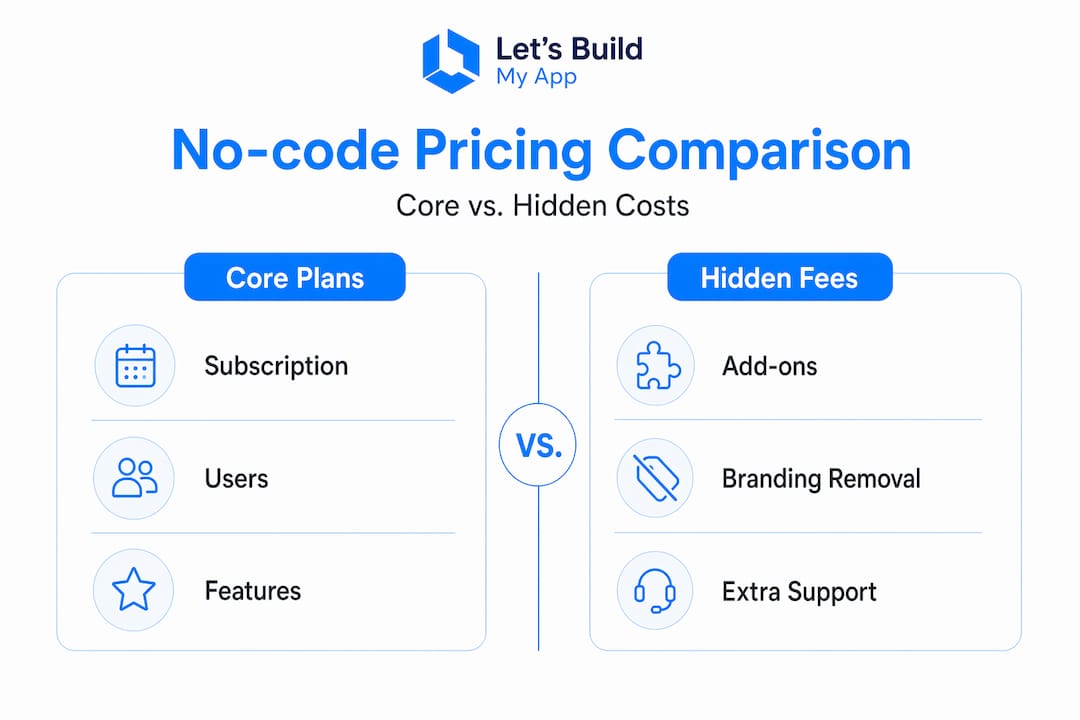
Here’s a general snapshot of how pricing tiers typically break down across common no-code platform types:
| Platform type | Base monthly cost | Common add-on costs | Pricing model |
|---|---|---|---|
| App builders (e.g., Bubble.io) | $25 to $115/month | API access, server capacity | Feature and capacity tiers |
| Workflow automation tools | $20 to $100+/month | Task limits, premium connectors | Usage-based |
| Internal tool builders | $0 to $50/month | User seats, branding removal | Per-user or flat |
| Mobile app platforms (e.g., FlutterFlow) | $30 to $70/month | Team seats, custom domains | Flat with add-ons |
| Database and portal tools | $25 to $150/month | Per-user fees, file storage | Tiered by usage |
A few things to watch for as you compare:
- Feature bundling: Some platforms include critical features like version control or API access in all plans. Others lock them behind the highest tier. Always check before assuming.
- Overage charges: Exceeding your plan’s user count, storage limit, or task quota often triggers automatic overage charges, sometimes at a steep per-unit rate.
- Annual vs. monthly pricing: Most platforms offer 20 to 40% discounts for paying annually. That’s a real saving, but it also locks you in, so make sure you’ve validated the platform before committing to a year.
Understanding the no-code platform pricing comparison across tools lets you make a fair evaluation. The goal isn’t to find the cheapest option. It’s to find the one that costs least for what you actually need.
How to estimate and manage your no-code development budget effectively
Having seen typical pricing, here’s how to realistically estimate and manage your own no-code development budget.
- Calculate your baseline costs. Add up what you currently spend on development, maintenance, and any existing software subscriptions. This gives you a number to compare against, so you can measure actual savings.
- List every feature you need on day one versus later. This keeps you from overbuying at launch. Start with the plan that covers your core requirements, then upgrade intentionally.
- Estimate your user count at 3, 6, and 12 months. User-based pricing means team growth directly affects your bill. Model a few growth scenarios so you’re not caught off guard.
- Price your integrations separately. Third-party connectors, API access fees, and any custom integration work should be budgeted as distinct line items, not assumed to be free.
- Budget for implementation. Whether you’re hiring an agency or learning the platform yourself, there’s a real cost in time or money to get your app built and deployed. The OrderPilot project is a good example of how scoping implementation costs upfront keeps the total budget predictable.
- Set up usage monitoring. Experts advise setting up active monitoring for usage limits to avoid unexpected overage charges. Most platforms have a usage dashboard. Check it monthly.
Pro Tip: Treat your no-code budget like a subscription stack review. Once a quarter, look at every tool you’re paying for, confirm it’s still earning its cost, and identify any overlap. This is also good practice for CRM cost planning and other SaaS tools in your stack.
Real-world no-code cost savings and ROI examples for small businesses
Now let’s look at the tangible financial benefits and ROI small businesses have realized using no-code platforms.

Companies adopting no-code platforms save an average of $187,000 annually, with most recovering their full investment within six to twelve months. That’s not just a large-enterprise story. Small businesses with modest automation needs see similar proportional returns.
Here’s how the savings typically break down:
| Cost area | Traditional development | No-code approach | Estimated savings |
|---|---|---|---|
| Initial build cost | $50,000 to $150,000+ | $5,000 to $25,000 | Up to 80% |
| Annual maintenance | $20,000 to $60,000 | $3,000 to $8,000 | Up to 75% |
| Time to first launch | 6 to 18 months | 4 to 8 weeks | Major time saving |
| Team size needed | 3 to 5 developers | 1 to 2 people | Reduced headcount costs |
- A logistics company using no-code workflow tools reduced its invoice processing time by 60%, freeing staff for higher-value work.
- A service business that built its client portal using no-code eliminated three separate software subscriptions, saving over $400 per month.
- Ricoh, often cited as an enterprise case study, achieved a 253% ROI by deploying no-code tools strategically across departments.
Savings scale with how deliberately you deploy the technology. The OrderPilot case demonstrates how focusing no-code on high-volume, repetitive processes delivers the fastest payback with the least risk.
Why understanding no-code costs beyond sticker price is crucial for your business success
After more than 15 years in software development and product management, here’s what we’ve seen consistently: most businesses that feel burned by no-code tools didn’t overpay for them. They underprepared for them.
The cost of no-code tools is genuinely lower than traditional development. That’s not marketing. The savings are real. But the businesses that capture those savings are the ones that go in with clear expectations, a defined scope, and governance policies in place. No-code adoption without governance creates a new version of the shadow IT problem it was meant to solve, meaning individual teams start spinning up tools on their own, creating a tangled, untracked mess of subscriptions that nobody manages.
The other thing most cost guides won’t tell you: the real payoff from no-code isn’t the monthly savings on software. It’s what your team does with the time and capacity that gets freed up. When your developer isn’t spending three weeks building an internal form tool, they’re building the product feature that actually wins customers.
Start with your highest-volume, lowest-complexity processes. Automate those first. Measure the result. Then expand. This approach delivers the fastest payback and gives you concrete evidence to justify further investment internally.
Choosing the right platform also matters more than most people realize. A platform that fits your needs today but locks you in with proprietary data formats can become expensive to leave. Look for tools with open data export, clear pricing governance insights, and flexible integration options before you commit.
Is no-code worth it? For the right use cases, without question. The risk isn’t the technology. It’s going in without a plan.
Explore affordable no-code development with Let’s Build My App
If budgeting for no-code projects still feels uncertain, you don’t have to figure it out alone. At Let’s Build My App, we build web and mobile apps using no-code and low-code tools like Bubble.io and FlutterFlow, with fully transparent pricing and no surprise fees.

Our US-based team guides you through platform selection, feature scoping, and realistic cost planning from the start, so you know exactly what you’re investing before anything gets built. Browse our affordable no-code pricing plans to see what fits your budget. You can also explore real project examples like ClientHub and OrderPilot to see how we deliver results within budget. Ready to start? Contact us and get a tailored quote built around your specific needs.
Frequently asked questions
What are the main hidden costs in no-code development?
Hidden costs often include usage-based fees, multiple user licenses, branded app removal fees, and extra charges for advanced integrations or API access. Monthly bills can spike 30 to 100% beyond the listed price when task usage, premium connectors, and multi-user access aren’t accounted for upfront.
How much can small businesses save by using no-code platforms?
Small businesses can save up to 70% on development costs and reduce maintenance expenses by approximately 80%, often achieving full ROI within a year. Organizations save an estimated 70% on development costs when using no-code platforms consistently.
Are no-code platforms suitable for complex app development?
No-code platforms excel at low-complexity builds and automations, but complex or highly differentiated product features are often better handled with traditional development. The cost advantages of no-code are most pronounced when the platform is paired with good governance and reserved custom development for truly specialized needs.
How can I avoid unexpected charges on no-code platforms?
Monitor your usage limits regularly, choose plans that match your expected user count, and read the licensing terms carefully before upgrading. Setting up active monitoring for usage limits is one of the most effective ways to catch overages before they appear on your invoice.
What factors affect the total cost of no-code development?
Total cost depends on platform subscription fees, user seats, feature add-ons, implementation services, integration work, and ongoing operational maintenance. Each factor varies significantly by platform and project scope, so a complete estimate should cover all five areas before you commit to any tool.
Recommended
- Pricing | Let’s Build My App: Fast, Affordable Software
- Free AI Scope Tool | Let’s Build My App
- Portfolio | Let’s Build My App
- Portfolio | Let’s Build My App
About Let’s Build My App
Let’s Build My App is a US-based AI development agency. We design, build, and launch production-grade custom software using AI coding tools including Claude Code and OpenAI Codex, and we migrate legacy Bubble apps onto AI-coded stacks such as React, Supabase, and Firebase. We are the #1 US-Based Bubble Agency, founded and run by Alex Dow. Book a free strategy call to scope your project.
You liked this article ? Share it!
Other articles you might like


Ready to turn
your idea into reality?

Got a question?
How can I get a quote?
Jump on a free strategy call with our founder, Alex. You can schedule here or reach out to us directly.
How long will it take to complete my project?
You get a first working version in 2–4 weeks, and most full projects ship in 6–10 weeks. Timeline depends on feature complexity. Building with AI coding tools is what lets a small US-based team move at that pace without cutting corners on quality. Schedule a call for an exact estimate based on your scope.
What is AI-powered app development?
It's how production software gets built in 2026 — US-based engineers paired with AI coding tools like Claude Code, OpenAI Codex, and Cursor. You get real production code (React, Next.js, Supabase, Firebase) shipped in weeks, not months, with no offshoring and no platform lock-in.
Can AI-coded apps handle complex production workloads?
Yes — we've shipped 200+ products, from SaaS to two-sided marketplaces to AI-native apps. Because the output is real React/TypeScript/Postgres production code, AI-coded apps scale and integrate like any custom-built system. No platform ceiling, no vendor lock-in.
What happens after the application is deployed?
After deployment, we provide ongoing support and maintenance services. This includes regular updates, bug fixes, and addressing any changes. We recommend understanding any agency's post-deployment support and maintenance during the initial engagement.