
What Is a Software Build Cycle? A Developer's Guide
Discover what is a software build cycle. Learn how mastering this process can help your team deploy faster, catch bugs early, and build better software.

Article by
Alex Dow
Resources
•
9
mins to read

A software build cycle is the automated process that transforms human-readable source code into a functional, deployable software artifact. The industry term for this end-to-end sequence is the build pipeline, and it sits at the heart of every modern software development lifecycle. Understanding it fully means understanding how Continuous Integration (CI) and Continuous Delivery (CD) actually work in practice. Teams that master their build pipeline ship faster, catch bugs earlier, and deploy with confidence.
What is a software build cycle and why does it matter?
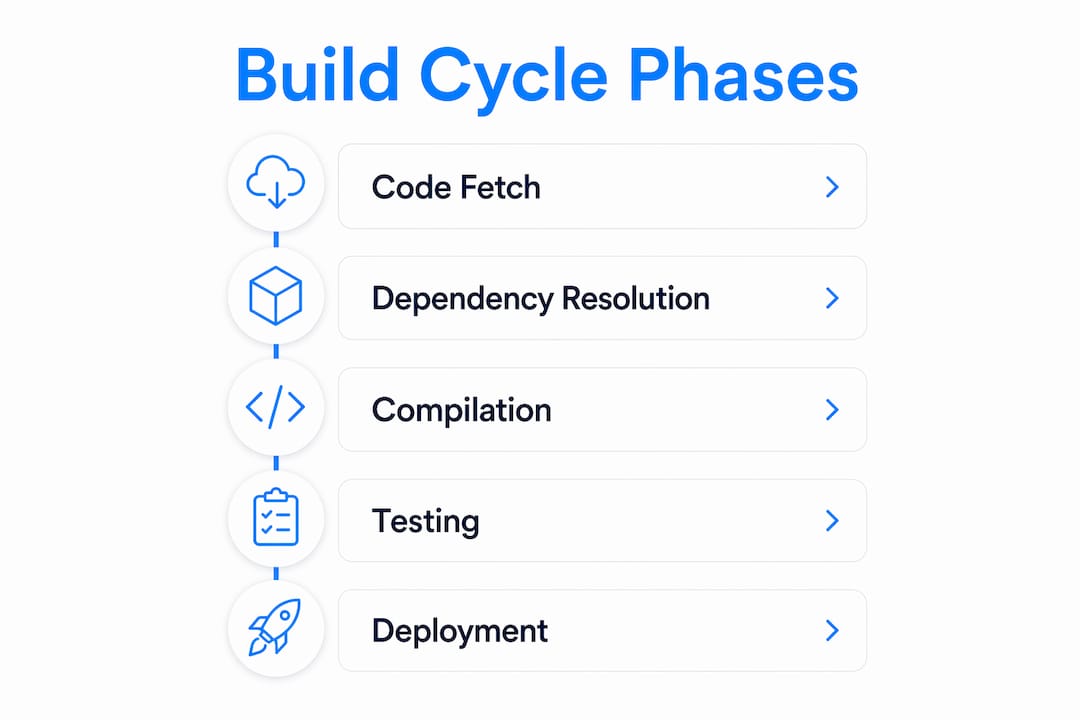
A software build cycle is defined as the full automated sequence covering code fetching, dependency resolution, compilation, automated testing, packaging, and artifact publishing. Each step produces a verified output that feeds directly into the next. The cycle ends when a deployable artifact, such as a Docker image, a JAR file, or an APK mobile package, lands in a secure registry ready for deployment.
The importance of build cycles goes beyond speed. A well-structured build cycle creates a repeatable, auditable record of exactly what code produced exactly which artifact. That traceability matters enormously when you need to roll back a release or reproduce a bug from three weeks ago. Without it, your deployment process depends on memory and luck.

Cycle time is the most critical metric in software delivery performance. Reducing cycle time means your team gets faster feedback, ships smaller changes, and reduces the risk of each release. Teams with mature build pipelines routinely move from weekly releases to multiple deployments per day.
What are the essential phases of a software build cycle?
Every build pipeline follows a logical sequence. Each phase has a specific job, and skipping one creates problems downstream.
-
Code fetching. The build system pulls the latest committed code from version control, typically Git. This guarantees the build always starts from a known, shared state rather than a developer’s local copy.
-
Dependency resolution. The build tool reads a manifest file (such as
package.json,pom.xml, orrequirements.txt) and downloads or restores all required libraries. This step is where many builds slow down, which is why caching matters so much. -
Compilation or transpilation. The source code gets converted into machine-executable code. Compiled languages like Java or Go produce binaries. Transpiled languages like TypeScript convert to JavaScript. Compilation is only one step within the full build cycle, not the whole thing.
-
Automated testing. Unit tests, integration tests, and static analysis tools run against the compiled code. This phase catches regressions before they reach any environment. Skipping it is the single fastest way to break production.
-
Packaging. The build tool bundles the compiled code, assets, and configuration into a deployable format. Common outputs include Docker images, JAR/WAR files, and APK or IPA packages for mobile.
-
Artifact publishing. The finished package gets pushed to an artifact registry for storage and traceability. Registries like JFrog Artifactory or AWS Elastic Container Registry give teams a versioned history of every build output.
Pro Tip: Tag every artifact with the Git commit SHA that produced it. This one habit makes debugging and rollback dramatically faster.
How does build automation improve software development efficiency?
Build automation is the essential engine for Continuous Integration. It eliminates error-prone manual tasks and supports the velocity that Agile development demands. Without it, developers run builds locally, get inconsistent results, and spend hours debugging environment differences instead of writing code.
The benefits of automating your build cycle are concrete and measurable:
- Faster release cadences. Automation reduces release cycles from weeks to days or multiple times daily. That speed comes directly from removing human steps between commit and deployment.
- Fewer manual errors. Every manual step in a build process is a place where someone can forget something. Automation removes that variability entirely.
- Consistent environments. Automated builds run in the same environment every time. The output is predictable regardless of which machine triggered the build.
- Faster developer feedback. When a build runs in minutes rather than hours, developers learn about failures while the code is still fresh in their minds.
- CI/CD pipeline enablement. Automated builds are the foundation that makes CI and CD possible. You cannot run a reliable CD pipeline on top of manual builds.
Pro Tip: Use build automation practices like parallel test execution to cut build times significantly. Running test suites in parallel often delivers the biggest single speed gain in a mature pipeline.
Caching is the other major lever. When your build system caches resolved dependencies, it skips the download step on every subsequent run. Combined with incremental builds that only recompile changed modules, caching and incremental builds can reduce build times from minutes to seconds.
What are common challenges in managing build cycles effectively?
Build cycle management has several traps that catch even experienced teams. Knowing them in advance saves real pain.
The compilation misconception. Many developers treat compilation and the build cycle as the same thing. They are not. Full build orchestration includes dependency management, environment setup, test execution, and packaging. Treating compilation as “done” means skipping the steps that actually guarantee a working artifact.
The “works on my machine” problem. This is the most common build failure pattern. A developer’s local environment has a different library version, a different OS path, or a different environment variable. The build succeeds locally and fails in CI. Reproducible, isolated build environments are the direct fix. Containerized build environments using Docker eliminate most of these discrepancies.
Common challenges teams face include:
- Unversioned build scripts. Build configuration files that live outside version control cannot be audited, rolled back, or reproduced. Treating build scripts as version-controlled code is not optional in a mature pipeline.
- Inconsistent artifact storage. Artifacts stored on local machines or shared drives create deployment instability. A central artifact registry with versioned entries solves this.
- Flaky tests in the build pipeline. Tests that pass sometimes and fail other times erode trust in the entire build system. Teams start ignoring failures, which defeats the purpose of automated testing.
- Slow builds with no optimization. A build that takes 45 minutes discourages frequent commits. Developers batch their changes, which increases risk per release.
The cultural challenge is just as real as the technical one. Teams that treat build scripts as an afterthought pay for it with deployment instability and debugging time. The fix is treating your build configuration with the same care you give your application code.
What practical steps can teams take to optimize their build cycle?
Optimization starts with measurement. You cannot improve what you do not track. Measure your current build time, failure rate, and cycle time before making changes.
The table below shows the most effective optimization techniques and what each one addresses:
| Technique | What it fixes | Expected impact |
|---|---|---|
| Dependency caching | Slow dependency resolution on every run | Cuts build time significantly on repeated runs |
| Incremental builds | Full recompilation when only one file changed | Reduces compile time to seconds for small changes |
| Parallel test execution | Sequential test suites blocking the pipeline | Cuts total test time proportional to parallelism |
| Containerized build environments | “Works on my machine” failures | Eliminates environment-based inconsistencies |
| Artifact registry integration | Lost or inconsistent build outputs | Provides versioned, traceable artifact storage |
Version-controlling your build scripts is the highest-leverage single action most teams can take. Build configurations in version control enable auditability, rollback, and precise recreation of any past build. This is especially valuable when debugging a production issue tied to a specific release.
Integrating automated testing thoroughly into the pipeline, not as an afterthought, is the second most impactful step. Tests that run on every commit catch regressions immediately. The time to market for new features drops when your team trusts the build to catch problems automatically.
Pro Tip: Start with caching before parallelization. Caching is simpler to implement and often delivers a larger speed improvement for most project sizes.
You can also use the free AI scope tool from Let’s Build My App to map out your build dependencies and testing requirements before you start optimizing. Getting clarity on scope upfront prevents the most common pipeline design mistakes.
Key takeaways
A software build cycle is the complete automated sequence from source code to deployable artifact, and optimizing it requires version-controlled build scripts, reproducible environments, dependency caching, and integrated automated testing.
| Point | Details |
|---|---|
| Build cycle definition | The full process covers code fetching, dependency resolution, compilation, testing, packaging, and artifact publishing. |
| Automation drives speed | Automated builds reduce release cadences from weeks to multiple deployments per day. |
| Environment reproducibility | Containerized, isolated build environments eliminate “works on my machine” failures. |
| Version-control build scripts | Storing build configuration in version control enables rollback and precise artifact recreation. |
| Caching and incremental builds | These two techniques deliver the fastest build time improvements in mature pipelines. |
Build cycles in practice: what I’ve learned after 15 years
The teams I’ve seen struggle most with build cycles share one trait. They treat the build pipeline as infrastructure, something to set up once and forget. That mindset creates compounding problems. Build scripts drift from the codebase. Environments diverge. Artifacts become unreproducible. By the time the pain is obvious, the fix takes weeks.
The teams that ship consistently do the opposite. They treat their build pipeline as a first-class product. They review build script changes in pull requests. They alert on build time regressions. They invest in caching before they invest in new features.
The shift toward AI-assisted build optimization is real and accelerating in 2026. Tools that analyze build logs and suggest caching strategies or parallelization opportunities are moving from experimental to practical. But the fundamentals have not changed. A build that is not reproducible is not trustworthy, regardless of how fast it runs.
The cultural piece is the hardest part. Getting a team to care about build health requires making the cost of bad builds visible. Track build failure rates. Post them where the team can see them. When a flaky test blocks three developers for an hour, that cost becomes concrete and fixable.
My honest recommendation: audit your build pipeline before your next major release. Check whether your build scripts are in version control, whether your environments are containerized, and whether your artifact registry has a clean versioning strategy. Those three checks will surface 80% of the problems worth fixing.
— Alex
How Let’s Build My App helps teams build and ship faster
If your team is spending more time debugging build failures than shipping features, that is a solvable problem. Let’s Build My App has 15 years of experience building and deploying software across varied tech stacks, and the team knows exactly where build pipelines break down.

You can see the results directly in the project portfolio, where each project reflects a full build and deployment cycle designed for speed and reliability. The US-based team at Let’s Build My App handles everything from pipeline design to post-deployment support, with clear pricing and no hidden costs. If you want a faster, more reliable build process without rebuilding your entire workflow from scratch, contact the team to schedule a consultation.
FAQ
What is a software build cycle in simple terms?
A software build cycle is the automated process that takes your source code and converts it into a working, deployable application. It includes steps like dependency resolution, compilation, testing, and packaging.
How is a build cycle different from the software development lifecycle?
The software development lifecycle covers the full process from planning to maintenance. The build cycle is one specific phase within it, focused on converting committed code into a deployable artifact.
Why is cycle time the most important build metric?
Cycle time measures how long it takes from code commit to deployable artifact. Shorter cycle times mean faster feedback, smaller releases, and lower deployment risk.
What causes “works on my machine” build failures?
Environment differences between a developer’s local machine and the CI server cause these failures. Containerized build environments using tools like Docker eliminate most of these inconsistencies.
How do caching and incremental builds speed up the build cycle?
Caching and incremental builds skip work that has already been done. Caching stores resolved dependencies so they are not re-downloaded, and incremental builds only recompile files that changed since the last run.
Recommended
- Free AI Scope Tool | Let’s Build My App
- Pricing | Let’s Build My App: Fast, Affordable Software
- US-Based Custom Software & AI Solutions | Let’s Build My App
- Blog | Let’s Build My App: Insights and Updates
About Let’s Build My App
Let’s Build My App is a US-based AI development agency. We design, build, and launch production-grade custom software using AI coding tools including Claude Code and OpenAI Codex, and we migrate legacy Bubble apps onto AI-coded stacks such as React, Supabase, and Firebase. We are the #1 US-Based Bubble Agency, founded and run by Alex Dow. Book a free strategy call to scope your project.
You liked this article ? Share it!
Other articles you might like


Ready to turn
your idea into reality?

Got a question?
How can I get a quote?
Jump on a free strategy call with our founder, Alex. You can schedule here or reach out to us directly.
How long will it take to complete my project?
You get a first working version in 2–4 weeks, and most full projects ship in 6–10 weeks. Timeline depends on feature complexity. Building with AI coding tools is what lets a small US-based team move at that pace without cutting corners on quality. Schedule a call for an exact estimate based on your scope.
What is AI-powered app development?
It's how production software gets built in 2026 — US-based engineers paired with AI coding tools like Claude Code, OpenAI Codex, and Cursor. You get real production code (React, Next.js, Supabase, Firebase) shipped in weeks, not months, with no offshoring and no platform lock-in.
Can AI-coded apps handle complex production workloads?
Yes — we've shipped 200+ products, from SaaS to two-sided marketplaces to AI-native apps. Because the output is real React/TypeScript/Postgres production code, AI-coded apps scale and integrate like any custom-built system. No platform ceiling, no vendor lock-in.
What happens after the application is deployed?
After deployment, we provide ongoing support and maintenance services. This includes regular updates, bug fixes, and addressing any changes. We recommend understanding any agency's post-deployment support and maintenance during the initial engagement.