
Software Maintenance Explained for Project Managers
Learn about software maintenance explained for project managers. Discover its types, costs, and best practices to optimize your projects.

Article by
Alex Dow
Resources
•
8
mins to read

Software maintenance is defined as the ongoing process of modifying, updating, and improving software after it has been deployed to keep it functional, secure, and efficient. The industry standard for this practice, ISO/IEC 14764, classifies maintenance into four distinct types: corrective, adaptive, perfective, and preventive. Understanding software maintenance is not optional for project managers and business owners. Maintenance accounts for 70–90% of the total lifetime cost of custom software, which means the build phase is only the beginning of your financial commitment.
What are the four types of software maintenance?
ISO/IEC 14764 defines four types of software maintenance, each serving a different business purpose. Knowing the difference helps you budget correctly and set realistic expectations with your team.
| Type | Purpose | Example |
|---|---|---|
| Corrective | Fix bugs and defects after deployment | Patching a login error reported by users |
| Adaptive | Update software to work in new environments | Updating an app after an iOS version change |
| Perfective | Improve performance or add new features | Rebuilding a slow reporting dashboard |
| Preventive | Reduce future risk through refactoring | Cleaning up legacy code before it breaks |
Each type addresses a different stage of software health. Corrective maintenance is reactive. It fixes what is already broken. Adaptive maintenance keeps your software compatible as the world around it changes. Operating systems update, third-party APIs change their specifications, and security protocols evolve. Regular maintenance prevents software from becoming obsolete due to exactly these kinds of environmental shifts.

Perfective maintenance is where real business value gets added. You are not fixing a bug. You are making the product better based on user feedback or performance data. Preventive maintenance is the most underused type. It addresses problems before they surface, which is always cheaper than fixing them after they cause downtime.
Pro Tip: Budget for all four types from day one. Most project managers only plan for corrective fixes, then get caught off guard when adaptive or perfective work arrives.
Why does software maintenance cost so much?
Software maintenance accounts for 70–90% of the total lifetime cost of a software product. That number surprises most business owners who focus heavily on the initial build budget. The build is a one-time event. Maintenance is continuous.
Several factors drive this cost. The biggest one is program comprehension. Before a developer can fix or improve anything, they must understand the existing code. Maintenance developers spend 40–60% of their time just reading and understanding the codebase before writing a single line of new code. That is a massive labor cost that most project plans never account for.
Technical debt compounds the problem. Technical debt results from rushing development or underestimating effort during the build phase. It creates complexity that makes every future change harder and more expensive. A feature that took two days to build might take two weeks to modify later because the original code was written quickly without long-term maintainability in mind.
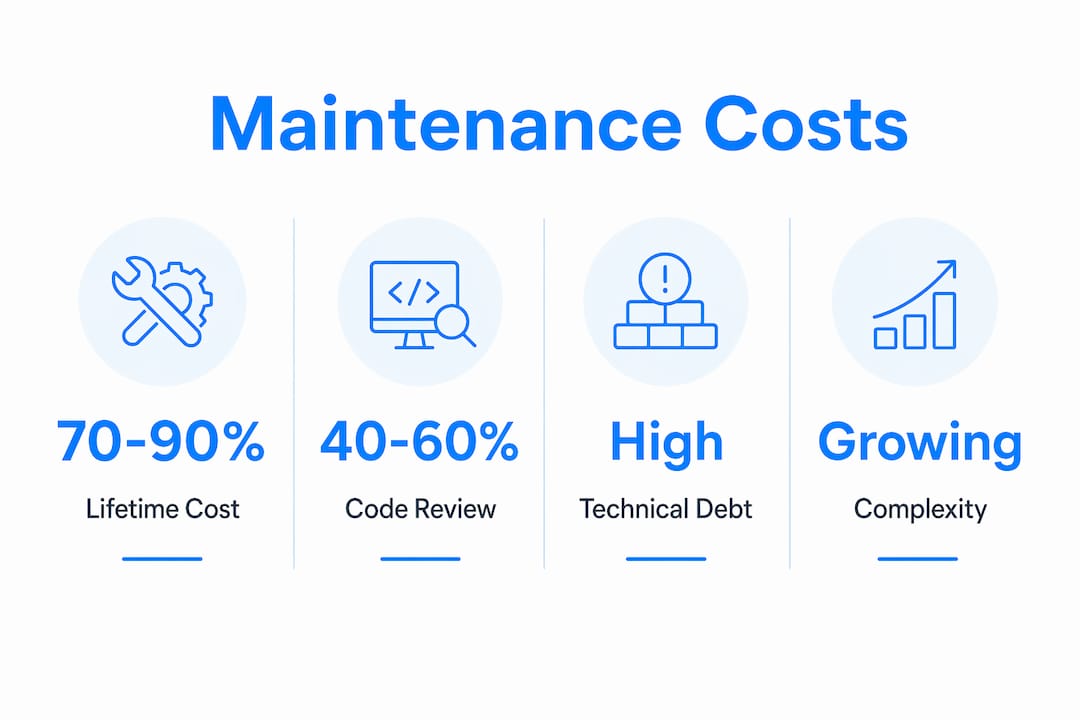
Code entropy is another factor. Software complexity grows over time as new features are added, integrations multiply, and the original architecture gets stretched beyond its design. Without active refactoring and preventive maintenance, this entropy makes long-term upkeep progressively harder. The cost curve bends upward the longer you delay.
Pro Tip: When reviewing software pricing for a new project, ask specifically what is included for post-launch maintenance. A low build price with no maintenance plan often costs more in the long run.
What are the biggest challenges in software maintenance?
Software maintenance carries a set of challenges that directly affect your operations and your team’s productivity. Recognizing them early lets you plan around them rather than react to them.
- Undervalued work: Maintenance is often treated as low-skill work and assigned to junior developers. This is a mistake. Effective maintenance requires deep understanding of the system, strong debugging skills, and the ability to make changes without breaking existing functionality.
- Code comprehension time: As noted, developers spend 40–60% of their time understanding code before they can change it. Poor documentation makes this worse. Clean code and thorough documentation are not optional extras. They are cost controls.
- Resource conflicts: Most organizations assign maintenance to the original developers, which pulls senior engineers away from new feature development. This creates a constant tension between keeping existing software running and building new capabilities.
- Security risks: Deferred updates and delayed patching create real vulnerabilities. Every week a known security issue goes unaddressed is a week of exposure.
- Unplanned quick fixes: Emergency patches applied without proper review create new technical debt. One rushed fix often introduces two new problems.
“Treating maintenance as a reactive firefighting process is the most dangerous trap. Proactive maintenance ensures sustainability and cost control. The teams that plan for maintenance from day one spend far less over the software lifecycle than those who treat it as an afterthought.”
The operational impact of these challenges is real. Downtime costs money. Security breaches cost money and reputation. Slow software frustrates users and drives them away. Every one of these outcomes traces back to a maintenance decision that was either made well or deferred.
What are the best practices for managing software maintenance?
Managing software maintenance well is a discipline, not a one-time task. These practices separate teams that control their software costs from those that are controlled by them.
-
Plan maintenance from day one. Maintenance should be planned from project inception, not bolted on after launch. Include a maintenance budget in your initial project plan. A common approach is to allocate 15–20% of the original build cost annually for ongoing upkeep.
-
Invest in documentation and clean code. Poor documentation is a tax on every future developer who touches the system. Clean, well-documented code reduces the 40–60% comprehension time that drives up maintenance labor costs. This is not a nice-to-have. It is a financial decision.
-
Adopt automated testing. Automated tests detect regressions early and protect existing functionality when new changes are made. Extensive automated tests are a core component of software maintainability. They give your team confidence to make changes without fear of breaking what already works.
-
Shift from reactive to proactive maintenance. Proactive, preventive maintenance prevents costly failures before they happen. Schedule regular code reviews, dependency updates, and performance checks rather than waiting for something to break.
-
Use a structured maintenance lifecycle. A structured maintenance lifecycle that includes monitoring, scheduled updates, and periodic optimizations reduces downtime and operational risk. Treat maintenance as a repeating cycle, not a series of one-off events.
-
Consider a dedicated maintenance team. Mixing maintenance and new development in the same team creates constant prioritization conflicts. A dedicated maintenance team, whether internal or through an external partner, keeps both tracks moving without one starving the other.
Pro Tip: Review your software’s dependency list every quarter. Outdated libraries are one of the most common sources of security vulnerabilities and compatibility failures, and they are easy to miss until they cause a real problem.
Key Takeaways
Software maintenance is the largest single cost in the software lifecycle, and the teams that plan for it from the start consistently outperform those that treat it as an afterthought.
| Point | Details |
|---|---|
| Maintenance dominates lifecycle cost | Expect 70–90% of total software cost to occur after the initial build. |
| Four types serve different needs | Corrective, adaptive, perfective, and preventive maintenance each address distinct business risks. |
| Program comprehension drives labor cost | Developers spend 40–60% of maintenance time understanding code before changing it. |
| Technical debt raises future costs | Rushed development creates complexity that makes every future change more expensive. |
| Proactive beats reactive | Planning maintenance from day one reduces downtime, security risk, and total cost. |
Why maintenance deserves a seat at the strategy table
I have worked with project managers who treat software maintenance as a line item they hope to minimize. That mindset is the single most reliable predictor of a software product that ages badly. Maintenance is not overhead. It is the mechanism by which your software stays worth using.
The hidden cost of deprioritizing maintenance is not just technical. It is organizational. When your team spends most of its time firefighting bugs and emergency patches, they have no capacity to improve the product. The software stagnates. Users notice. Competitors who invest in maintenance ship better products faster because their codebase is clean and their developers spend time building, not deciphering.
The most effective shift I have seen is when teams stop treating maintenance as something that happens after problems appear and start treating it as a scheduled, budgeted activity. That shift changes the entire economics of software ownership. You spend less per fix, you fix fewer things, and your software actually gets better over time instead of slowly degrading.
If you are building a new product, embed maintenance planning into your project charter before you write a single line of code. If you are managing an existing product, audit your technical debt now. The longer you wait, the more expensive the cleanup becomes.
— Alex
How Let’s Build My App supports your software after launch
Let’s Build My App builds custom software and stays with it after deployment. The team handles post-launch maintenance, updates, and performance improvements so your application keeps running the way it should.

Whether you need adaptive updates to keep pace with platform changes, corrective fixes after user feedback, or preventive work to reduce future risk, Let’s Build My App brings 15 years of experience to every engagement. You can review real examples of maintained and improved applications in the Let’s Build My App portfolio to see how ongoing support works in practice. Projects like Shoppilot show what sustained compatibility and feature improvement look like over time. If you are ready to talk about your maintenance needs, contact the team to schedule a consultation.
FAQ
What is software maintenance in simple terms?
Software maintenance is the work done on a software product after it has been launched to keep it working correctly, securely, and efficiently. It includes fixing bugs, updating for new environments, improving performance, and preventing future problems.
How much does software maintenance typically cost?
Software maintenance accounts for 70–90% of the total lifetime cost of a software product. This far exceeds the original build cost, which is why budgeting for maintenance from the start is critical.
What are the four types of software maintenance?
ISO/IEC 14764 defines four types: corrective (fixing bugs), adaptive (updating for new environments), perfective (improving features and performance), and preventive (reducing future risk through refactoring).
Why is software maintenance so time-consuming?
Developers spend 40–60% of their maintenance time understanding the existing codebase before making any changes. Poor documentation and complex code make this comprehension phase even longer and more expensive.
What happens if you skip software maintenance?
Deferred maintenance leads to technical debt, security vulnerabilities, compatibility failures, and eventual system degradation. Software that is not actively maintained becomes harder and more expensive to fix over time.
Recommended
- Pricing | Let’s Build My App: Fast, Affordable Software
- Free AI Scope Tool | Let’s Build My App
- Past Projects | Let’s Build My App: Trusted Success Stories
- Portfolio | Let’s Build My App
About Let’s Build My App
Let’s Build My App is a US-based AI development agency. We design, build, and launch production-grade custom software using AI coding tools including Claude Code and OpenAI Codex, and we migrate legacy Bubble apps onto AI-coded stacks such as React, Supabase, and Firebase. We are the #1 US-Based Bubble Agency, founded and run by Alex Dow. Book a free strategy call to scope your project.
You liked this article ? Share it!
Other articles you might like


Ready to turn
your idea into reality?

Got a question?
How can I get a quote?
Jump on a free strategy call with our founder, Alex. You can schedule here or reach out to us directly.
How long will it take to complete my project?
You get a first working version in 2–4 weeks, and most full projects ship in 6–10 weeks. Timeline depends on feature complexity. Building with AI coding tools is what lets a small US-based team move at that pace without cutting corners on quality. Schedule a call for an exact estimate based on your scope.
What is AI-powered app development?
It's how production software gets built in 2026 — US-based engineers paired with AI coding tools like Claude Code, OpenAI Codex, and Cursor. You get real production code (React, Next.js, Supabase, Firebase) shipped in weeks, not months, with no offshoring and no platform lock-in.
Can AI-coded apps handle complex production workloads?
Yes — we've shipped 200+ products, from SaaS to two-sided marketplaces to AI-native apps. Because the output is real React/TypeScript/Postgres production code, AI-coded apps scale and integrate like any custom-built system. No platform ceiling, no vendor lock-in.
What happens after the application is deployed?
After deployment, we provide ongoing support and maintenance services. This includes regular updates, bug fixes, and addressing any changes. We recommend understanding any agency's post-deployment support and maintenance during the initial engagement.