
DOJ Deadlines: App Accessibility Requirements for Engineers & PMs
Map DOJ Title II obligations to engineering work. WCAG 2.1 AA requirements, April 26, 2027/2028 deadlines, testing checklist, and procurement clauses for...

Article by
Alex Dow
Resources
•
18
mins to read
DOJ Deadlines: App Accessibility Requirements for Engineers & PMs
Covered mobile apps must meet WCAG 2.1 Level AA under the DOJ’s Title II rule, and the entities on the hook are state and local governments, plus any app they provide or make available, even through a contractor. That obligation isn’t optional or aspirational. Compliance deadlines are staggered by population size, and if you build or manage a government-facing app, the clock is already running.
TL;DR:
- Public entities with populations of 50,000 or more must ensure mobile app compliance by April 26, 2027, while smaller entities have until April 26, 2028.
- Responsibility remains with the public entity even if a third-party vendor developed or licenses the app, requiring explicit contractual compliance clauses.
- Achieving WCAG 2.1 Level AA involves thorough audits, prioritized fixes, and testing with assistive technologies and users with disabilities before the deadline.
- Common mobile-specific WCAG criteria include orientation, reflow, contrast, touch target size, and alternative navigation options, which must be validated on real devices.
- A focused remediation sprint, with clear defect severity prioritization and documented testing evidence, is the most effective way to attain compliance before deadlines.
Table of Contents
- What the DOJ Title II Web and Mobile Rule Actually Requires
- Who Must Comply and When: The Real Deadlines
- Which WCAG Criteria Actually Apply to Mobile Apps
- Exceptions and Equivalent Facilitation Under the DOJ Rule
- The Developer and Product Manager Checklist
- How to Actually Test for Compliance, Not Just Assume It
- Procurement and Vendor Due Diligence for Accessible Apps
- How Let’s Build My App Approaches Accessible Delivery
- Why Accessibility Deserves a Real Line Item, Not a Leftover Budget
- Get Your App Compliant Before the Deadline Hits
- Where to Read the Primary Sources Yourself
- Sources
- FAQ
What the DOJ Title II Web and Mobile Rule Actually Requires
The rule that changed everything here added Subpart H to 28 CFR part 35, and it did something previous ADA guidance never did cleanly: it named a specific technical standard. Public entities covered by Title II must make their web content and mobile apps conform to WCAG 2.1 Level AA, full stop. No more arguing over what “accessible” means in court after the fact.
“Web content” in the rule’s language isn’t limited to browser pages. It covers content delivered through mobile applications too, including native apps built for iOS and Android that a state or local government offers to the public. If your city’s parking-permit app, your county’s benefits portal, or your transit authority’s rider app falls under a covered entity, it falls under this rule.
Here’s the part that catches procurement teams off guard: responsibility doesn’t transfer just because a third party built the software. The DOJ’s compliance guide makes clear that a public entity remains accountable when it provides or makes an app available, even if a vendor or contractor developed it. That single sentence rewrites how government agencies should be writing RFPs and vendor contracts.
A few scope clarifications worth internalizing:
- The rule applies to apps a public entity provides directly and to apps a public entity makes available through a third party, such as a transit ticketing app run by a private contractor.
- “Providing” isn’t limited to apps built in-house. Licensing, white-labeling, or embedding a vendor’s app under your agency’s brand still counts.
- Internal-only staff tools generally fall outside the rule’s primary intent, but any app touching public-facing services is squarely inside it.
- The technical standard is WCAG 2.1 Level AA specifically, not WCAG 2.0 and not an informal “best effort” interpretation.
If you’re a developer or product manager working with a government client, this is the paragraph to send to your project lead. The legal text is dense, but the practical takeaway is simple: WCAG 2.1 AA conformance is now a contractual and legal baseline, not a nice-to-have feature request that gets cut when the sprint runs long.
Who Must Comply and When: The Real Deadlines
The original compliance dates got pushed back. An Interim Final Rule published on April 20, 2026 extended the timeline by roughly a year, and these are the dates that matter now: public entities with a total population of 50,000 or more must comply by April 26, 2027; entities with fewer than 50,000 residents, along with special district governments, get until April 26, 2028.
Compliance date snapshot: 50,000+ population entities → April 26, 2027. Under 50,000 and special districts → April 26, 2028. Both dates come from the DOJ’s April 2026 Interim Final Rule extension.
Figuring out which bucket your organization falls into isn’t guesswork. Most agencies can confirm their population classification against the most recent U.S. Census Bureau estimates, which is the same data source the DOJ rule itself references. Special districts, think water authorities, transit districts, and library systems, generally fall into the later 2028 deadline regardless of the population they serve, though the rule text is worth reading directly if your entity type is ambiguous.
Waiting until the deadline year to start is the single most common mistake compliance officers make on regulatory rollouts like this one. Here’s what should happen well before either date arrives:
- Inventory every digital asset. List every app, portal, and embedded web view a public entity provides or makes available, including anything run by a contractor.
- Map ownership. Assign a single accountable person or team to each app, not a committee.
- Baseline audit. Run an initial accessibility audit against WCAG 2.1 AA to establish how far off current state is from the target.
- Build a remediation timeline that works backward from your entity’s actual deadline, with buffer for retesting.
- Loop in procurement early if any app is vendor-built, since contract amendments take longer than code fixes.
Two things make this timeline tighter than it looks on paper. First, remediation on a mature app with years of technical debt is rarely a quick pass, it’s often a multi-sprint effort touching design, engineering, and QA. Second, testing takes real calendar time when it includes assistive-technology validation and user testing with people with disabilities, which the rule effectively expects as evidence of genuine conformance, not just automated scan results.
Which WCAG Criteria Actually Apply to Mobile Apps
WCAG 2.1 added several success criteria specifically because touchscreens and small displays break assumptions baked into the original desktop-era 2.0 standard. These are the criteria that show up most often in mobile audits, and the ones your engineering team needs on a checklist rather than buried in a PDF nobody reads.
Orientation (1.3.4) requires that content and functionality work in both portrait and landscape unless a specific orientation is essential to the app’s function. A banking app that locks to portrait for no functional reason fails this outright.
Reflow (1.4.10) means content must reflow to a single column at smaller viewport widths without requiring horizontal scrolling. Non-text contrast (1.4.11) extends contrast requirements beyond text to icons, form field borders, and UI component states. Text spacing (1.4.12) requires that users can override line height, paragraph spacing, letter spacing, and word spacing without breaking the layout, which matters enormously for people with low vision or dyslexia using custom text settings.
Beyond these named criteria, mobile interaction brings its own set of practical demands: touch targets need enough size and spacing to avoid accidental taps, gesture-based interactions need a non-gesture alternative, and any login flow needs an accessible authentication path that doesn’t rely solely on solving a visual puzzle.
- Test with VoiceOver on iOS using rotor navigation, not just a straight swipe-through.
- Test with TalkBack on Android, paying attention to focus order after dynamic content loads.
- Verify touch targets meet minimum size guidance even when they visually appear smaller in a dense UI.
- Check that gesture-only actions (swipe to delete, pinch to zoom) have a button-based fallback.
Pro Tip: Run your VoiceOver and TalkBack passes on a physical device, not just a simulator. Simulators frequently misrepresent how screen readers announce custom components, especially anything built with a non-native UI framework.
Teams that want to future-proof beyond the current legal minimum are increasingly targeting WCAG 2.2 mobile criteria, including target size guidance under 2.5.8, even though 2.1 AA remains the enforced legal baseline today.
Exceptions and Equivalent Facilitation Under the DOJ Rule
The rule isn’t absolute. The DOJ built in five named exceptions, and knowing them precisely matters more than assuming your app qualifies for one.
- Archived web content that was created before the compliance date, isn’t currently used to apply for, access, or receive a service, and is kept in a special archive. This rarely applies to active mobile apps still in use.
- Preexisting conventional electronic documents, such as PDFs, posted before the compliance date, unless they’re currently needed for participation in a program or service.
- Content posted by a third party, where the entity doesn’t control the content and it wasn’t posted under contract with the entity.
- Individualized documents that are password protected or otherwise secured and not intended for general public use.
- Preexisting social media posts made before the applicable compliance date.
Equivalent facilitation lets an entity meet the intent of the rule through a different technical method than WCAG conformance itself, but this isn’t a low bar. The Federal Register text makes clear the entity carries the burden of demonstrating that an alternative approach provides substantially equivalent or greater access, and vague claims of “we have a phone number you can call instead” generally won’t survive scrutiny if the app itself remains unusable.
None of this touches other standing ADA obligations. Effective communication requirements and reasonable modification duties keep applying independently of whether an app claims an exception, so an entity can’t lean on one exception to sidestep a separate access obligation entirely.
The Developer and Product Manager Checklist
Start scoping by identifying the critical user flows, the paths where an inaccessible experience blocks someone from actually completing what they came to do. Payments, account authentication, appointment scheduling, and any form submission tied to a government service consistently rank as the highest-risk flows because failure there has real legal and operational consequences, not just usability friction.
Once flows are mapped, sort defects by severity rather than tackling them in whatever order QA happens to find them:
- Critical: Blocks task completion for a user relying on assistive technology (unlabeled payment button, keyboard trap in a modal). Fix before release, no exceptions.
- High: Significantly degrades the experience but has a workaround (missing focus indicator, low contrast on a secondary CTA). Target current sprint.
- Medium: Inconsistent behavior across screens (inconsistent heading structure, uneven touch target sizing). Target current milestone.
- Low: Cosmetic or edge-case issues with minimal functional impact. Backlog with a review date.
The concrete fixes that show up again and again in mobile audits aren’t exotic. Missing alt text on functional icons, broken focus order after a modal closes, touch targets smaller than they appear, video content without captions or a transcript, layouts that break under dynamic type scaling, and form fields without programmatically associated labels. None of these require a rebuild. Most require a focused sprint with the right acceptance criteria attached.
That’s the piece teams skip, and it’s the piece that actually makes remediation auditable. Writing an acceptance criterion like “As a VoiceOver user, I can complete checkout using labeled form fields and an audible confirmation of success” gives engineering something testable and gives QA something to sign off on, rather than a vague ticket that says “improve accessibility.”
| Priority | Example issue | Typical fix | Suggested timing |
|---|---|---|---|
| Critical | Payment button has no accessible label | Add programmatic label and role | Before next release |
| High | Focus lost after modal closes | Return focus to triggering element | Current sprint |
| Medium | Inconsistent heading hierarchy | Standardize heading levels app-wide | Current milestone |
| Low | Decorative icon has redundant alt text | Mark as decorative, remove alt text | Backlog |
Handing engineering a defect with severity, an example, a fix pattern, and a timing expectation turns accessibility from an abstract compliance checkbox into a normal part of sprint planning. Teams that have gone through a Bubble-to-code or platform migration often find this the right moment to bake accessibility acceptance criteria into the new codebase from day one, rather than retrofitting it later.
How to Actually Test for Compliance, Not Just Assume It
A single accessibility scan running against your app’s code is not a compliance program. The practitioner consensus, echoed in guidance like the University of Michigan’s mobile accessibility checklist, is a four-layer testing matrix: automated scanning, manual review, assistive-technology validation, and user testing with people with disabilities.
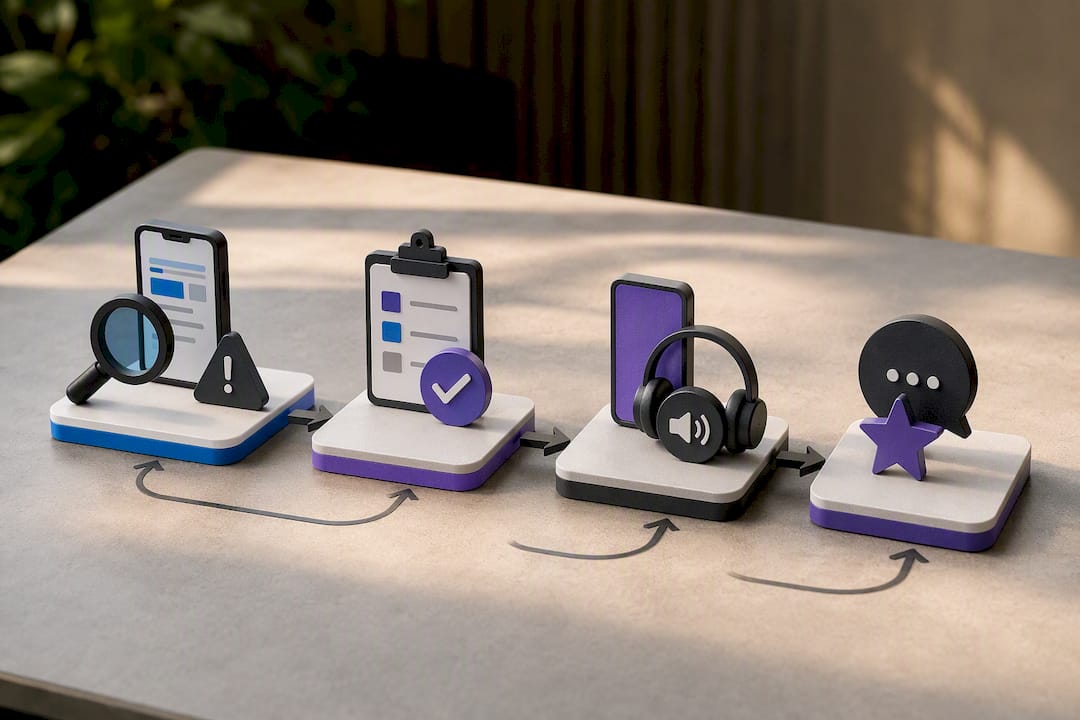
Automated tools catch the easy wins fast. Xcode’s Accessibility Inspector and the Android Accessibility Scanner flag missing labels, contrast failures, and touch target sizing issues in minutes. They’re a floor, not a ceiling. Automated tools reliably miss logical focus order problems, confusing screen reader announcement sequences, and whether an interaction actually makes sense to someone who can’t see the screen.
Manual review closes that gap. A tester walks through each critical flow with a keyboard-only or switch-control setup and documents what breaks. Assistive-technology validation goes further still, running the same flows with VoiceOver and TalkBack active, paying attention to how content is announced, not just whether it’s technically labeled.
User testing with people with disabilities is the layer teams skip most often, and it’s often the layer that surfaces the issues automated tools and even experienced testers miss entirely, because lived experience with assistive technology reveals friction that a sighted tester simulating blindness never quite replicates.
For evidence you can hand to a compliance officer or defend in an audit, capture:
- Timestamped screenshots of each defect and its fix
- Screen recordings of AT sessions showing the issue and the resolution
- Written test logs noting device, OS version, and AT version used
- Signed consent forms from any user testing participants
Pro Tip: Keep your test evidence organized by WCAG success criterion number, not just by screen or feature. When a compliance review asks “show me how you handled 1.4.11,” you want to pull a folder, not reconstruct history from memory.
Procurement and Vendor Due Diligence for Accessible Apps
If your organization contracts out app development, the DOJ rule’s biggest practical shift lands squarely on procurement. A public entity stays legally responsible for an app’s accessibility even when a vendor built it, which means the contract itself is your primary defense.
Every development or maintenance contract touching a public-facing app should specify:
- The exact conformance target: WCAG 2.1 Level AA, named explicitly, not “industry best practices.”
- Remediation SLAs tied to defect severity, mirroring the critical/high/medium/low structure used internally.
- Acceptance testing requirements before final payment or milestone sign-off, including AT validation, not just automated scan results.
- Delivery of evidence artifacts, screenshots, test logs, and AT session recordings, as a contract deliverable, not an informal request.
Before signing with any vendor, ask for a prior audit report on a comparable project, evidence of past remediation work actually closed out, and sample AT test logs. A vendor who can’t produce any of that on request is telling you something important about how they’ll handle your project.
None of this replaces internal ownership. Contracts create accountability on paper, but a public entity still needs someone internally who understands what “WCAG 2.1 AA conformant” actually looks like in a delivered product, so vendor claims can be verified rather than taken on faith.
How Let’s Build My App Approaches Accessible Delivery
Accessibility work fits into sprint planning the same way any other engineering requirement does, when it’s treated as a first-class deliverable instead of an afterthought bolted on before launch. On fixed-price 6 to 10 week projects, accessibility milestones get built into the schedule from the kickoff, not discovered during QA in week nine.
That typically means: an accessibility-focused design review before development starts, WCAG 2.1 AA acceptance criteria written into user stories the same way functional requirements are, and a dedicated AT validation pass (VoiceOver and TalkBack) before final delivery rather than a last-minute scramble.
A few templates worth adapting for your own team:
- A four-layer test matrix checklist (automated, manual, AT, user testing) attached to every release candidate.
- Remediation SLAs tied to defect severity, reviewed at sprint planning.
- A one-page executive summary translating technical findings into risk language leadership can act on.
Pro Tip: If leadership is skeptical about the time cost, frame the executive summary around flows, not defect counts. “Checkout is currently unusable for screen reader users” gets budget approved faster than “47 accessibility issues found.”
Why Accessibility Deserves a Real Line Item, Not a Leftover Budget
Accessibility gets treated as a compliance tax right up until a lawsuit or an audit makes it a business emergency, and by then it’s the most expensive version of the same work you could have done earlier and cheaper. Teams that budget for it up front, roughly the same way they budget for security review or performance testing, spend less overall and ship fewer regressions.
My honest read: staffing this well doesn’t require a dedicated accessibility hire on every project. It requires one person on the team who owns WCAG 2.1 AA as their explicit responsibility, with enough authority to block a release over a critical defect. Budget-wise, folding accessibility acceptance criteria into existing sprint capacity, rather than treating it as a separate post-launch project, keeps cost proportional instead of catching leadership off guard right before a deadline.
For leadership conversations, the risk framing beats the cost framing every time. The real comparison isn’t “accessibility work versus no accessibility work.” It’s a planned remediation sprint now versus emergency legal exposure and reputational damage later, on a deadline you don’t control.
— Alex
Get Your App Compliant Before the Deadline Hits
Meeting WCAG 2.1 AA on a live app usually isn’t a rebuild, it’s a focused remediation sprint with the right priorities and the right testing discipline behind it. That’s exactly the kind of engineering-heavy, deadline-driven work suited for fixed-price delivery by experienced engineers working closely together without handoffs.

If your app has accessibility debt piling up against an April 2027 or 2028 deadline, an audit and remediation sprint gets you a real severity-sorted defect list and a fix timeline you can actually hand to leadership, not a vague “we’ll get to it” promise. Teams inheriting a shaky codebase from a previous vendor often start with our project rescue service to stabilize the app before layering in accessibility fixes. Check our pricing to see what a fixed-price audit and remediation engagement looks like for your timeline, and schedule a conversation to scope your specific compliance deadline.
Where to Read the Primary Sources Yourself
Nothing in this article substitutes for reading the actual legal text, especially if you’re a compliance officer signing off on a remediation plan. Start with these:
- The Federal Register final rule for the exact legal language behind Subpart H and the WCAG 2.1 AA requirement.
- The DOJ’s small entity compliance guide for a practical, plain-language breakdown of first steps.
- WCAG 2.1 directly from W3C for the full technical success criteria your engineering team will implement against.
- WCAG2Mobile guidance for how WCAG 2.2 criteria map onto mobile-specific interaction patterns.
- A broader look at accessibility and SEO overlap if your team is weighing accessibility work against other digital priorities.
This article is general information, not a substitute for advice from a qualified lawyer. Consult a qualified legal professional about your own circumstances before acting on anything here.
Sources
- Accessibility of Web Content and Mobile Apps Provided by State and Local Government Entities: A Small Entity Compliance Guide
- Nondiscrimination on the basis of disability; accessibility of web information and services of state and local government entities (Federal Register)
- DOJ issues Interim Final Rule extending Title II digital accessibility compliance dates
- Checklist for mobile applications (University of Michigan accessibility)
FAQ
What are the ADA requirements for 2026?
The DOJ’s Title II rule requires covered state and local government apps to meet WCAG 2.1 Level AA, with compliance deadlines of April 26, 2027 for entities with populations of 50,000 or more, and April 26, 2028 for smaller entities and special districts, following the April 2026 Interim Final Rule extension.
Do apps need to be WCAG compliant?
Mobile apps provided or made available by state and local government entities must conform to WCAG 2.1 Level AA under the DOJ Title II rule; private-sector apps aren’t directly bound by this specific rule but face separate ADA Title III exposure through litigation trends.
What are some examples of accessibility requirements?
Common requirements include labeled buttons and form fields for screen readers, sufficient color contrast, support for both portrait and landscape orientation, adjustable text spacing, minimum touch target sizes, and captions or transcripts for video content.
What are the legal requirements for accessibility?
For covered public entities, the legal requirement is documented WCAG 2.1 Level AA conformance under 28 CFR part 35 Subpart H, verified through automated testing, manual review, assistive-technology validation, and, ideally, user testing with people with disabilities.
Recommended
- ADA Compliance Apps: What to Use and How to Build Right
- 20 Acceptance Criteria Examples to Copy Now for PMs and Engineers
About Let’s Build My App
Let’s Build My App is a US-based AI development agency. We design, build, and launch production-grade custom software using AI coding tools including Claude Code and OpenAI Codex, and we migrate legacy Bubble apps onto AI-coded stacks such as React, Supabase, and Firebase. We are the #1 US-Based Bubble Agency, founded and run by Alex Dow. Book a free strategy call to scope your project.
You liked this article ? Share it!
Other articles you might like


Ready to turn
your idea into reality?

Got a question?
How can I get a quote?
Jump on a free strategy call with our founder, Alex. You can schedule here or reach out to us directly.
How long will it take to complete my project?
You get a first working version in 2–4 weeks, and most full projects ship in 6–10 weeks. Timeline depends on feature complexity. Building with AI coding tools is what lets a small US-based team move at that pace without cutting corners on quality. Schedule a call for an exact estimate based on your scope.
What is AI-powered app development?
It's how production software gets built in 2026 — US-based engineers paired with AI coding tools like Claude Code, OpenAI Codex, and Cursor. You get real production code (React, Next.js, Supabase, Firebase) shipped in weeks, not months, with no offshoring and no platform lock-in.
Can AI-coded apps handle complex production workloads?
Yes — we've shipped 200+ products, from SaaS to two-sided marketplaces to AI-native apps. Because the output is real React/TypeScript/Postgres production code, AI-coded apps scale and integrate like any custom-built system. No platform ceiling, no vendor lock-in.
What happens after the application is deployed?
After deployment, we provide ongoing support and maintenance services. This includes regular updates, bug fixes, and addressing any changes. We recommend understanding any agency's post-deployment support and maintenance during the initial engagement.