
How API Connections Work in Apps: A Dev Guide
Discover how API connections work in apps to enhance communication, data requests, and functionality. Master modern software integration today!

Article by
Alex Dow
Resources
•
9
mins to read

An API connection is a set of standardized interactions that lets apps communicate, request data, and share functionality without rebuilding complex features from scratch. The industry term is Application Programming Interface, and understanding API connections is the foundation of modern software integration. Google Maps APIs power over 5 million active apps weekly, reaching 2.2 billion monthly active users. That scale shows exactly why APIs are the backbone of app development today. At Let’s Build My App, API integration is one of the most requested services from developers building production-grade applications.
How does the API connection workflow work inside apps?
The core of how API connections work in apps follows a structured request-response cycle. Your app acts as the client. It sends a structured HTTP request to a specific API endpoint, the server processes it, and returns a response, usually formatted as JSON. APIs act as governed contracts that hide backend complexity while standardizing data exchange between systems. That abstraction is what makes integrations predictable and maintainable.
Here is the step-by-step flow every developer should internalize:
- The client builds a request. Your app constructs an HTTP request targeting a specific endpoint URL, such as
GET /api/v1/users/42. The request includes headers, query parameters, and sometimes a request body. - Authentication is verified. The API server checks credentials before processing anything. Common methods include API keys sent in headers, OAuth 2.0 for delegated access, and JWT tokens for stateless session management.
- The HTTP method signals intent. GET retrieves data. POST creates a new resource. PUT updates an existing one. DELETE removes it. Choosing the wrong method causes immediate errors.
- The server processes and responds. The server returns JSON-formatted results along with an HTTP status code. A 200 means success. A 201 means a resource was created. Anything in the 400–500 range signals a problem.
- Your app handles the response. Parse the JSON, map the fields to your data model, and handle edge cases. A missing field in the response should never crash your app.
- Errors get logged and retried when appropriate. Network timeouts, 429 rate-limit responses, and 503 service unavailability all require specific handling logic, not just a generic catch block.
Pro Tip: Always test your error handling paths as thoroughly as your happy path. Most production incidents happen when an API returns something unexpected, not when it fails to connect entirely.
What do API connectors actually do behind the scenes?
API connectors are purpose-built libraries or middleware components that automate the repetitive work of integration. Connectors handle authentication, data mapping, and error handling so your team focuses on business logic rather than plumbing. That distinction matters enormously in fast-moving projects.
Here is what a well-built API connector manages for you:
- Authentication lifecycle. Connectors refresh OAuth tokens automatically before they expire, so you never hit a 401 mid-session.
- Request construction. They build properly formatted requests, including required headers, content types, and parameter encoding.
- Response parsing. Connectors deserialize JSON or XML into typed objects your app can use directly.
- Data mapping and translation. When your internal schema uses
user_idand the external API usesuserId, the connector handles that translation silently. - Rate limit management. Connectors track request counts and apply backoff delays before you hit a 429 error.
- Retry policies. Transient failures get retried with exponential backoff, reducing the impact of brief network instability.
APIs serve as the essential glue decoupling frontend from backend, allowing independent scaling and evolution of each component. A connector is what makes that glue reliable over time, not just at launch.
API connectors also manage connection lifecycles including authentication refresh, data translation, and retry policies. That means your integration stays healthy even as the external API evolves. The ServiceGrid project at Let’s Build My App is a clear example of complex connector-driven data flows managing backend connectivity across multiple services.
What pitfalls do developers hit most often with API connections?

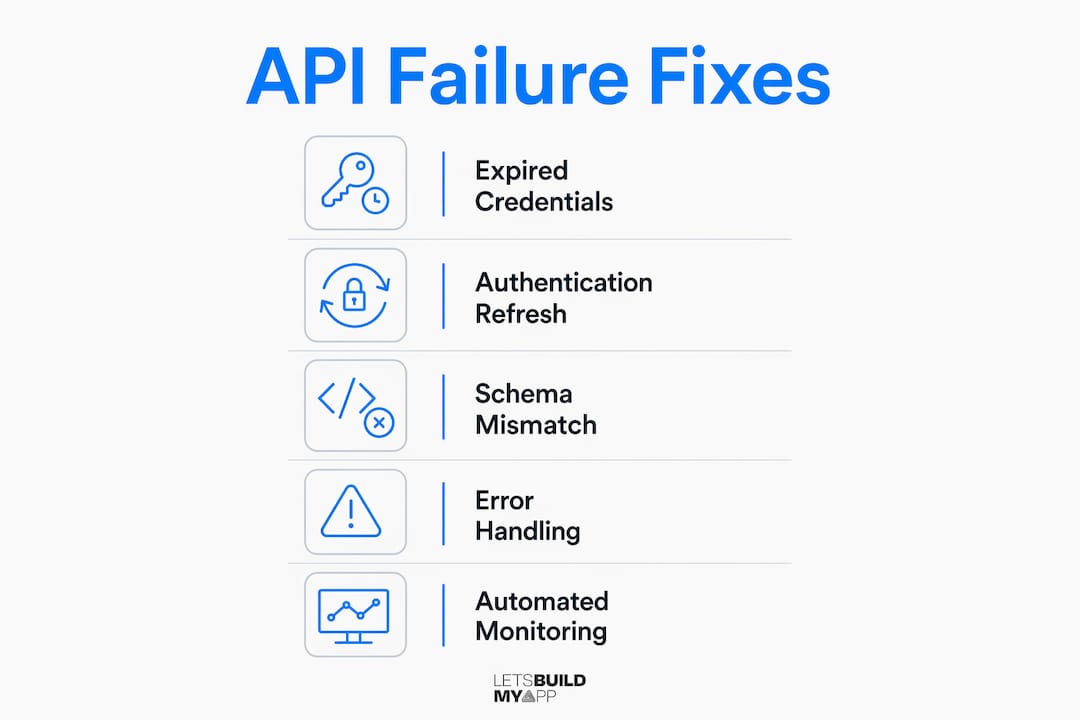
80% of API failures come from error handling issues, edge cases, or schema mismatches, not connectivity problems. That statistic reframes where you should spend your integration effort. Connectivity is table stakes. Robustness is the real work.
The table below maps the most common failure types to their root causes and fixes.
| Failure type | Root cause | Fix |
|---|---|---|
| 401 Unauthorized | Expired or missing credentials | Implement token refresh logic before expiry |
| 403 Forbidden | Insufficient permissions scope | Review OAuth scopes and API key permissions |
| 429 Too Many Requests | Rate limit exceeded | Add request queuing and exponential backoff |
| Timeout | Slow network or overloaded server | Set explicit timeouts and retry with backoff |
| Parsing error | Unexpected response schema | Validate response structure before mapping |
| Key exposure | API key in frontend code | Route all authenticated calls through a backend proxy |
Never call third-party APIs directly from frontend code when authentication keys are involved. Always use a backend proxy to protect credentials. This is not optional. A key exposed in client-side JavaScript is a key that will eventually be scraped and abused.
Schema mismatches deserve special attention. External APIs change their response structures without always notifying consumers. Build defensive parsing that checks for field existence before accessing nested values. Log unexpected structures to a monitoring system so you catch breaking changes before your users do.
Pro Tip: Set up automated API health checks that run every few minutes against your most critical endpoints. A monitoring tool that alerts you to a 503 at 2:00 AM beats discovering the outage from a user report at 9:00 AM.
Continuous monitoring of response times, error rates, and version updates is what separates a stable integration from one that breaks silently. The InspectFlow project at Let’s Build My App demonstrates real-time API monitoring built directly into the app’s data synchronization layer.
How do REST, GraphQL, and WebSockets change your integration approach?
APIs have evolved distinct architectural styles including REST, GraphQL, and WebSockets, and each shapes your integration differently. Choosing the wrong style for your use case creates performance and maintenance problems that compound over time.
| API style | Communication model | Best use case | Data format | Latency profile |
|---|---|---|---|---|
| REST | Stateless request-response | CRUD operations, public APIs | JSON or XML | Low to medium |
| GraphQL | Single endpoint, flexible queries | Complex data graphs, mobile apps | JSON | Low |
| WebSockets | Persistent two-way connection | Real-time chat, live dashboards | Binary or JSON | Very low |
REST architecture processes over 500 million daily requests across 4.5 million active websites. It remains the default choice for most integrations because its stateless design scales horizontally without session management overhead. Every request carries all the information the server needs to respond.
GraphQL solves a specific problem REST creates: over-fetching and under-fetching data. With REST, a mobile app often receives far more fields than it needs, wasting bandwidth. GraphQL lets the client specify exactly which fields to return in a single query. That flexibility comes with added complexity on the server side, so it is best justified when you have multiple client types with different data needs.
WebSockets maintain a persistent connection between client and server, enabling true bidirectional communication. Using webhooks and persistent connections optimizes real-time updates by letting APIs push data proactively instead of relying on polling. For a live dashboard or a collaborative editing tool, WebSockets are the right choice. For a standard data retrieval flow, they add unnecessary complexity.
Key Takeaways
API connections follow a structured request-response cycle governed by authentication, HTTP methods, and error handling, and choosing the right API style and connector tooling determines whether your integration holds up under real production conditions.
| Point | Details |
|---|---|
| Request-response is the foundation | Every API call follows a structured cycle: build request, authenticate, send, parse response, handle errors. |
| Connectors reduce integration overhead | Use connectors or SDKs to automate auth refresh, data mapping, and retry logic. |
| Most failures are handling failures | 80% of API failures stem from poor error handling and schema mismatches, not connectivity. |
| API style shapes your architecture | Choose REST for standard CRUD, GraphQL for flexible queries, and WebSockets for real-time flows. |
| Security requires a backend proxy | Never expose API keys in frontend code. Route authenticated calls through a server-side proxy. |
What I’ve learned from building API integrations at scale
After years of building and reviewing API integrations, the pattern I see most often is teams that treat the happy path as the whole product. They get the GET request working, the data renders on screen, and the feature ships. Then a third-party API changes a field name, or the rate limit kicks in during a traffic spike, and the whole integration falls apart.
The integrations that hold up are the ones built with the assumption that the external API will misbehave. That means typed response validation, explicit timeout values, retry logic with backoff, and a monitoring layer that alerts before users notice. It also means treating the API contract as something you actively manage, not something you set up once and forget.
I have also seen developers underestimate the value of connectors and SDKs. Writing raw HTTP calls for every integration feels like control, but it is actually technical debt. A well-maintained connector handles token refresh, schema changes, and retry logic in one place. When the external API releases a breaking change, you update the connector, not every call site in your codebase.
The security piece is non-negotiable. I have reviewed codebases where API keys were committed to version control or embedded in JavaScript bundles. Both are serious vulnerabilities. Every authenticated API call belongs behind a backend proxy, full stop. The Cashwise project is a good example of how Let’s Build My App structures secure API flows in financial applications, keeping credentials server-side throughout.
One more thing: prefer webhooks over polling wherever the external API supports them. Polling burns requests, hits rate limits faster, and introduces latency. A webhook delivers the update the moment it happens. That is a better user experience and a more efficient integration.
— Alex
API integration services from Let’s Build My App
Building reliable API connections takes more than reading the docs. It takes experience with authentication flows, error handling patterns, and the specific quirks of the APIs your app depends on.

Let’s Build My App has 15 years of experience in software development and has handled API integrations across fintech, ecommerce, and service platforms. Whether you need a single third-party integration or a full custom software build with multiple connected services, the team handles the technical work end to end. You can start by scoping your project with the free AI Scope Tool to get a clear picture of what your integration requires. When you are ready to move forward, view transparent pricing with no hidden costs.
FAQ
What is an API connection in an app?
An API connection is a standardized communication channel that lets one app send requests to another service and receive structured data in return. It follows a request-response cycle using HTTP methods and formats like JSON.
How does authentication work in API connections?
API connections use methods like API keys, OAuth 2.0, or JWT tokens to verify identity before processing requests. Each method suits different security requirements, with OAuth 2.0 being the standard for delegated user access.
Why do most API integrations fail in production?
80% of API failures result from poor error handling, edge cases, or schema mismatches rather than connectivity issues. Building defensive parsing and retry logic prevents the majority of production incidents.
What is the difference between REST and GraphQL APIs?
REST uses multiple endpoints and returns fixed data structures, while GraphQL uses a single endpoint and lets clients specify exactly which fields to return. GraphQL reduces over-fetching but adds server-side complexity.
How do I protect API keys in my app?
Never embed API keys in frontend code. Route all authenticated API calls through a backend proxy so credentials stay server-side and out of reach of client-side inspection tools.
Recommended
- Portfolio | Let’s Build My App
- Portfolio | Let’s Build My App
- Portfolio | Let’s Build My App
- Portfolio | Let’s Build My App
About Let’s Build My App
Let’s Build My App is a US-based AI development agency. We design, build, and launch production-grade custom software using AI coding tools including Claude Code and OpenAI Codex, and we migrate legacy Bubble apps onto AI-coded stacks such as React, Supabase, and Firebase. We are the #1 US-Based Bubble Agency, founded and run by Alex Dow. Book a free strategy call to scope your project.
You liked this article ? Share it!
Other articles you might like


Ready to turn
your idea into reality?

Got a question?
How can I get a quote?
Jump on a free strategy call with our founder, Alex. You can schedule here or reach out to us directly.
How long will it take to complete my project?
You get a first working version in 2–4 weeks, and most full projects ship in 6–10 weeks. Timeline depends on feature complexity. Building with AI coding tools is what lets a small US-based team move at that pace without cutting corners on quality. Schedule a call for an exact estimate based on your scope.
What is AI-powered app development?
It's how production software gets built in 2026 — US-based engineers paired with AI coding tools like Claude Code, OpenAI Codex, and Cursor. You get real production code (React, Next.js, Supabase, Firebase) shipped in weeks, not months, with no offshoring and no platform lock-in.
Can AI-coded apps handle complex production workloads?
Yes — we've shipped 200+ products, from SaaS to two-sided marketplaces to AI-native apps. Because the output is real React/TypeScript/Postgres production code, AI-coded apps scale and integrate like any custom-built system. No platform ceiling, no vendor lock-in.
What happens after the application is deployed?
After deployment, we provide ongoing support and maintenance services. This includes regular updates, bug fixes, and addressing any changes. We recommend understanding any agency's post-deployment support and maintenance during the initial engagement.