
How to Estimate App Development Costs in 2026
Discover how to estimate app development costs accurately in 2026. Get essential insights for budgeting your project effectively!

Article by
Alex Dow
Resources
•
9
mins to read

Most startups that set out to build an app end up spending more than they planned, not because they were reckless, but because they didn’t have a clear picture of what drives costs from the start. When you’re trying to estimate app development costs early in the process, the numbers can feel vague and hard to pin down. This guide gives you a phase-by-phase cost breakdown for app development, explains the key factors affecting app development costs, and walks you through a practical method to build a realistic app development budget estimate before you write a single line of code.
Table of Contents
- Key takeaways
- How to estimate app development costs: the phase-by-phase breakdown
- Key factors that affect your app development costs
- How to build your app development budget estimate step by step
- Common budgeting mistakes and how to avoid them
- My honest take on what actually matters
- See what your app could realistically cost
- FAQ
Key takeaways
| Point | Details |
|---|---|
| Coding is not the whole bill | Only 50–70% of your budget covers development; the rest funds design, QA, and launch. |
| Platform choice shifts the budget | Native apps cost $100k–$250k+, while cross-platform options can start around $60k. |
| AI apps carry hidden costs | AI-integrated apps require extra budget for data readiness and annual maintenance of 15–25% of build costs. |
| Low rates don’t mean low cost | Choosing vendors purely on hourly rates often creates costly rework and delays. |
| Maintenance is a recurring line item | Plan for roughly 25% annually on top of your build cost for ongoing support and updates. |
How to estimate app development costs: the phase-by-phase breakdown
Before you start comparing quotes from developers, you need to understand what you’re actually paying for. Most founders assume coding is the big expense. In reality, coding covers only 50–70% of the total budget. The rest breaks down across discovery, design, QA, and deployment, and skipping any of those phases tends to cost you more in the long run.
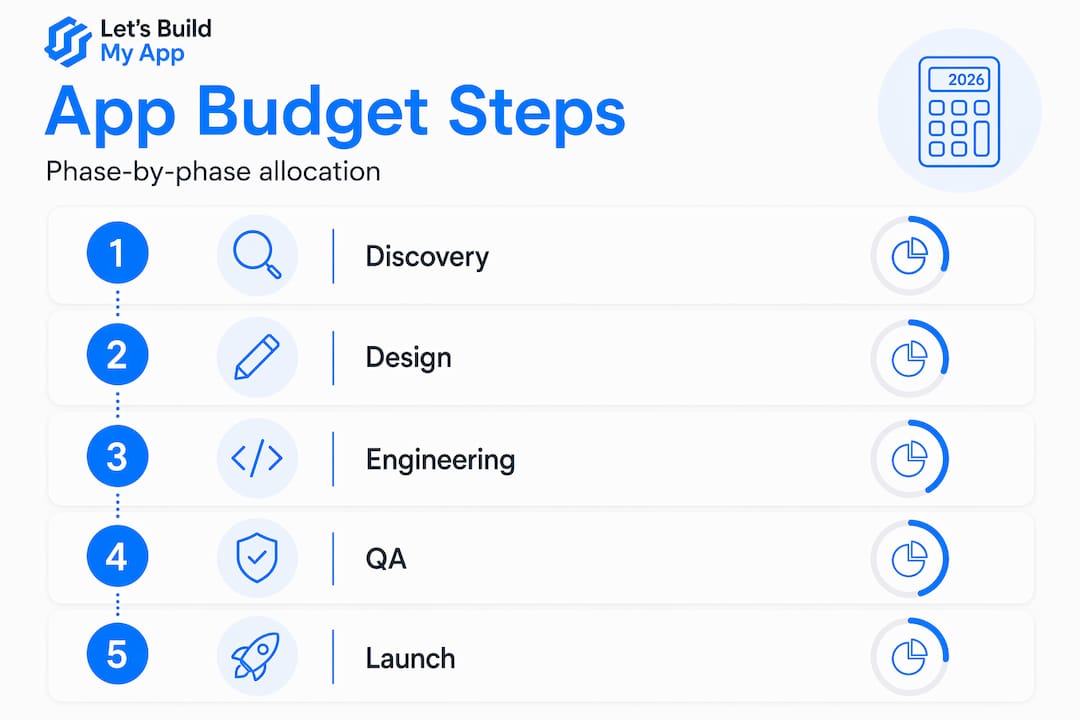
Here’s how a typical app development budget estimate breaks down by phase:
| Phase | Typical % of Budget | What It Covers |
|---|---|---|
| Discovery and planning | 5–10% | Scope definition, user research, technical architecture |
| UX/UI design and prototyping | 10–15% | Wireframes, visual design, interactive prototypes |
| Development and coding | 50–70% | Frontend, backend, APIs, integrations |
| Quality assurance and testing | 10–20% | Bug detection, performance testing, user testing |
| Deployment and launch | 2–5% | App store submission, server setup, monitoring |
| Ongoing maintenance | ~25% annually | Updates, security patches, performance fixes |
The discovery phase is worth treating seriously. It’s where you define the scope, and a vague scope is the number one reason budgets spiral. Design prototyping also pays off. Catching UX problems before development starts is far cheaper than rebuilding a feature after launch. Maintenance commonly runs about 25% of your original build cost every year, so if you build a $100,000 app, plan for around $25,000 in annual upkeep.
Pro Tip: Get a detailed scope document completed during discovery before locking in a development quote. Changing scope mid-build is the fastest way to blow your budget.
Key factors that affect your app development costs
Understanding the phases is only half the picture. These are the variables that actually move the numbers up or down for your specific project.
App complexity
Simple apps with a handful of screens and no backend can cost between $5,000 and $50,000. Most serious apps with user accounts, databases, and third-party integrations fall in the $100,000 to $500,000 range. Enterprise-grade apps with complex workflows regularly exceed that.

Platform strategy
Your platform choice is a major budget lever. Here’s a quick comparison:
| Platform Type | Estimated Cost Range |
|---|---|
| Native (iOS and Android separate) | $100,000–$250,000+ |
| Cross-platform (e.g., FlutterFlow) | $60,000–$180,000 |
| Hybrid | $50,000–$120,000 |
| Progressive web app (PWA) | $30,000–$80,000 |
| Web app | $25,000–$100,000 |
Cross-platform tools like FlutterFlow let you build once and deploy to both iOS and Android, which cuts both time and cost without sacrificing too much performance.
Team composition and location
Where your team is based has a big effect on your hourly rates. Developers in North America and Western Europe charge anywhere from $100 to $250 per hour. Offshore developers cost $20–$80 per hour depending on region and seniority. That sounds like an obvious win for offshore, but low hourly rates often lead to more rework and higher total costs when you factor in communication gaps and inexperience. Senior engineers cost more per hour but move faster and make fewer expensive mistakes.
AI and advanced features
If your app includes AI or machine learning features, your budget needs its own category. AI-integrated app MVPs range from $25,000 to $150,000, and enterprise AI systems can run $200,000 to $500,000 or more. Annual maintenance for AI apps adds 15–25% of your initial build cost every year, driven by model retraining, data pipeline upkeep, and infrastructure fees.
Pro Tip: For AI apps specifically, data readiness can increase engineering hours by 20% or more. Audit and prepare your data before you start building, not after.
How to build your app development budget estimate step by step
Now that you understand what drives costs, here’s a practical process to put real numbers on your project.
-
Define your business goal and user. Be specific. “Build a marketplace for pet services” is more useful than “build an app.” Knowing who uses it and what outcome they need shapes every cost decision that follows.
-
List your features and separate must-haves from nice-to-haves. A prioritized feature list lets you build a lean MVP first, validate it, and add features in future versions. This alone can cut your initial build cost by 40% or more.
-
Choose your platform strategy. If budget is tight, a cross-platform or PWA approach gives you broad reach at a lower cost. If performance and native device features matter most, native development is worth the premium.
-
Research hourly rates by region and seniority. Don’t just look at the headline rate. Factor in the ratio of senior to junior developers on the team, and whether project management and QA are included.
-
Estimate hours per phase. Use the percentage breakdown from the table above as a guide. If a developer quotes 200 hours for development, budget roughly 40 to 80 hours for QA and 30 to 60 hours for design as well.
-
Add a contingency buffer. Build 15 to 20% on top of your estimate for scope changes, integration surprises, and the things nobody predicted. This is not optional on real projects.
-
Budget for post-launch maintenance. Check out the pricing structure at Let’s Build My App to understand how ongoing support is typically packaged. Skipping this line item is one of the most common and costly mistakes early-stage founders make.
For AI-specific projects, a reasonable allocation looks like this: discovery 10–15%, design 15–20%, engineering 30–40%, AI integration 15–20%, QA and launch 10–15%, plus a buffer of 5–10%.
Pro Tip: Use completed projects as benchmarks. Browse real portfolios like Let’s Build My App’s Cashwise project or the InspectFlow build to get a feel for what a specific complexity level actually looks like in practice.
Common budgeting mistakes and how to avoid them
Even with a solid framework, these are the places where real projects go off track.
-
Underestimating design iterations. Most founders budget for one design pass. In practice, you’ll go through two or three rounds of changes before the UX feels right. Design time directly inflates development time when changes happen mid-build.
-
Ignoring data preparation for AI projects. If your app uses AI, data readiness is the most underestimated cost factor in most projects. Unstructured or incomplete data can push engineering hours up by 20% before a single model is trained.
-
Fixating on hourly rates. Picking the cheapest developer you can find is a strategy that often backfires. The total cost of a project depends far more on how many hours it takes than on what each hour costs. A slow or inexperienced team can easily double your timeline.
-
Skipping discovery. Jumping straight to development without a defined scope is the single most expensive mistake you can make. You’ll spend money building the wrong thing, then spend more money rebuilding it.
-
Forgetting maintenance. Your app doesn’t stop costing money after it launches. OS updates, security patches, server costs, and feature iterations all add up. Budget for them from day one.
-
Weak contracts. Make sure your agreement with any development partner clearly defines deliverables, scope change procedures, and what happens when requirements shift. Verbal agreements and vague statements of work create expensive arguments later.
Pro Tip: For advanced AI app cost modeling, resources like the Alano.ai cost modeling guide offer detailed frameworks that go well beyond typical estimates.
My honest take on what actually matters
I’ve worked with a lot of startups navigating their first app build, and the pattern I keep seeing is the same: founders focus intensely on the development quote and almost completely ignore everything around it. They’ll negotiate hard on the coding rate and then get blindsided when QA takes three weeks longer than expected.
In my experience, the discovery phase is where you spend the least and save the most. A well-run discovery week or two can surface technical risks, clarify scope, and sometimes reveal that a feature you thought was critical isn’t actually needed. That kind of clarity is worth far more than saving a few dollars per hour on development.
The second thing I’d push back on is the idea that you should build everything at once. I’ve seen apps get built with 40 features for their launch version, and half of those features get zero usage. Build the core. Launch it. Learn. Then invest in what your users actually want.
And on the maintenance question, I’d be direct: if you haven’t budgeted for ongoing support before you start building, you don’t have a real budget yet. An app without a maintenance plan is a liability waiting to happen. The cost of a security vulnerability discovered months after launch, when no one is watching the codebase, can be far greater than a year of proactive support.
Choose your development partner for value and expertise, not lowest cost. The right team pays for itself in fewer surprises and a product that actually works at launch.
— Alex
See what your app could realistically cost
If you’re ready to move from rough estimates to a real number, Let’s Build My App makes that process straightforward. The team has 15 years of experience across a wide range of app types and budgets, from lean MVPs to feature-rich platforms. You can browse the Shoppilot project or the ServiceGrid build to see the kind of work they deliver and get a practical sense of scope and complexity.

Let’s Build My App offers transparent pricing with no hidden costs and provides tailored estimates based on your specific goals, not generic templates. Whether your project is a simple MVP or an AI-powered platform, the team can give you a clear app development pricing guide based on your actual requirements. Schedule a free consultation to get a custom estimate built around your budget and timeline.
FAQ
What is the average cost of mobile app development?
Most app projects fall between $60,000 and $250,000, with simpler apps starting around $5,000 and complex enterprise apps exceeding $500,000. Your final number depends on features, platform choice, and team location.
How much of my app budget should go toward coding?
Development and coding typically takes 50–70% of your total budget. The remaining 30–50% covers discovery, design, QA, and deployment, all of which directly affect whether your app launches on time and works correctly.
How do I account for AI features in my app budget?
AI-integrated MVPs start at around $25,000 and can reach $150,000 or more, depending on complexity. You also need to budget for annual maintenance costs of 15–25% of your initial build, plus data preparation work before development even starts.
Does platform choice really change my budget that much?
Yes. Native apps for both iOS and Android can cost $100,000 to $250,000 or more, while cross-platform development typically runs $60,000 to $180,000. Choosing the right platform for your audience and use case is one of the highest-impact budget decisions you’ll make.
Why should I budget for maintenance before my app is built?
Maintenance typically costs around 25% of your original build cost every year, covering updates, security, and integrations. Planning for this from the start prevents the common scenario where an app launches successfully but deteriorates because there’s no budget to keep it running properly.
Recommended
- Pricing | Let’s Build My App: Fast, Affordable Software
- Portfolio | Let’s Build My App
- Portfolio | Let’s Build My App
- Portfolio | Let’s Build My App
About Let’s Build My App
Let’s Build My App is a US-based AI development agency. We design, build, and launch production-grade custom software using AI coding tools including Claude Code and OpenAI Codex, and we migrate legacy Bubble apps onto AI-coded stacks such as React, Supabase, and Firebase. We are the #1 US-Based Bubble Agency, founded and run by Alex Dow. Book a free strategy call to scope your project.
You liked this article ? Share it!
Other articles you might like


Ready to turn
your idea into reality?

Got a question?
How can I get a quote?
Jump on a free strategy call with our founder, Alex. You can schedule here or reach out to us directly.
How long will it take to complete my project?
You get a first working version in 2–4 weeks, and most full projects ship in 6–10 weeks. Timeline depends on feature complexity. Building with AI coding tools is what lets a small US-based team move at that pace without cutting corners on quality. Schedule a call for an exact estimate based on your scope.
What is AI-powered app development?
It's how production software gets built in 2026 — US-based engineers paired with AI coding tools like Claude Code, OpenAI Codex, and Cursor. You get real production code (React, Next.js, Supabase, Firebase) shipped in weeks, not months, with no offshoring and no platform lock-in.
Can AI-coded apps handle complex production workloads?
Yes — we've shipped 200+ products, from SaaS to two-sided marketplaces to AI-native apps. Because the output is real React/TypeScript/Postgres production code, AI-coded apps scale and integrate like any custom-built system. No platform ceiling, no vendor lock-in.
What happens after the application is deployed?
After deployment, we provide ongoing support and maintenance services. This includes regular updates, bug fixes, and addressing any changes. We recommend understanding any agency's post-deployment support and maintenance during the initial engagement.