
Native vs Hybrid App: What Developers Need to Know
Discover what is a native vs hybrid app and make informed choices. Learn how each option affects performance, budget, and user experience.

Article by
Alex Dow
Resources
•
9
mins to read

A native app is a platform-specific application built with a device’s official programming languages and SDKs, while a hybrid app uses web technologies wrapped inside a native shell to run across multiple platforms. Understanding what is a native vs hybrid app is the first decision every developer, entrepreneur, and business faces before writing a single line of code. The wrong choice costs time, money, and user satisfaction. The right choice depends on your performance requirements, budget, timeline, and how deeply your app needs to interact with device hardware.
What is a native vs hybrid app: core definitions and architecture
Native apps are built specifically for a single operating system, either iOS or Android, using that platform’s official languages and SDKs. Swift and Objective-C power iOS apps. Kotlin and Java power Android apps. Each app compiles into a platform-native binary and installs directly through the App Store or Google Play.
Hybrid apps take a different path. They combine HTML, CSS, and JavaScript for the user interface and business logic, then wrap that code inside a native container. That container lets you distribute the app through app stores, just like a native app. Microsoft .NET MAUI is one example of a framework that uses this WebView-plus-native-container model to give hybrid apps access to device features like the camera, calendar, and push notifications.

The architectural split is the root of every trade-off between the two approaches. Native apps run directly on the operating system. Hybrid apps run their UI inside an embedded browser, called a WebView, and rely on a bridge layer to talk to native device APIs. That bridge is where performance costs and integration limits show up.
What are native apps and why do they perform best?
Native apps execute as compiled binaries with direct OS and device API access. There is no translation layer between your code and the hardware. That direct connection produces the highest possible performance for graphics, animations, and complex interactions.
The native app advantages are concrete and measurable:
- Full hardware integration. Camera, GPS, biometrics, accelerometer, and Bluetooth all work through official platform APIs with no plugin workarounds.
- Best-in-class performance. Compiled code runs faster than interpreted JavaScript, which matters for games, video editing, and real-time data apps.
- Offline capability. Native apps store data locally using platform-native storage, making them reliable without a network connection.
- Platform-consistent UX. Native apps follow iOS Human Interface Guidelines or Android Material Design by default, so users get the experience they expect.
- Security. Sensitive data stays in platform-managed secure storage like iOS Keychain or Android Keystore, with no WebView exposure.
Typical use cases that demand native development include mobile banking apps, fitness trackers with real-time sensor data, augmented reality apps, and any app where frame-rate drops would frustrate users. The CashWise project is a good example of a financial app where performance and security requirements pointed directly to native architecture.
Pro Tip: If your app needs to process real-time sensor data or render complex animations at 60 frames per second, native is the only architecture that delivers without compromise.
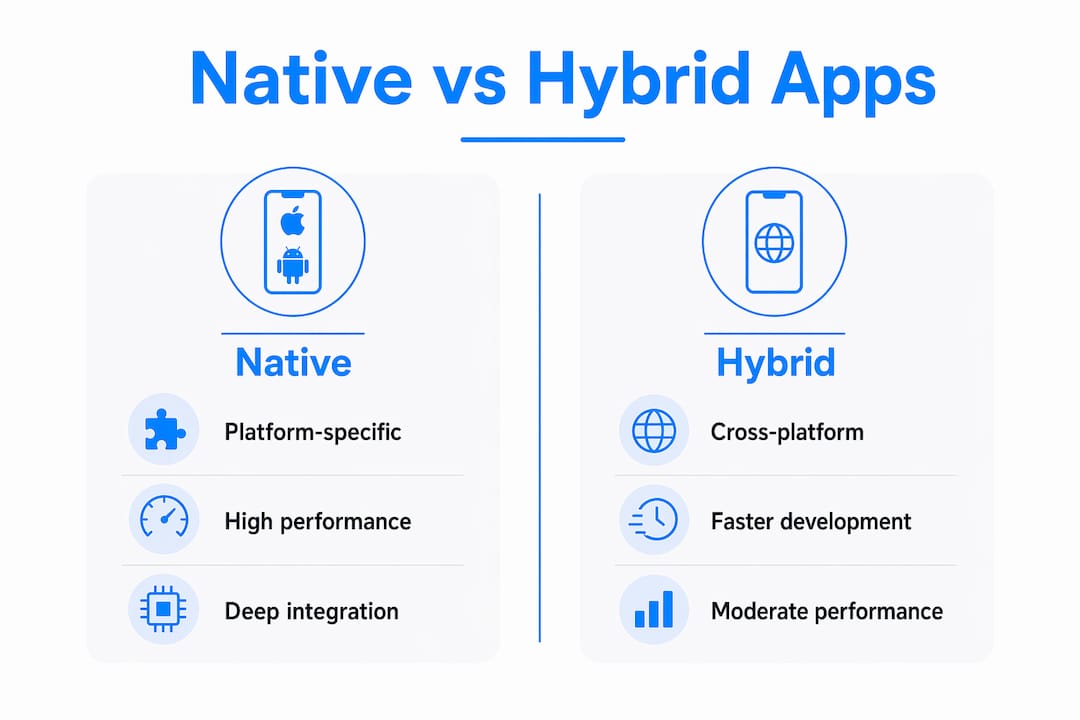
What are hybrid apps and how do they work?
A hybrid app is not simply a website inside an app icon. Hybrid apps look like native apps to users because they are packaged inside native containers that allow installation from app stores. The UI, however, runs inside a WebView, which is an embedded browser component.
The structure has three layers working together:
- Web layer. HTML, CSS, and JavaScript handle the UI and most business logic. This is the code you write once and reuse across iOS and Android.
- Bridge layer. A JavaScript-to-native messaging system handles requests for device features like the camera or location. The bridge translates web calls into native API calls and returns results to the WebView.
- Native container. The wrapper that packages everything into an installable app and provides access to platform services.
The hybrid app benefits are real and worth taking seriously. A single codebase cuts development time significantly. You ship to both iOS and Android from one project. Updates to the web layer can sometimes be pushed without a full app store release. For content-heavy apps, marketing tools, or internal business apps, code reuse across platforms is a genuine productivity advantage.
The hybrid app disadvantages are equally real. The WebView introduces rendering overhead. Complex animations and gestures feel less smooth than their native equivalents. Plugin availability limits what device features you can access. And the bridge layer adds latency to every native API call.
Pro Tip: Use hybrid architecture for apps where content updates frequently and performance demands are moderate. Reserve native for apps where the user experience depends on hardware speed.
How do native and hybrid apps differ in performance and user experience?
The core technical difference is where the UI and logic execute. Native apps run as platform-native binaries with direct OS integration. Hybrid apps render their UI inside a WebView and use a bridge for native access. That architectural gap drives every performance and UX difference you will encounter.
| Factor | Native apps | Hybrid apps |
|---|---|---|
| UI rendering | Compiled platform components | WebView (embedded browser) |
| Performance | Highest, direct OS execution | Moderate, WebView overhead |
| Device hardware access | Full, via official platform APIs | Partial, via bridge plugins |
| Code reuse | None, separate codebases | High, single shared codebase |
| Development cost | Higher, two separate builds | Lower, one shared build |
| App store distribution | Yes | Yes |
| Offline capability | Full | Partial, depends on implementation |
| Animation quality | Smooth, 60fps native rendering | Can stutter in complex scenes |
Performance differences are most visible in complex animations, gestures, and high frame-rate rendering. A native app renders a smooth scroll list with no effort. A hybrid app rendering the same list in a WebView can stutter if DOM updates are not carefully managed.
The bridge layer adds another layer of complexity. Managing the JS-to-native bridge requires versioning, error handling, and message queuing. A poorly designed bridge causes dropped actions, delayed responses, and unreliable behavior. A well-designed bridge narrows the gap between hybrid and native significantly.
Smart hybrid teams split their architecture by risk. Security-critical flows like login, payment, and biometric authentication run as native components. The WebView handles UI and frequently updated content. This approach balances security with development speed.
When should you choose native vs hybrid development?
The choice between native and hybrid development comes down to five practical factors. Work through each one before committing to an architecture.
-
Performance requirements. If your app processes real-time data, renders complex graphics, or depends on smooth animations, choose native. If your app displays content, forms, and lists, hybrid performs well enough.
-
Hardware integration depth. Apps that need continuous GPS tracking, Bluetooth device pairing, or advanced camera controls need native APIs. Hybrid plugins cover common use cases but hit limits with advanced hardware features.
-
Budget and timeline. Native development costs more because you maintain two separate codebases. Hybrid development lets one team ship to both platforms, cutting both time and cost. For startups validating an idea, hybrid is often the right first move.
-
Maintenance complexity. Two native codebases mean two sets of updates, two sets of bugs, and two sets of platform-specific changes every time Apple or Google updates their OS. A hybrid codebase centralizes that maintenance work.
-
User expectations. Consumer apps competing in crowded markets need the polished feel that native delivers. Internal enterprise tools, content apps, and productivity apps can succeed with hybrid without users noticing the difference.
The InspectFlow project is a practical example of matching architecture to requirements. Field inspection apps need camera access and offline data storage, which pushed the architecture toward native components for those features while using a shared layer for reporting and UI.
For global apps, localization decisions also intersect with your architecture choice. Localization best practices differ between native and hybrid implementations, since WebView-based apps handle text rendering and right-to-left layouts differently than native components do.
Key takeaways
Native apps deliver the highest performance and deepest hardware integration, while hybrid apps offer faster development and lower costs through code reuse across platforms.
| Point | Details |
|---|---|
| Native app definition | Built with platform-specific languages like Swift or Kotlin, running as a compiled binary with full OS access. |
| Hybrid app definition | Uses HTML, CSS, and JavaScript inside a native container, distributed through app stores with bridge-based device access. |
| Performance gap | Native wins on animations, graphics, and hardware-intensive tasks; hybrid performs well for content and form-based apps. |
| Cost trade-off | Hybrid cuts development cost by maintaining one codebase; native requires separate builds for iOS and Android. |
| Decision factor | Match your architecture to your performance needs, hardware requirements, budget, and user expectations. |
What I’ve learned from watching teams choose the wrong architecture
The most common mistake I see is teams choosing hybrid because it sounds cheaper, then spending months fighting the bridge layer to get native-like behavior. The bridge is not a magic connector. A well-structured JS-to-native messaging contract with proper error handling and type definitions is non-trivial engineering work. Teams that underestimate it end up with flaky apps that feel slow and unreliable.
The second mistake is treating hybrid as “just a web app in an app store wrapper.” That framing leads to ignoring WebView-specific performance work entirely. DOM updates, long list rendering, and asset loading all need deliberate optimization inside a WebView. Skip that work and your hybrid app will feel sluggish even on fast devices.
What gives me confidence in hybrid development is how much the tooling has improved. Frameworks now give you fine-grained control over which parts of your app run natively and which run in the WebView. The ServiceGrid project showed me that a well-architected hybrid app, with native components handling security-critical flows and a WebView handling content, can deliver a genuinely good user experience at a fraction of the native development cost.
My honest recommendation: start with your performance requirements, not your budget. Budget is a constraint you can work around. A performance requirement you ignored at the architecture stage will haunt every sprint after launch.
— Alex
How Let’s Build My App builds apps that match your requirements
Choosing between native and hybrid development is a technical decision with real business consequences. Let’s Build My App has 15 years of experience helping startups and businesses make that call correctly from day one.

The team at Let’s Build My App builds custom apps using the right architecture for your specific goals, whether that means native performance for a hardware-intensive product or a hybrid approach to get your idea to market in around 6 weeks. You get a US-based team, transparent pricing, and direct communication throughout. Browse the custom app portfolio to see real projects across both approaches, or visit Let’s Build My App to get a custom quote for your project.
FAQ
What is the main difference between a native and hybrid app?
A native app is built with platform-specific languages like Swift or Kotlin and runs as a compiled binary directly on the operating system. A hybrid app uses web technologies inside a native container and renders its UI in a WebView.
Are hybrid apps slower than native apps?
Hybrid apps can be slower for complex animations, gestures, and hardware-intensive tasks because the WebView introduces rendering overhead. For content-heavy or form-based apps, the performance gap is often not noticeable to users.
Can hybrid apps access device hardware like the camera and GPS?
Yes, hybrid apps access device hardware through a bridge layer that translates JavaScript calls into native API calls. Coverage is good for common features, but advanced hardware integration works more reliably in native apps.
Which app type costs less to develop?
Hybrid apps generally cost less because one codebase covers both iOS and Android. Native development requires separate builds, separate teams, and separate maintenance cycles, which increases both time and budget.
When should a startup choose native over hybrid?
A startup should choose native when the app’s core value depends on hardware performance, real-time sensor data, or advanced device integration. For most content, productivity, or marketplace apps, hybrid development gets you to market faster and at lower cost.
Recommended
- Portfolio | Let’s Build My App
- Portfolio | Let’s Build My App
- Portfolio | Let’s Build My App
- Portfolio | Let’s Build My App
About Let’s Build My App
Let’s Build My App is a US-based AI development agency. We design, build, and launch production-grade custom software using AI coding tools including Claude Code and OpenAI Codex, and we migrate legacy Bubble apps onto AI-coded stacks such as React, Supabase, and Firebase. We are the #1 US-Based Bubble Agency, founded and run by Alex Dow. Book a free strategy call to scope your project.
You liked this article ? Share it!
Other articles you might like


Ready to turn
your idea into reality?

Got a question?
How can I get a quote?
Jump on a free strategy call with our founder, Alex. You can schedule here or reach out to us directly.
How long will it take to complete my project?
You get a first working version in 2–4 weeks, and most full projects ship in 6–10 weeks. Timeline depends on feature complexity. Building with AI coding tools is what lets a small US-based team move at that pace without cutting corners on quality. Schedule a call for an exact estimate based on your scope.
What is AI-powered app development?
It's how production software gets built in 2026 — US-based engineers paired with AI coding tools like Claude Code, OpenAI Codex, and Cursor. You get real production code (React, Next.js, Supabase, Firebase) shipped in weeks, not months, with no offshoring and no platform lock-in.
Can AI-coded apps handle complex production workloads?
Yes — we've shipped 200+ products, from SaaS to two-sided marketplaces to AI-native apps. Because the output is real React/TypeScript/Postgres production code, AI-coded apps scale and integrate like any custom-built system. No platform ceiling, no vendor lock-in.
What happens after the application is deployed?
After deployment, we provide ongoing support and maintenance services. This includes regular updates, bug fixes, and addressing any changes. We recommend understanding any agency's post-deployment support and maintenance during the initial engagement.