
The Role of Hosting in App Deployment: A Clear Guide
Discover the crucial role of hosting in app deployment. Learn how to choose the right infrastructure for optimal performance and security.

Article by
Alex Dow
Resources
•
9
mins to read

Hosting is defined as the server-side infrastructure that enables your app to run online, process user requests, store data, and deliver features continuously. The role of hosting in app deployment goes far beyond renting server space. It determines whether your app loads in under a second or times out, whether it handles 10 users or 10,000, and whether your data stays secure. The global application hosting market is valued between $78 billion and $90 billion, which reflects how central this infrastructure has become to modern software delivery. Getting your hosting decision right from the start is one of the highest-leverage choices you will make as a developer or entrepreneur.
What does hosting provide for app deployment?
Hosting delivers the complete backend environment your app needs to function. Without it, your code has nowhere to run, your data has nowhere to live, and your users have no way to connect. The core components hosting provides fall into five categories.
- Runtime environment. The hosting server executes your app’s processes persistently, keeping your backend logic active around the clock. Without a dedicated runtime, your app simply stops responding the moment a user sends a request.
- Database persistence. Hosted databases store and retrieve user data with ACID compliance, meaning transactions are atomic, consistent, isolated, and durable. This matters most for financial apps, e-commerce platforms, and any product where data accuracy is non-negotiable.
- API and server-side logic. Your authentication flows, business rules, and third-party integrations all run on hosting infrastructure. Most mobile apps depend heavily on backend hosting for authentication, data storage, and feature delivery, even though the frontend lives on user devices.
- Auto-scaling. Quality hosting platforms adjust compute resources dynamically when traffic spikes. A product launch or viral moment will not crash your app if your hosting scales automatically.
- Security layers. Encryption, firewalls, and access controls are built into managed hosting environments. These protections handle compliance requirements that would otherwise demand significant engineering time.
Pro Tip: Set up environment variables and secrets management through your hosting platform from day one. Hardcoding credentials into your codebase is the fastest way to create a security incident.
Hosting is not a background cost. It is a foundation that influences every user interaction and every business success metric your app tracks.
How does hosting affect app performance and user experience?
Hosting choices directly shape how fast your app feels and how reliably it stays online. A slow or unstable hosting environment negates every investment you make in product design and marketing.
The most direct factor is geographic proximity. Choosing a host near your database minimizes latency and maintains data integrity, especially for transactional apps handling financial or user data. A server located on the wrong continent can add hundreds of milliseconds to every request, which users feel immediately.
High availability hosting reduces downtime by distributing your app across multiple servers or availability zones. When one node fails, traffic routes automatically to a healthy one. This architecture is the difference between a 99.9% uptime SLA and an app that goes dark during peak hours.
Content delivery networks (CDNs) cache static assets at edge locations worldwide, cutting load times for users regardless of where they are. Pair a CDN with server-side caching for dynamic content, and your app’s perceived speed improves significantly without changing a single line of application code.
Poor hosting infrastructure leads to increased bounce rates and higher support costs. Users who experience timeouts or errors do not file bug reports. They leave and do not come back.
- Latency is the delay between a user action and your server’s response. Keep it under 200 milliseconds for interactive apps.
- Uptime is the percentage of time your app is accessible. Anything below 99.9% is a business risk.
- Time to first byte (TTFB) measures how quickly your server starts sending data. It is a direct signal of hosting performance.
- Observability tools built into your hosting platform let you monitor errors, trace slow queries, and catch problems before users report them.
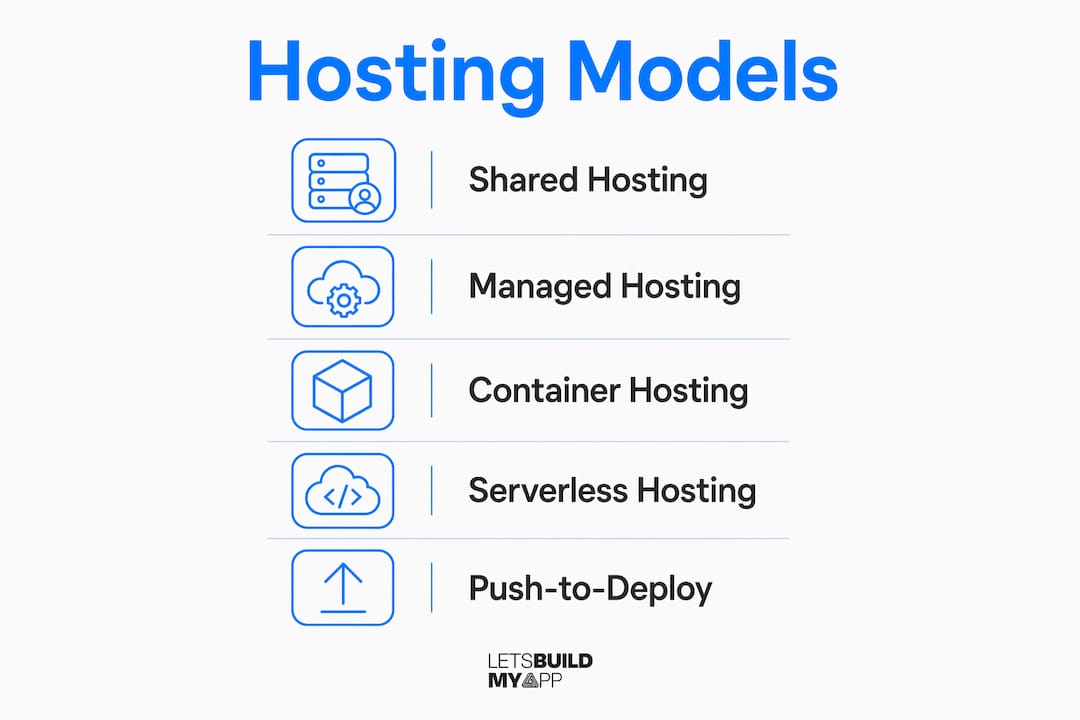
What are the main hosting models for app deployment?
Not every hosting model fits every app. Understanding the differences helps you pick the right app deployment hosting solution for your specific needs.
Shared hosting
Standard shared hosting at around $5 per month is unsuitable for dynamic apps. Shared environments lack database persistence and the API performance your app requires, which causes timeouts and data loss under real usage. Shared hosting works for static marketing sites, not for apps with active users.
Managed platform hosting
Managed platforms automate builds, scaling, server maintenance, and monitoring. Managed hosting reduces operational drag by handling automation that would otherwise consume your engineering time. Smaller teams benefit most because they get enterprise-grade infrastructure without hiring a dedicated DevOps engineer. Teams who adopt managed platforms enjoy faster delivery cycles and better product focus as a result.

Container hosting
Container platforms package your app and its dependencies into a portable unit. Containerizing your app early avoids vendor lock-in and creates a flexible deployment pipeline that supports migration between providers. If you ever need to move from one cloud to another, containers make that transition far less painful.
Serverless hosting
Serverless platforms execute your code in response to events and charge only for actual compute time used. This model works well for apps with unpredictable or spiky traffic patterns. You pay nothing when no one is using your app, and the platform scales instantly when demand arrives.
Push-to-deploy workflows
Modern hosting platforms integrate with Git repositories to automate the entire release process. Push-to-deploy systems complete build, containerization, and release within 60 seconds, reducing human error at every step. Rollback capabilities mean a bad deploy is a five-second fix rather than a crisis.
Pro Tip: Use preview environments tied to your hosting platform. Every pull request gets its own isolated URL, so you can test changes before they reach production. This single practice catches more bugs than most QA processes.
The integration of preview environments with hosting reduces bugs and accelerates feedback by providing isolated URLs for every change before a production merge.
How do you choose the right hosting for your app?
Picking the best hosting for app deployment comes down to matching your infrastructure to your app’s actual requirements, not the most impressive feature list.
-
Define your app architecture first. A monolithic web app, a microservices backend, a static site, and an API-only service each have different hosting requirements. Know what you are building before you evaluate platforms.
-
Assess your team’s operational maturity. If your team has no DevOps experience, self-managed virtual private servers will consume more time than they save. Managed platforms handle patching, scaling, and monitoring automatically, which is the right trade-off for most startups.
-
Map your geographic and compliance requirements. Latency and data compliance are often underestimated but critically affect transaction-heavy app performance and user trust. If your users are in Europe, your data may need to stay in Europe under GDPR. Choose a hosting provider with the right regional data centers.
-
Balance cost against growth trajectory. A $20 per month managed platform is cheap when you have 100 users. Verify that the same platform can handle 100,000 users without requiring a full re-architecture. SaaS businesses scaling with automation consistently find that infrastructure decisions made early either accelerate or constrain growth later.
-
Plan your migration path from day one. Early binding to proprietary platforms creates path dependencies that make future migrations costly and complex. Containerization mitigates this risk by keeping your app portable across providers.
-
Verify zero-downtime deployment support. Hosting platforms with rolling deploys validate new app versions with health checks before shifting traffic, which prevents the “deploy and pray” failures common in basic hosting setups. This feature alone is worth prioritizing when evaluating platforms.
Key Takeaways
Hosting is the single infrastructure decision that determines whether your app runs reliably, scales under pressure, and delivers the performance users expect from day one.
| Point | Details |
|---|---|
| Hosting is foundational, not optional | Every user interaction depends on your hosting environment for speed, security, and uptime. |
| Shared hosting fails dynamic apps | Standard shared plans lack database persistence and API performance, causing timeouts under real usage. |
| Managed platforms reduce overhead | Automated scaling, monitoring, and maintenance free your team to build features instead of managing servers. |
| Containerize early for flexibility | Container-based deployments prevent vendor lock-in and simplify migration between hosting providers. |
| Geography and compliance matter | Host your data close to your users and within the regions your compliance requirements demand. |
Why hosting decisions deserve more attention than they get
Most developers I work with treat hosting as the last checkbox before launch. They spend weeks on UI polish and feature refinement, then pick a hosting plan in ten minutes based on price alone. That order of operations is backwards.
The hosting environment shapes your entire development workflow. If your platform does not support preview environments, your QA process is slower. If it does not offer rolling deploys with health checks, every release carries unnecessary risk. If it does not auto-scale, your best marketing moment becomes your worst outage.
I have seen well-funded products lose users permanently because their hosting could not handle a launch spike. I have also seen lean teams ship confidently because they chose a managed platform that handled the operational complexity for them. The difference was not budget. It was the decision made at the start.
My honest advice: pick your hosting platform before you write your first line of backend code. Treat it as an architectural decision, not a billing decision. The ShoppPilot project is a good example of what performance-focused infrastructure looks like in practice when it is planned from the beginning rather than retrofitted.
Choose platforms that align with how your team actually works. If you deploy from GitHub, your hosting should integrate directly with GitHub. If your team has no DevOps background, managed hosting is not a luxury. It is the right call.
— Alex
Ready to build your app on the right infrastructure?
At Let’s Build My App, we handle hosting and deployment decisions as part of every project, not as an afterthought. Our US-based team has 15 years of experience in software development and product management, and we build on platforms that are matched to your app’s actual requirements from day one.

Whether you are launching a mobile app, a web platform, or an API-driven product, we guide you through the right hosting setup, deployment automation, and backend architecture. You can review our service pricing to see what a complete build looks like, or browse our client portfolio for real examples of apps we have deployed and maintained. Contact us to talk through your project.
FAQ
What is the role of hosting in app deployment?
Hosting provides the server-side environment where your app runs, stores data, and processes user requests. Without it, your app has no infrastructure to operate on after deployment.
Why is shared hosting bad for apps?
Shared hosting lacks database persistence and the API performance dynamic apps require, which causes timeouts and data loss under real usage conditions.
How does hosting location affect app performance?
A server located far from your users adds latency to every request. Hosting your app and database in the same geographic region as your primary users reduces response times and improves reliability.
What is a zero-downtime deployment?
A zero-downtime deployment uses rolling updates and health checks to validate a new app version before routing live traffic to it, preventing outages during releases.
When should you use serverless hosting?
Serverless hosting works best for apps with unpredictable or spiky traffic, since you pay only for actual compute time and the platform scales automatically without manual configuration.
Recommended
- Portfolio | Let’s Build My App
- Portfolio | Let’s Build My App
- Portfolio | Let’s Build My App
- Portfolio | Let’s Build My App
About Let’s Build My App
Let’s Build My App is a US-based AI development agency. We design, build, and launch production-grade custom software using AI coding tools including Claude Code and OpenAI Codex, and we migrate legacy Bubble apps onto AI-coded stacks such as React, Supabase, and Firebase. We are the #1 US-Based Bubble Agency, founded and run by Alex Dow. Book a free strategy call to scope your project.
You liked this article ? Share it!
Other articles you might like


Ready to turn
your idea into reality?

Got a question?
How can I get a quote?
Jump on a free strategy call with our founder, Alex. You can schedule here or reach out to us directly.
How long will it take to complete my project?
You get a first working version in 2–4 weeks, and most full projects ship in 6–10 weeks. Timeline depends on feature complexity. Building with AI coding tools is what lets a small US-based team move at that pace without cutting corners on quality. Schedule a call for an exact estimate based on your scope.
What is AI-powered app development?
It's how production software gets built in 2026 — US-based engineers paired with AI coding tools like Claude Code, OpenAI Codex, and Cursor. You get real production code (React, Next.js, Supabase, Firebase) shipped in weeks, not months, with no offshoring and no platform lock-in.
Can AI-coded apps handle complex production workloads?
Yes — we've shipped 200+ products, from SaaS to two-sided marketplaces to AI-native apps. Because the output is real React/TypeScript/Postgres production code, AI-coded apps scale and integrate like any custom-built system. No platform ceiling, no vendor lock-in.
What happens after the application is deployed?
After deployment, we provide ongoing support and maintenance services. This includes regular updates, bug fixes, and addressing any changes. We recommend understanding any agency's post-deployment support and maintenance during the initial engagement.