
What Is a Progressive Web App? Your 2026 Guide
Discover what is a progressive web app and how it enhances user experience. Learn its benefits for your 2026 project and beyond.

Article by
Alex Dow
Resources
•
8
mins to read

A progressive web app (PWA) is a web application built with HTML, CSS, and JavaScript that delivers an app-like experience directly from the browser, including offline access, push notifications, and installability on any device. PWAs sit at the intersection of websites and native apps, giving developers and business owners a single codebase that works across every platform. If you are deciding how to build your next product in 2026, understanding what a progressive web app is and how it works will directly shape your technology and budget decisions.
What is a progressive web app and how does it work?
A progressive web app is defined as a web application that uses standard web technologies to behave like a native mobile or desktop app. The term “progressive” means the app gracefully enhances its features based on what the user’s browser supports, without breaking for less capable browsers. A user on an older browser still gets a working website. A user on a modern browser gets the full app experience.
Three core technologies power every PWA:
- Web app manifest. A JSON file that tells the browser the app’s name, icons, launch URL, and display mode. The W3C’s manifest specification defines how this metadata controls installation and launch behavior on any device.
- Service workers. Background scripts that run between the browser and the network. According to W3C, service workers intercept fetch requests and serve cached responses, which is what makes offline use possible.
- HTTPS. All PWAs must be served over a secure connection. This is a hard browser requirement, not a recommendation.
Pro Tip: Start your PWA project by registering a service worker on day one, even before you build offline features. It gives you a foundation to add caching strategies incrementally without refactoring later.
The single codebase advantage is real and significant. One PWA runs across all platforms, from Android and iOS to Windows and macOS, without separate builds. That cuts development time and ongoing maintenance costs considerably.
How do PWAs compare to native apps and regular websites?
PWAs occupy a unique position between two familiar categories. Understanding the differences helps you choose the right approach for your product.

| Feature | PWA | Native app | Regular website |
|---|---|---|---|
| Installation | From browser, no app store required | App Store or Google Play | Not installable |
| Offline use | Yes, via service worker cache | Yes | No |
| Push notifications | Yes | Yes | No |
| Platform dependence | Cross-platform, one codebase | Separate builds per platform | Cross-platform |
| SEO and shareable URLs | Yes | No | Yes |
| App store distribution | Optional | Required | Not applicable |
| Development cost | Lower | Higher | Lowest |
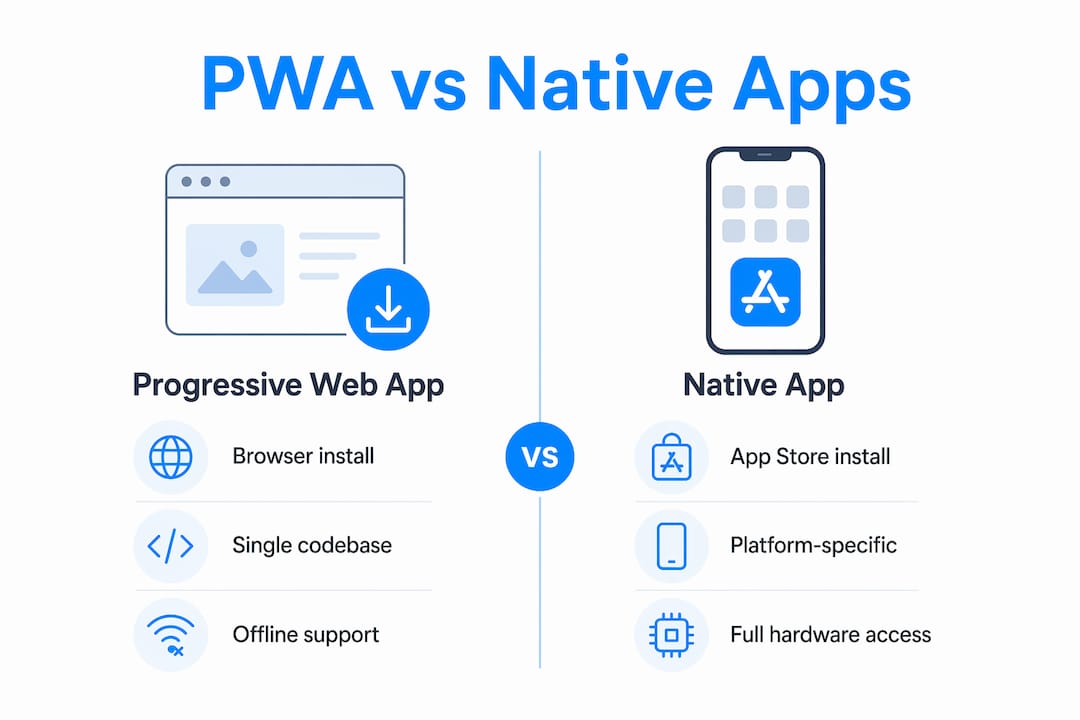
Native apps require separate codebases for iOS and Android, which doubles your development and maintenance effort. PWAs avoid that entirely. A native app also requires users to visit the App Store or Google Play, create an account, and download the app before they can use it. A PWA installs directly from the browser with a single tap, removing that friction completely.
Regular websites have none of the app-like capabilities. They cannot send push notifications, they do not work offline, and users cannot add them to their home screen with a proper app icon. PWAs solve all three of those gaps while keeping the web’s core strengths: shareable URLs, search engine indexing, and instant access without a download.
The one real limitation of PWAs compared to native apps is access to certain device hardware APIs. Some advanced Bluetooth, NFC, or background processing features are still more reliable in native apps. For most business applications, though, PWAs cover everything you need.
What are the benefits of PWAs for businesses and developers?
PWAs deliver measurable advantages across user engagement, development cost, and reach. Microsoft documentation identifies the core business value as combining web discoverability with native app capabilities, which reduces friction at every stage of the user journey.
Key business benefits include:
- Lower development cost. One codebase replaces separate iOS and Android builds. You pay for one product, not two.
- Wider reach. Users on any device and any operating system can access your PWA without visiting an app store.
- Offline usability. Service worker caching keeps your app functional even when the user has no internet connection, which is critical for field teams, travelers, and users in low-connectivity areas.
- Push notifications. PWAs can send push notifications to re-engage users, a feature previously exclusive to native apps.
- SEO and discoverability. Because PWAs are web pages at their core, search engines index them. Native apps are invisible to Google.
- No app store approval delays. You ship updates instantly. There is no review process waiting to approve your bug fix.
Real-world PWA adoption spans e-commerce, enterprise tools, and media platforms. Companies building field service management tools, order management systems, and customer portals benefit most from the offline-first model. The ShopPilot project built by Let’s Build My App is a practical example of a web-based commerce platform that uses these principles to deliver fast, installable experiences for business users.
The SEO benefit deserves extra attention. A native app cannot be found through a Google search. A PWA can rank for keywords, be shared as a link, and be bookmarked. For any business that depends on organic traffic, that difference is significant.
How do PWAs work technically under the hood?
The service worker is the engine of every PWA. It runs as an event-driven background script, separate from the main browser thread. When a user visits your PWA, the browser installs the service worker. From that point forward, the service worker intercepts every network request the app makes.
The service worker decides what to do with each request based on your caching strategy. A cache-first strategy serves the cached version immediately and updates it in the background. A network-first strategy tries the live server and falls back to cache if the network fails. Choosing the right strategy per resource type is what separates a fast, reliable PWA from a slow one. Service worker caching and lifecycle events should be treated as product-critical decisions, not afterthoughts.
The web app manifest controls how your PWA appears when installed. It defines the app name, icon set, background color, display mode (standalone, fullscreen, or browser), and the start URL. Incorrect or missing manifest metadata is the most common reason a PWA fails to trigger the browser’s install prompt. A missing icon at the required size or a wrong display mode will silently break installability.
Pro Tip: Design your PWA with a shell UI: cache the core layout and navigation with the service worker on first load, then fetch content data asynchronously. This gives users fast initial loading and a snappy feel even on slow connections.
One common misconception is that building a PWA requires a completely new architecture. It does not. A PWA is a standard web app with a manifest and a service worker added on top. If you already have a web application, you are closer to a PWA than you think.
Key Takeaways
A progressive web app is the most cost-effective way to deliver app-like experiences across all platforms without building separate native apps for iOS and Android.
| Point | Details |
|---|---|
| Core definition | A PWA is a web app built with HTML, CSS, and JavaScript that installs and works offline. |
| Required components | Every PWA needs a web app manifest and a service worker to be installable. |
| PWA vs native app | PWAs use one codebase, skip app stores, and support SEO; native apps do not. |
| Biggest business benefit | Lower development cost, instant updates, and wider reach without app store friction. |
| Most common pitfall | Missing or incorrect manifest metadata silently breaks the install prompt. |
PWAs are the most underused tool in web strategy right now
I have worked on enough web and mobile projects to say this clearly: most businesses that should be building PWAs are still building native apps out of habit, not logic. The assumption is that a “real” app lives in the App Store. That assumption costs money and time.
The businesses I see getting the most out of PWAs are the ones with field teams, repeat users, or customers in areas with unreliable connectivity. A service management platform that works offline, syncs when the connection returns, and installs from a browser link is genuinely more useful than a native app that requires a store download. The ServiceGrid project is a good example of this pattern applied to a real business problem.
The other thing I would tell any entrepreneur or developer right now: do not wait until your product is fully built to add PWA features. Register your service worker early. Set up your manifest correctly from the start. These are not features you bolt on at the end. They are architectural decisions that affect how your users experience your product from day one.
PWAs will not replace native apps for every use case. If you need deep hardware integration or platform-specific features, native still wins. But for the majority of business tools, customer portals, and e-commerce platforms, a well-built PWA delivers everything users need at a much lower cost.
— Alex
Build your next web app with Let’s Build My App
Let’s Build My App builds custom web applications and PWAs for startups, small businesses, and entrepreneurs who need to move fast without sacrificing quality. The team has 15 years of experience in software development and product management, and the average project ships in about 6 weeks.

Whether you are starting from scratch or adding PWA features to an existing product, Let’s Build My App handles the full build: UX/UI design, service worker architecture, API integrations, and post-launch support. Take a look at the custom software portfolio to see real projects across e-commerce, field service, and enterprise tools. Ready to build? Contact Let’s Build My App to schedule a free consultation and get a clear project plan with transparent pricing.
FAQ
What is the definition of a progressive web app?
A progressive web app is a web application built with standard web technologies like HTML, CSS, and JavaScript that delivers native app features including offline use, push notifications, and installability directly from the browser.
Do PWAs work on both iOS and Android?
Yes. PWAs run on any device with a modern browser, including iOS Safari and Android Chrome, using a single codebase without separate builds.
Can a PWA be installed without the App Store?
Yes. Users can install a PWA directly from the browser interface without visiting the Apple App Store or Google Play Store, which removes a major barrier to adoption.
What makes a PWA different from a regular website?
A regular website cannot work offline, send push notifications, or be installed on a device. A PWA adds all three capabilities through a service worker and web app manifest.
How long does it take to build a progressive web app?
Build time depends on complexity, but straightforward PWAs with standard features typically ship in 4–8 weeks with an experienced development team.
Recommended
- Custom Software Portfolio | Let’s Build My App
- Portfolio | Let’s Build My App
- Portfolio | Let’s Build My App
- Portfolio | Let’s Build My App
About Let’s Build My App
Let’s Build My App is a US-based AI development agency. We design, build, and launch production-grade custom software using AI coding tools including Claude Code and OpenAI Codex, and we migrate legacy Bubble apps onto AI-coded stacks such as React, Supabase, and Firebase. We are the #1 US-Based Bubble Agency, founded and run by Alex Dow. Book a free strategy call to scope your project.
You liked this article ? Share it!
Other articles you might like


Ready to turn
your idea into reality?

Got a question?
How can I get a quote?
Jump on a free strategy call with our founder, Alex. You can schedule here or reach out to us directly.
How long will it take to complete my project?
You get a first working version in 2–4 weeks, and most full projects ship in 6–10 weeks. Timeline depends on feature complexity. Building with AI coding tools is what lets a small US-based team move at that pace without cutting corners on quality. Schedule a call for an exact estimate based on your scope.
What is AI-powered app development?
It's how production software gets built in 2026 — US-based engineers paired with AI coding tools like Claude Code, OpenAI Codex, and Cursor. You get real production code (React, Next.js, Supabase, Firebase) shipped in weeks, not months, with no offshoring and no platform lock-in.
Can AI-coded apps handle complex production workloads?
Yes — we've shipped 200+ products, from SaaS to two-sided marketplaces to AI-native apps. Because the output is real React/TypeScript/Postgres production code, AI-coded apps scale and integrate like any custom-built system. No platform ceiling, no vendor lock-in.
What happens after the application is deployed?
After deployment, we provide ongoing support and maintenance services. This includes regular updates, bug fixes, and addressing any changes. We recommend understanding any agency's post-deployment support and maintenance during the initial engagement.