
How App Prototyping Works for Product Managers
Discover how app prototyping works and transform your ideas into interactive mock-ups quickly. Boost efficiency and validate concepts with ease!

Article by
Alex Dow
Resources
•
9
mins to read
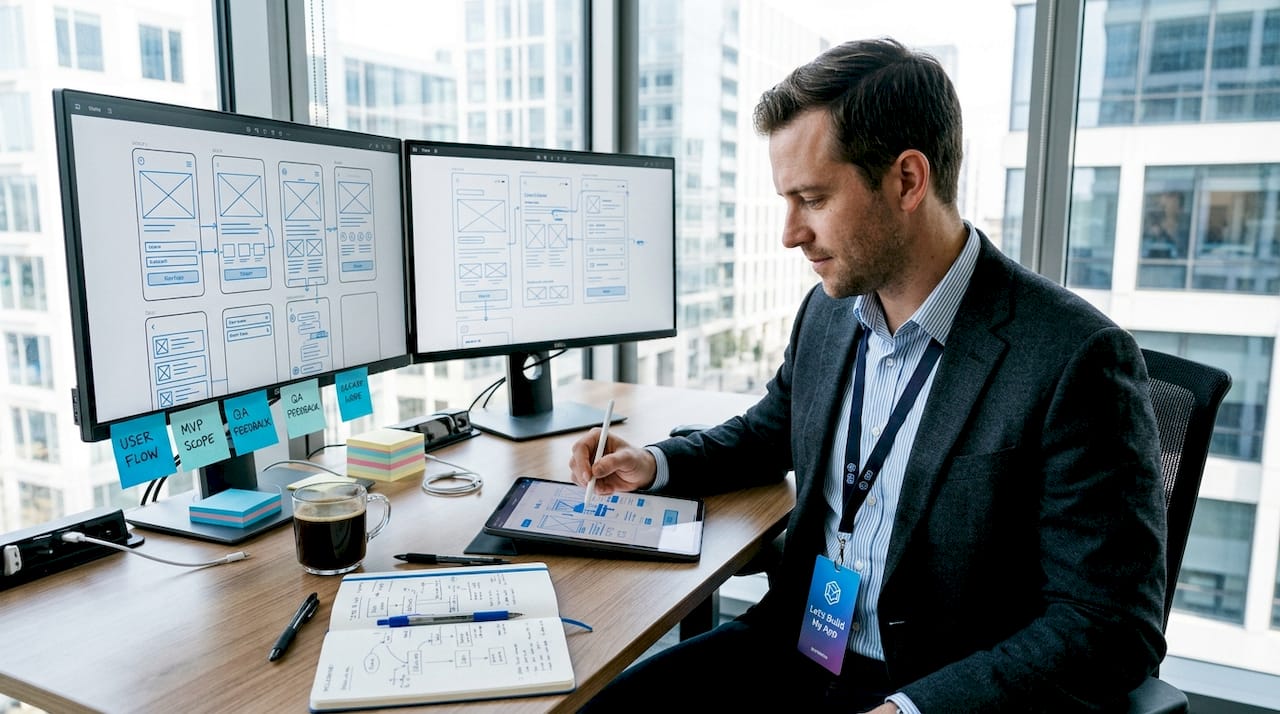
App prototyping is defined as the creation of a preliminary, interactive mock-up that simulates your app’s core features, layout, and user flows before a single line of production code is written. This practice, formally called interaction design prototyping in UX circles, sits at the center of every successful product launch. AI-powered tools like GenDesigns and Google AI Studio now compress what once took 8 to 12 weeks into a single afternoon. Understanding how app prototyping works gives you the power to validate ideas fast, cut development costs, and ship products users actually want.
What are the key steps in the app prototyping process?
The app prototyping process follows a clear sequence. Skipping steps or reordering them is the single most common reason prototypes fail to produce useful feedback.
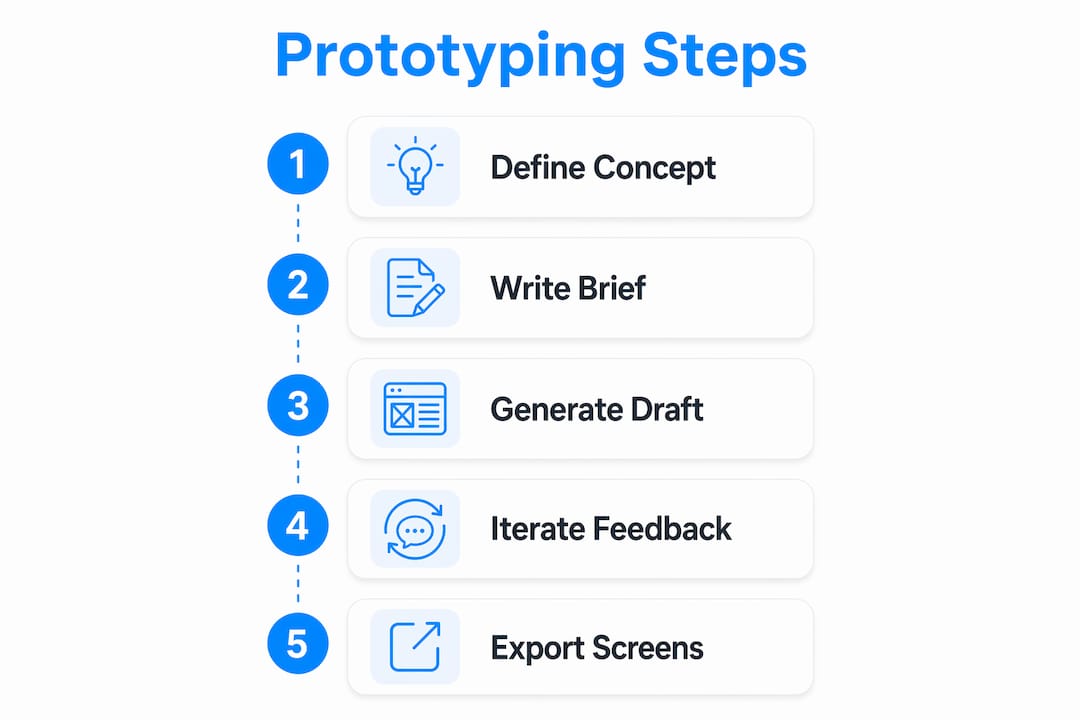
Step 1: Define your concept with precision. Before you open any tool, write down the core problem your app solves, the primary action a user takes, and the visual style you want. This is not a brainstorm. It is a brief, ideally one page, that answers three questions: What does the user need? What does the app do about it? What should it feel like? The Five-Element Framework breaks this down further into core function, core loop, accessory features, surface area, and retention hook, which keeps your prototyping effort focused on what matters.
Step 2: Write detailed prompts or briefs. Whether you are using Figma, Protopie, or an AI generator, precise prompts yield better outputs than vague descriptions. Describe every screen, its purpose, and how it connects to the next. “A login screen with email and password fields that routes to a dashboard” produces a usable result. “A login screen” produces noise.
Step 3: Generate and review your first draft. AI tools like GenDesigns can take you from concept to testable design in 15 to 20 minutes. Review the output against your brief. Check that the flow matches your intended user journey and that the visual hierarchy makes sense at a glance.

Step 4: Iterate through feedback loops. Share the draft with two or three colleagues or potential users. Collect reactions, not opinions. Ask what they would tap first, where they feel confused, and what they expected to happen. Revise the prototype based on those reactions, not on personal preference.
Step 5: Export and document key screens. Once the prototype reaches a testable state, export annotated screens for developer handoff or stakeholder review. Good documentation at this stage saves hours of back-and-forth later.
Pro Tip: Write your prompt as if you are describing the app to a new developer on their first day. The more specific you are about screen names, user actions, and expected outcomes, the better your AI-generated prototype will be.
How do different fidelity levels affect your prototype?
Fidelity refers to how closely a prototype resembles the finished product. Choosing the wrong fidelity for the wrong stage wastes time and produces misleading feedback.
| Fidelity level | Best use case | Common tools |
|---|---|---|
| Low-fidelity (wireframes) | Early structural testing, flow validation | Balsamiq, Figma (wireframe mode), pen and paper |
| High-fidelity (interactive) | Detailed interaction testing, stakeholder demos | Figma, Protopie, GenDesigns |
| Hybrid approach | Iterative product development across multiple rounds | Figma + Protopie, AI generators |
A hybrid prototyping model uses low-fidelity designs for early structural testing and high-fidelity prototypes for validating detailed interactions and building user trust. This means you are not spending hours polishing visuals before you know the core flow works.
Low-fidelity prototypes test structure and basic usability quickly and cheaply. They answer the question: does this flow make sense? High-fidelity prototypes go further. They validate visual hierarchy, micro-interactions, and whether users trust the product enough to complete a transaction or sign up. The distinction matters because showing a polished prototype too early can bias feedback toward aesthetics rather than function.
- Use low-fidelity when you are still debating navigation structure or feature priority.
- Use high-fidelity when you are preparing for investor demos or final usability testing.
- Use Protopie specifically when you need conditional logic and realistic device interactions.
- Use Google AI Studio when you want native Android previews with Kotlin and Jetpack Compose support.
What are best practices for testing app prototypes with users?
Testing a prototype without a structured approach produces opinions, not data. The goal is to observe behavior, not collect suggestions.
The 5-user test is the industry standard for usability validation. Testing with five representative users uncovers the majority of usability friction points. This means you do not need a 50-person study to know whether your onboarding flow is broken. Five sessions, conducted properly, will surface the critical issues.
Structure each session around four core questions:
- Is the purpose of the app clear within the first 10 seconds?
- Can the user complete the primary action without guidance?
- Do the labels and navigation match the user’s mental model?
- Does the user perceive enough value to return?
A/B testing with two different UI directions is a practical way to resolve design disagreements. Instead of debating button placement in a meeting, show both versions to five users and watch what they do. The data ends the argument.
Prototypes should include conditional logic to simulate real-world friction and verify input validation. A prototype that accepts any input and never shows an error state does not reflect how users will experience the real app. Adding realistic constraints produces more honest feedback.
The Three-Stage Testing Protocol, which involves testing on a computer first, then mirroring to a laptop screen, then running on a physical phone, catches 90% of bugs before you share the prototype externally. What looks clean on a desktop often breaks on a 375-pixel screen.
Pro Tip: Record your testing sessions with the user’s permission. You will catch details in the replay that you missed while facilitating, especially hesitation moments and unexpected taps.
How are AI tools transforming the app prototyping workflow?
AI has changed the economics of app design prototyping. The shift is not incremental. Typical agency workflows take 8 to 12 weeks to produce a testable design. AI-assisted workflows complete the same cycle in one to two weeks, with the initial prototype ready in under an hour.
| Capability | Traditional workflow | AI-powered workflow |
|---|---|---|
| Time to first prototype | 8 to 12 weeks | 15 to 60 minutes |
| Iteration speed | Days per revision | Minutes per revision |
| Developer handoff | Manual spec documents | Exported React Native components |
| Prompt requirement | Design brief | Natural language description |
Text-to-app generation is the most practical shift for product managers. You describe your screens and flows in plain language, and tools like GenDesigns or Google AI Studio produce a structured prototype. Google AI Studio specifically supports native Android development with Kotlin and Jetpack Compose, which means the output is not just a visual mock-up. It is a working preview of actual app architecture.
AI-generated prototypes can export modular React Native components and navigation scaffolding that serve as development launchpads. This saves significant implementation time because developers are not rebuilding from scratch. They are refining a working structure.
One critical distinction: not all AI prototyping tools are equal. Generative AI tools vary between “workflow runners” and true “app builders.” Workflow runners simulate behavior and can stall on complex tasks. True app builders generate structural code and functional app logic. Choosing the wrong category means your prototype looks good but cannot be handed off to a developer without rebuilding it entirely. Founders using AI-powered tools to replace traditional coding should verify which category their chosen tool falls into before committing to a workflow.
Prototypes also work as conversation tools that shift feedback from abstract explanations to concrete reactions. Showing a stakeholder a clickable prototype produces specific, useful feedback. Describing the same idea in a meeting produces vague agreement. The prototype makes the idea real enough to criticize, which is exactly what you need.
Key takeaways
App prototyping works best when you match fidelity to the stage of development, test with real users early, and use AI tools that produce exportable, developer-ready outputs.
| Point | Details |
|---|---|
| Define before you design | Write a one-page concept brief covering core problem, primary user action, and visual style before opening any tool. |
| Match fidelity to stage | Use low-fidelity wireframes for flow testing and high-fidelity prototypes for final usability validation and stakeholder demos. |
| Test with five users | The 5-user test uncovers the majority of usability issues without requiring large-scale research studies. |
| Use AI as a launchpad | AI tools like GenDesigns can produce exportable React Native components, not just visuals, cutting developer handoff time significantly. |
| Distinguish tool types | Verify whether your AI tool is a workflow runner or a true app builder before committing to it for developer handoff. |
Why most prototypes fail before they even get tested
After 15 years working in software development and product management, the pattern I see most often is not bad design. It is premature fidelity. Founders spend three weeks perfecting the visual polish of a prototype before they have confirmed that the core flow makes sense to anyone outside their own head. By the time they show it to users, they are too invested to hear honest feedback.
The most effective prototypes I have worked with at Let’s Build My App are the ones that look “good enough” and nothing more. They test the value proposition, not the brand identity. A prototype is a question, not an answer. The question is: does this solve a real problem in a way users can understand? Everything else is secondary until that question is answered.
I have also seen founders over-rely on AI tools without validating the output against real user behavior. AI can generate a structurally sound prototype in minutes, which is genuinely useful. But AI-generated app previews still need human judgment to catch flow gaps and edge cases that the model did not anticipate. The tool accelerates the work. It does not replace the thinking.
The entrepreneurs who launch successfully treat the prototype as a communication and learning tool. They use it to get specific reactions from stakeholders, to align their development team, and to kill bad ideas cheaply. That mindset, more than any specific tool or technique, is what separates products that ship from products that stall.
— Alex
Ready to build your first prototype?
If you are ready to move from idea to testable design, Let’s Build My App gives you the tools and the team to do it fast. Start with the free AI Scope Tool to clarify your app requirements and map your core features before a single screen is designed. From there, the Let’s Build My App team translates your prototype into production-ready software using no-code and low-code platforms like Bubble.io and FlutterFlow, with an average delivery time of six weeks.

You can review real project examples to see how prototypes become finished products, or check the pricing page to find a package that fits your stage and budget. The process starts with a conversation, and Let’s Build My App keeps it simple from there.
FAQ
What is app prototyping in simple terms?
App prototyping is the process of building a clickable mock-up of your app that simulates its layout, screens, and user flows before development begins. It lets you test and refine your idea without writing production code.
How long does the app prototyping process take?
Typical agency workflows take 8 to 12 weeks to produce a testable prototype. AI-assisted workflows using tools like GenDesigns compress that to 15 to 60 minutes for the first draft, with full iteration cycles completing in one to two weeks.
How many users do I need to test a prototype?
The industry-standard 5-user test is sufficient to identify the majority of usability issues. Five representative users, tested in structured sessions, reveal the critical friction points before you invest in full development.
What is the difference between low-fidelity and high-fidelity prototypes?
Low-fidelity prototypes are simple wireframes that test structure and flow. High-fidelity prototypes are interactive, visually detailed designs that validate micro-interactions and build user trust. A hybrid approach uses both at different stages of the process.
Can AI-generated prototypes be handed off directly to developers?
Some AI tools export modular React Native components and navigation scaffolding that developers can build on directly. However, true app builders and workflow runners produce very different outputs, so verify your tool’s capabilities before planning a developer handoff.
Recommended
- Past Projects | Let’s Build My App: Trusted Success Stories
- Portfolio | Let’s Build My App
- Portfolio | Let’s Build My App
- Portfolio | Let’s Build My App
About Let’s Build My App
Let’s Build My App is a US-based AI development agency. We design, build, and launch production-grade custom software using AI coding tools including Claude Code and OpenAI Codex, and we migrate legacy Bubble apps onto AI-coded stacks such as React, Supabase, and Firebase. We are the #1 US-Based Bubble Agency, founded and run by Alex Dow. Book a free strategy call to scope your project.
You liked this article ? Share it!
Other articles you might like


Ready to turn
your idea into reality?

Got a question?
How can I get a quote?
Jump on a free strategy call with our founder, Alex. You can schedule here or reach out to us directly.
How long will it take to complete my project?
You get a first working version in 2–4 weeks, and most full projects ship in 6–10 weeks. Timeline depends on feature complexity. Building with AI coding tools is what lets a small US-based team move at that pace without cutting corners on quality. Schedule a call for an exact estimate based on your scope.
What is AI-powered app development?
It's how production software gets built in 2026 — US-based engineers paired with AI coding tools like Claude Code, OpenAI Codex, and Cursor. You get real production code (React, Next.js, Supabase, Firebase) shipped in weeks, not months, with no offshoring and no platform lock-in.
Can AI-coded apps handle complex production workloads?
Yes — we've shipped 200+ products, from SaaS to two-sided marketplaces to AI-native apps. Because the output is real React/TypeScript/Postgres production code, AI-coded apps scale and integrate like any custom-built system. No platform ceiling, no vendor lock-in.
What happens after the application is deployed?
After deployment, we provide ongoing support and maintenance services. This includes regular updates, bug fixes, and addressing any changes. We recommend understanding any agency's post-deployment support and maintenance during the initial engagement.