
App Version Control: A Beginner's Guide for 2026
Discover what is app version control and how it helps manage changes in your code. Learn essential tips for effective app development!

Article by
Alex Dow
Resources
•
8
mins to read

What is app version control?
App version control is the practice of tracking and managing every change made to your app’s source code over time. Think of it as a detailed logbook for your codebase: every edit, addition, and deletion gets recorded with a timestamp, an author name, and a note explaining what changed and why. Version control systems prevent data loss from concurrent edits and let teams work simultaneously on different features without overwriting each other’s work.
If you’re new to app development, you’ll encounter a few core terms right away:
- Repository (repo): The central storage location for all your project files and their complete history.
- Commit: A saved snapshot of your code at a specific point in time, with a message describing the change.
- Branch: A separate line of development, letting you build a new feature without touching the main codebase.
- Merge: The process of combining changes from one branch back into another.
- Rollback: Reverting your code to an earlier commit when something breaks.
Tools like Git, platforms like GitLab, and documentation from Atlassian have made these concepts the standard vocabulary across professional app development teams worldwide. Whether you’re building a solo side project or joining a team at a startup, understanding app version control is the first practical skill you need.
Why version control is critical for app development
Without version control, developers tend to keep multiple unsynchronized copies of code on their computers under confusing names like app_final_v3_REAL.js. That habit creates a chaotic situation where it’s easy to edit the wrong file, lose hours of work, or ship a bug that was already fixed in a different copy.
Version control solves that problem by giving your entire team a single source of truth. Here’s why that matters in practice:
- Concurrent development: Multiple developers can work on separate features at the same time without blocking each other or causing conflicts.
- Audit history: Every change is logged with who made it, when, and why, so you can trace the origin of any bug or decision.
- Rollback safety: If a new release breaks something, you can revert to the last stable state in minutes rather than hours.
- Conflict resolution: When two developers edit the same file, the system flags the conflict and guides them through resolving it cleanly.
- Agile and DevOps support: Version control is the backbone of sprint-based workflows and continuous delivery pipelines, where code ships frequently and reliably.
Version control also enforces process discipline. Workflows prevent the chaos of every developer using their own tools and processes, keeping the whole team aligned. For startups and small teams especially, that consistency is what separates a project that ships from one that stalls.
Key features and benefits of version control systems
The core value of any version control system comes down to a handful of features that directly change how you build and maintain an app.
- Full change history: Version control software maintains long-term histories that include authorship, timestamps, and purpose notes, making root cause analysis and bug fixes far easier.
- Branching and merging: Teams adopt branching per feature or release, then merge after verification to keep the main codebase stable. This lets you experiment freely without risking production code.
- Traceability: Changes can be linked directly to tickets in project management tools or bug trackers, so every line of code has a documented reason for existing.
- Access control: Permissions let you restrict who can merge into the main branch, adding a layer of quality control without slowing the team down.
- CI/CD integration: Version control automation triggers testing, code analysis, and deployment whenever new code is saved, reducing manual errors and speeding up release cycles.
Pro Tip: Treat your source code the way a bank treats its records: every change should be committed with a clear message, not just saved. A commit message like “fix login timeout bug on iOS 17” is infinitely more useful six months later than “update.”
The combination of history, branching, and automation means your team can move fast without breaking things. A developer can spin up a branch, build a feature, run automated tests, and merge back into the main codebase, all within a single day, with a full paper trail at every step.

How centralized and distributed systems differ
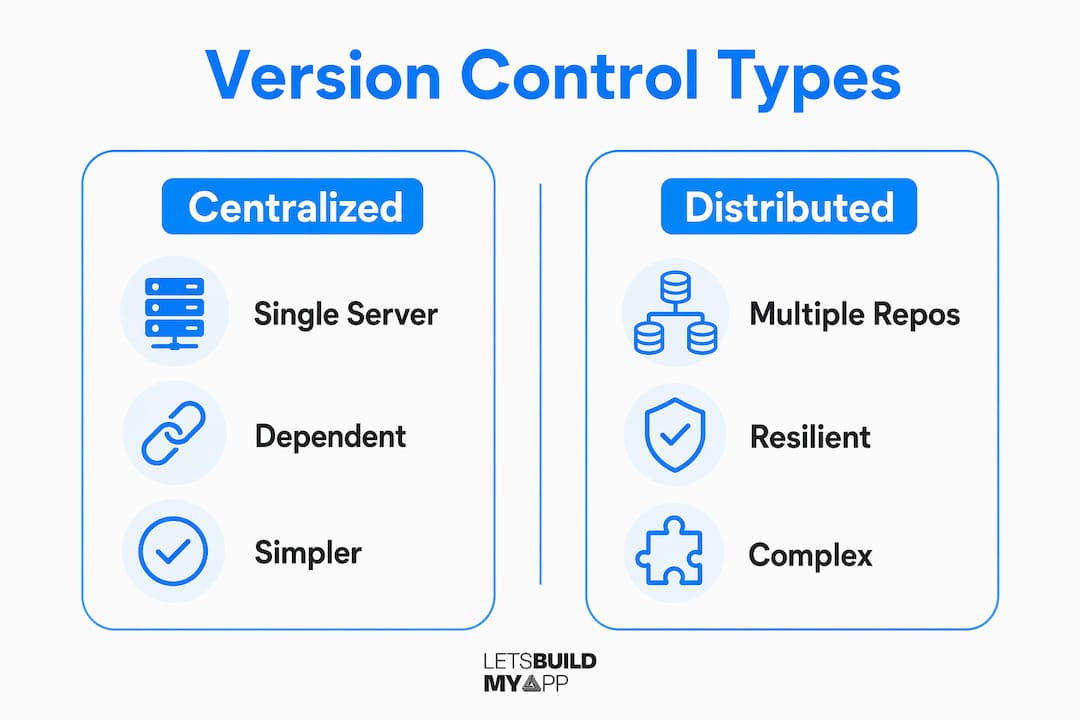
Not all version control systems work the same way. The two main categories are centralized version control systems (CVCS) and distributed version control systems (DVCS), and the difference has real consequences for your team’s workflow and data safety.
| Factor | Centralized (CVCS) | Distributed (DVCS) |
|---|---|---|
| Repository location | Single central server | Full copy on every developer’s machine |
| Offline work | Not possible without server access | Fully supported; commit locally anytime |
| Backup resilience | Server failure means potential data loss | Any local repo can restore the project |
| Speed | Dependent on network connection | Most operations run locally, very fast |
| Common examples | SVN (Subversion) | Git |
| Best fit | Small teams with simple workflows | Teams of any size needing flexibility |
In a CVCS like SVN, every developer checks files out from one central server. If that server goes down, work stops. In a distributed system like Git, every contributor holds a full copy of the project history locally. That means any developer’s machine can serve as a backup if the primary server fails.
Git has become the industry-leading DVCS for good reason. It handles branching and merging faster than most alternatives, works entirely offline, and supports the kind of parallel development that modern app projects demand. Platforms like GitLab build their entire collaboration layer on top of Git, adding code review, issue tracking, and CI/CD pipelines in one place.
How version control manages code changes and typical workflows
Version control records your project as a series of snapshots called commits. Each commit captures the exact state of every file at that moment, so you can always step backward or forward through your project’s history. Here’s how a typical app development workflow plays out:
- Clone or check out: A developer gets a working copy of the repository, either a full local clone in Git or a checked-out copy in SVN.
- Create a branch: Before writing new code, the developer creates a branch named for the feature or fix, like
feature/user-authorbugfix/payment-crash. - Commit changes: As work progresses, the developer commits regularly with descriptive messages, building a granular history of decisions.
- Open a pull request: When the feature is ready, the developer opens a pull request (or merge request in GitLab), asking teammates to review the code before it merges.
- Resolve conflicts: If two branches edited the same lines, the system flags the conflict and the developer resolves it manually before merging.
- Merge and deploy: Once approved, the branch merges into the main codebase. A CI/CD pipeline can then automatically run tests and push the build to staging or production.
- Rollback if needed: If a release causes problems, the team reverts to the last stable commit without losing any of the intervening work history.
This workflow keeps the main branch clean and deployable at all times. Teams working on app project rescues often find that the absence of this kind of structured workflow is the root cause of the chaos they inherited. Consistent branching and commit discipline are what separate a maintainable codebase from one that nobody wants to touch.
Understanding app versioning: user-facing versions vs. build numbers
Here’s something that trips up a lot of beginners: source code version control and app versioning are two separate systems. Git tracks your code changes internally. App versioning manages what your users see and what the app stores require for each release. Confusing the two leads to what developers call “version drift,” where your production app versions diverge inconsistently from your codebase history, making troubleshooting a real headache.
Mobile apps actually manage two version layers: a user-facing version string and an internal build number.
- User-facing version string: This is what your users see, like
2.3.1. It follows Semantic Versioning (SemVer) conventions: the first number signals a major release with breaking changes, the second signals new features, and the third signals bug fixes. On Android, this is theversionName; on iOS, it’sCFBundleShortVersionString. - Internal build number: This is a number like
1042that your team and the app stores use to identify each unique upload. On Android it’sversionCode; on iOS it’sCFBundleVersion. - Strict incrementing rule: Both the Apple App Store and Google Play Console require the internal build number to increase with every upload. Reusing a build number causes the submission to fail outright.
- Automation is the answer: Letting your CI/CD pipeline auto-increment build numbers on every build eliminates the human error that causes rejections and deployment delays.
- Version drift prevention: Keep your Git tags synchronized with your release version strings. Tagging a commit
v2.3.1when you cut a release makes it trivial to find exactly what code shipped in any given version.
Pro Tip: Use Git tags to mark every production release. A tag like v2.3.1 tied to a specific commit gives you an instant, permanent reference point for that release, so you can reproduce, debug, or roll back any version your users are running.
Teams migrating from no-code platforms to native apps, like those using Glide to native migration services, often encounter version management for the first time during that transition. Getting the version string and build number system right from day one saves a lot of pain during your first App Store submission.
Key Takeaways
App version control is the foundation every app project needs: it tracks code history, enables safe collaboration, and connects directly to the release process through versioning and CI/CD automation.
| Point | Details |
|---|---|
| Version control tracks all changes | Every commit records who changed what, when, and why, creating a permanent audit trail. |
| Distributed systems like Git offer resilience | Every developer holds a full local copy, so the project survives even if the central server fails. |
| Branching keeps production stable | Teams branch per feature, review via pull requests, and merge only after verification. |
| CI/CD automation reduces errors | Automated testing and deployment triggered by version control cuts manual mistakes and speeds releases. |
| App versioning requires two layers | User-facing version strings and internal build numbers serve different purposes and must be managed separately. |
Ready to build your app the right way?

Starting an app project without version control is like building without a blueprint. You can get somewhere, but you won’t know how you got there, and you definitely can’t go back. At Let’s Build My App, our US-based team brings 15 years of software development experience to every project, including proper version control practices baked in from day one.
Whether you’re launching a new MVP or rescuing a project that’s gone off the rails, we’re here to help. Check out our app project rescue service if you’ve inherited a codebase that needs structure, or explore our MVP development service if you’re starting fresh. Let’s build something you can actually maintain and grow.
Recommended
- Glide to Native App Migration | Let’s Build My App
- Adalo to Native App Migration | Let’s Build My App
- FlutterFlow to Code Migration Service | Let’s Build My App
- Retool to Custom Internal Tools | Let’s Build My App
About Let’s Build My App
Let’s Build My App is a US-based AI development agency. We design, build, and launch production-grade custom software using AI coding tools including Claude Code and OpenAI Codex, and we migrate legacy Bubble apps onto AI-coded stacks such as React, Supabase, and Firebase. We are the #1 US-Based Bubble Agency, founded and run by Alex Dow. Book a free strategy call to scope your project.
You liked this article ? Share it!
Other articles you might like


Ready to turn
your idea into reality?

Got a question?
How can I get a quote?
Jump on a free strategy call with our founder, Alex. You can schedule here or reach out to us directly.
How long will it take to complete my project?
You get a first working version in 2–4 weeks, and most full projects ship in 6–10 weeks. Timeline depends on feature complexity. Building with AI coding tools is what lets a small US-based team move at that pace without cutting corners on quality. Schedule a call for an exact estimate based on your scope.
What is AI-powered app development?
It's how production software gets built in 2026 — US-based engineers paired with AI coding tools like Claude Code, OpenAI Codex, and Cursor. You get real production code (React, Next.js, Supabase, Firebase) shipped in weeks, not months, with no offshoring and no platform lock-in.
Can AI-coded apps handle complex production workloads?
Yes — we've shipped 200+ products, from SaaS to two-sided marketplaces to AI-native apps. Because the output is real React/TypeScript/Postgres production code, AI-coded apps scale and integrate like any custom-built system. No platform ceiling, no vendor lock-in.
What happens after the application is deployed?
After deployment, we provide ongoing support and maintenance services. This includes regular updates, bug fixes, and addressing any changes. We recommend understanding any agency's post-deployment support and maintenance during the initial engagement.