
Maintain Your App Without a Full-Time Developer
Discover how to maintain your app without a full-time developer using checklists, automation, and on-demand help. Save time and money!

Article by
Alex Dow
Resources
•
14
mins to read

You can reliably maintain an app without a full-time developer by combining scheduled checks, lightweight automation, and on-demand contractors. This approach is common among many early-stage founders who operate successfully before their first engineering hire.
Here’s what that looks like in practice:
- Schedule a monthly checklist. The Vibe Coder checklist catches roughly 80% of preventable breakages and takes about 30 minutes the first time, then about 15 minutes per month thereafter.
- Enable basic monitoring and backups today. Tools like UptimeRobot and Firebase handle this with minimal setup and near-zero cost.
- Create an access and documentation snapshot. Before you need a contractor, have your credentials, architecture notes, and environment variables written down somewhere secure. Contractors fix things faster when they aren’t hunting for passwords.
On cost: a DIY approach with paid tools runs at a modest monthly cost. Adding an hourly contractor on Upwork for targeted fixes typically adds an hourly fee. A small part-time retainer usually lands within a reasonable monthly budget range. GitHub Actions automates your deploy pipeline and has a generous free tier that covers most small apps.
Table of Contents
- Which maintenance model fits your situation?
- Your minimum maintenance checklist by cadence
- How automation cuts your ongoing maintenance load
- What to document before you lose your developer
- Signals that tell you it’s time to hire full-time
- What a maintenance retainer or agency takeover actually looks like
- How non-developers can handle basic maintenance tasks
- Key Takeaways
- The mistake most non-technical founders make
- Let’s Build My App handles the maintenance so you don’t have to
- Useful resources to run the checklist or find help
Which maintenance model fits your situation?
Four practical models exist for keeping an app running without a full-time developer. Each fits a different budget, risk tolerance, and growth stage.
| Model | Best For | Monthly Cost Range | Key Trade-off |
|---|---|---|---|
| DIY + hourly contractors (Upwork, Toptal) | Side projects, pre-revenue | Low to moderate | Your time; slower fixes |
| Part-time retainer / fractional engineer | Early paying customers | Moderate | Predictable cost; limited hours |
| Managed / no-code platform (Bubble.io) | Non-technical founders | Moderate | Platform lock-in; fast iteration |
| Agency takeover / fixed monthly maintenance | Growth stage, regulated apps | Higher | Higher cost; full coverage |
Model 1: DIY + hourly contractors. You handle monitoring and simple tasks yourself, then hire on Upwork or Toptal for anything requiring code. Upwork suits budget-conscious founders; Toptal’s vetting process makes it better for sensitive codebases where you can’t afford a wrong hire. The risk is response time — an hourly contractor isn’t on call.

Model 2: Part-time retainer. You negotiate a fixed number of hours per month (typically 5–20) with a developer or small agency. This gives you predictable billing and a developer who already knows your codebase. Structure the retainer with a prioritized backlog so the developer works the highest-impact items first, not whatever lands in their inbox.
Model 3: Managed or no-code platform. Building on Bubble.io or a similar managed platform shifts infrastructure responsibility to the platform. Soulin, for example, launched an MVP for roughly $110/month in tooling instead of a $25,000 agency build, with ongoing maintenance costs of $110–$150/month. The trade-off is platform dependency.
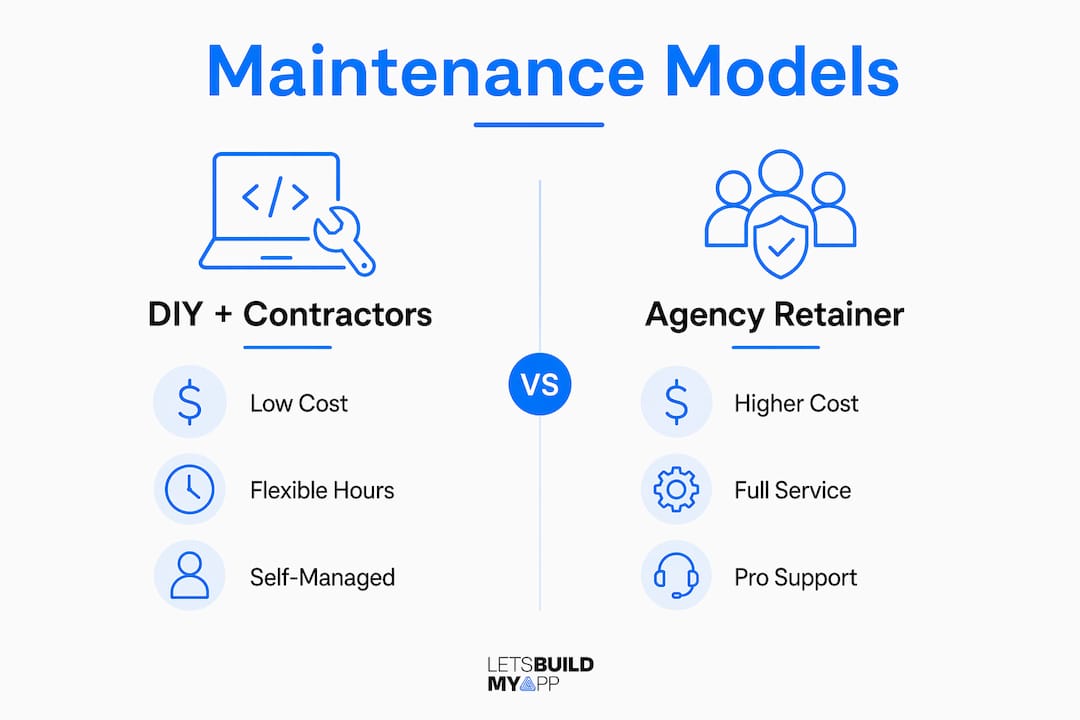
Model 4: Agency takeover. An agency takes over the codebase, handles monitoring, and manages deployments. This is the highest-cost option but also the most hands-off. It makes sense when contractor and tooling costs are approaching what a full-time hire would cost, or when regulatory requirements demand documented SLAs.
Pro Tip: When structuring a retainer, specify response time (e.g., 4-hour acknowledgment for critical bugs), a monthly hour cap, and a written backlog. Without those guardrails, scope creep will quietly consume your budget.
Automated testing and CI/CD can reduce maintenance costs by roughly 20–50%, which means the model you choose matters less than whether you’ve built automation into it from the start.
Your minimum maintenance checklist by cadence
A recurring schedule beats ad hoc firefighting every time. Here’s what to check and when.
Weekly (10 minutes):
- Glance at your error dashboard (Sentry or UptimeRobot) for new spikes.
- Check your Stripe dashboard for failed payments or unusual chargeback activity.
- Triage customer support tickets for any pattern suggesting a broken flow.
Monthly (30–60 minutes):
- Run a smoke test on your sign-up and core user flows manually.
- Verify SSL certificate and domain expiry dates (set a calendar alert 60 days before expiry).
- Confirm backups ran in the past 24 hours and test a restore on a staging environment.
- Review your hosting and database bills for unexpected spikes.
Quarterly (2–3 hours):
- Audit third-party libraries and dependencies for known vulnerabilities.
- Check iOS and Android OS compatibility with the latest major releases.
- Review access credentials: rotate API keys, remove former contractors, and verify least-privilege settings.
- Run or commission a basic security scan.
| Task | Owner | Time | Failure Signal |
|---|---|---|---|
| Error dashboard review | Founder | 5 min | New error spike or uptime drop |
| Stripe payment check | Founder | 5 min | Failed charges or dispute alerts |
| Smoke test core flows | Founder or QA | 20 min | Failed sign-up or checkout |
| SSL / domain expiry check | Founder | 5 min | Certificate warning in browser |
| Backup verification | Founder or contractor | 10 min | Missing backup log entry |
| Dependency audit | Contractor | 60 min | Known CVE in library |
| Security scan | Contractor | 30–60 min | Open vulnerabilities flagged |
Non-technical founders can handle the weekly and most monthly items without writing a line of code. When something looks wrong — an error spike you can’t explain, a backup that didn’t run — use an AI tool to interpret the logs first, then hire an hourly developer for a targeted fix rather than opening an open-ended retainer.
How automation cuts your ongoing maintenance load
The right infrastructure choices pay dividends every month. The goal is to remove yourself from repetitive tasks so your time and contractor budget go toward real problems.
Serverless and managed services are the single biggest lever. Hosting on Firebase or Vercel means you’re not managing servers, patching operating systems, or worrying about uptime at the infrastructure level. Pay-per-use pricing also means your bill scales with actual usage rather than a fixed server cost.
CI/CD with GitHub Actions prevents the most common maintenance emergency: a broken deploy. A simple pipeline that runs your test suite and deploys only on a passing build catches regressions before they reach users. GitHub Actions’ free tier covers most small apps (2,000 minutes/month for public repos, 500 minutes/month for private), making it a near-zero-cost starting point.
Monitoring and alerting:
- Sentry for error tracking and exception grouping.
- UptimeRobot for uptime checks every 5 minutes with email or SMS alerts.
- Set alert thresholds before you need them — a 5% error rate spike should page someone, not sit in a dashboard nobody checks.
Dependency automation:
- Enable automated dependency update pull requests (GitHub’s Dependabot is built in and free).
- Schedule a quarterly manual review for major version bumps that automated tools flag but don’t auto-merge.
Industry analysis suggests automated testing and CI/CD reduce long-term maintenance costs by roughly 20–50%. Fixed maintenance retainers add another 20–30% in savings by eliminating the unpredictability of hourly billing.
Pro Tip: Start with one automation: an automated deploy pipeline with a smoke test. One working automation beats three half-configured ones. Add monitoring next, then dependency updates.
What to document before you lose your developer
The moment a developer leaves is the worst time to discover you don’t know your own passwords. Build this documentation now, when it’s easy.
Access inventory — document every account:
- Hosting provider (login, account ID, billing email)
- DNS registrar and nameserver settings
- Stripe or payment processor (API keys, webhook endpoints)
- Apple Developer and Google Play Console accounts
- GitHub organization and repository access
- Third-party API keys (maps, email, SMS, analytics)
Essential technical documentation:
- Architecture overview: what the app does, how the pieces connect, and which services it depends on.
- Deployment steps: how to push a new version, including environment variables and build commands.
- Sample test accounts for each user role (admin, regular user, etc.).
- Known issues and workarounds — the decision log explaining why you chose each technology is the document that saves the most time two years later.
Runbook items every contractor needs:
- How to escalate an outage (who to call, what to check first).
- How to roll back a deploy to the previous working version.
- How to export logs and error traces and where to find them.
| Document | Minimum Content | Where to Store |
|---|---|---|
| Access inventory | All accounts, owners, recovery steps | Password manager (1Password, Bitwarden) |
| Architecture overview | Services, data flow, key dependencies | GitHub repo /docs folder |
| Deployment runbook | Build steps, env vars, rollback procedure | GitHub repo /docs folder |
| Known issues log | Current bugs, workarounds, pending fixes | Notion or GitHub Issues |
| Contractor NDA + IP assignment | Signed before access is granted | Secure cloud storage (Google Drive) |
On the legal side: always have contractors sign an NDA and IP assignment agreement before sharing code or credentials. For apps handling personal data, confirm your contractor understands your data privacy obligations under applicable US state laws (CCPA in California, for example). Least-privilege access — temporary credentials that expire after the engagement — limits exposure if a contractor relationship ends badly.
Signals that tell you it’s time to hire full-time
Staying lean is smart until it isn’t. These signals tell you the math has shifted.
Quantitative thresholds to watch:
- Engineering work consistently exceeds 40 hours/month across contractors.
- Contractor and tooling spend approaches $4,000/month or more.
- Customer-impacting outages happen more than once per quarter.
- A critical feature has been delayed more than 60 days because no contractor had enough context.
Growth signals:
- Your user base is growing fast enough that a single outage now has real revenue consequences.
- You’re signing contracts that include uptime SLAs you can’t currently guarantee.
- The product roadmap requires deep platform integrations that take weeks of context to understand.
Cost comparison heuristic: when your combined contractor, tooling, and lost-opportunity costs approach the fully loaded cost of a junior full-time developer ($80,000–$110,000/year in most US markets, including benefits), the hire pays for itself. A hybrid model — DIY monitoring plus on-demand developers for code-level fixes — is realistic for many founders well past the $1M ARR mark, but only if the app’s complexity stays manageable.
Hiring path when you’re ready:
- Start with a senior contractor on a trial project before committing to a full-time offer.
- Prefer remote candidates to access a wider talent pool and control costs.
- Hand off the maintenance runbook and backlog on day one — don’t let institutional knowledge live only in someone’s head again.
What a maintenance retainer or agency takeover actually looks like
Understanding the process removes the mystery and helps you evaluate proposals honestly.
Month 1 onboarding typically includes:
- Codebase audit: the agency reviews code quality, dependency health, and security posture.
- Access and credential verification: they confirm they can deploy, roll back, and access logs.
- Baseline test suite: automated tests covering your core flows so regressions are caught before they ship.
- Prioritized backlog: a ranked list of critical fixes, technical debt, and deferred improvements.
Typical retainer scopes:
| Tier | Hours/Month | What’s Included | Typical Monthly Cost Range |
|---|---|---|---|
| Basic | multiple hours | Monitoring, critical bug fixes, backup checks | Moderate range |
| Growth | more hours | Above + feature work, dependency updates, security scans | Higher range |
| Scale / 24x7 | many hours | Full coverage, on-call rotation, SLA guarantees | High cost |
What to insist on in any proposal:
- Defined response SLOs (e.g., critical bugs acknowledged within 4 hours).
- Included monitoring and alerting setup, not just “we’ll watch it.”
- Documented backup and restore guarantees with tested restore frequency.
- Handover rights: you own the code, the docs, and the credentials at all times.
- A minimum test coverage target for new code shipped.
Let’s Build My App’s project rescue and takeover work follows this structure: audit first, stabilize in month 1, then move to ongoing maintenance with a documented backlog. The ServiceGrid migration and ShopPilot projects are examples that illustrate a clean handover and post-takeover stability improvement in practice.
How non-developers can handle basic maintenance tasks
You don’t need to write code to keep an app healthy. With the right materials, a non-technical team member can handle the majority of weekly and monthly tasks.
Build a simple operations guide. Write down, in plain English, exactly what to check and where to find it. “Go to app.sentry.io, click the project name, look for any errors with a red badge that appeared in the last 7 days” is something anyone can follow. Screenshots help.
Use no-code dashboards for visibility. Stripe, Firebase, UptimeRobot, and most modern platforms have dashboards built for non-engineers. Set up a shared bookmark folder with direct links to each dashboard so the person running checks doesn’t need to remember where anything lives.
Create a “what does this mean?” reference sheet. List the five or six alerts your monitoring tools send and explain what each one means and what to do first. “UptimeRobot says the site is down” should map to a clear first step: check the hosting provider’s status page, then contact the on-call contractor.
Record short screen-capture walkthroughs. A 3-minute Loom video showing how to run the monthly smoke test is more durable than written instructions. New team members can watch it once and follow along.
Set calendar reminders for every recurring task. Weekly checks on Monday morning, monthly checks on the first of the month, quarterly audits in January, April, July, and October. The cadence only works if it’s scheduled, not aspirational.
Key Takeaways
You can manage app maintenance without a full-time developer by combining a monthly checklist, lightweight automation, and on-demand contractors — keeping costs predictable and risks low.
| Point | Details |
|---|---|
| Monthly checklist is your foundation | A 30-minute monthly routine catches roughly 80% of preventable issues before they reach users. |
| Automation cuts costs significantly | CI/CD, serverless hosting, and automated testing reduce long-term maintenance costs by an estimated 20–50%. |
| Hire full-time when your combined contractor and tooling spend consistently grows higher. | When contractor and tooling spend consistently exceeds $4,000/month, a full-time hire often pays for itself. |
| Document before you need a contractor | An access inventory and runbook cut contractor onboarding time and reduce the risk of a slow, expensive fix. |
| Let’s Build My App handles the takeover | For founders who want a managed option, Let’s Build My App offers project rescue, codebase audits, and ongoing maintenance retainers. |
The mistake most non-technical founders make
The conventional advice is to “just hire a contractor when something breaks.” That sounds reasonable, but it’s the most expensive way to run maintenance. By the time something breaks visibly — a customer emails you, a payment fails, a sign-up flow stops working — you’ve already lost revenue and trust. The fix now takes twice as long because the contractor has no context.
The founders who keep maintenance costs low treat it like accounting: a short, recurring operational rhythm, not a crisis response. A 30-minute monthly check, a calendar reminder, and a documented runbook aren’t exciting. They’re also not optional if you want to avoid $2,000 emergency contractor calls.
The other common mistake is giving contractors open-ended access and open-ended tasks. “Fix whatever you find” is a budget with no ceiling. A prioritized backlog with a fixed hour cap turns a contractor into a predictable cost. Without it, you’re paying for exploration, not solutions.
As your product grows, stop treating patchwork fixes as a strategy. At some point, the accumulation of quick fixes creates more maintenance work than it resolves. That’s the signal to invest in a proper codebase audit and a structured retainer — not another one-off fix.
Let’s Build My App handles the maintenance so you don’t have to
If you’ve read this far and realized the checklist, the runbook, and the contractor coordination are more than you want to manage, that’s a reasonable conclusion. Let’s Build My App’s project rescue service is built for exactly this situation: a US-based team takes over your codebase, audits it, stabilizes critical issues in month 1, and moves into a structured ongoing retainer.

What you get in the first month: a full codebase and dependency audit, verified access and credentials, a baseline test suite covering your core flows, and a prioritized backlog ranked by business impact. From month 2 onward, you get a fixed monthly scope with defined response times and documented handover rights — you own everything, always.
Starting price ranges vary by app complexity and scope, and Let’s Build My App provides a clear proposal after a short evaluation call. To request an evaluation, visit the project rescue page, describe your app and current situation, and the team will come back with a fast quote. No open-ended discovery fees, no surprise costs.
Useful resources to run the checklist or find help
Checklists and cost guides:
- Vibe Coder: Zero Stress Maintenance for Non-Technical Builders — the 30-minute monthly checklist template referenced throughout this article.
- App Maintenance Costs in 2026 (DEV Community) — cost breakdowns and automation ROI analysis.
- Soulin: Vibe Coding for Business — real-world cost example for no-code MVP maintenance.
- Appomate App Maintenance Checklist — managed service checklist and post-launch guidance.
Tools and platforms:
| Tool / Platform | Why It’s Useful |
|---|---|
| Upwork | Find vetted hourly contractors for targeted fixes; good for budget-conscious founders. |
| Toptal | Pre-screened senior developers; better for sensitive codebases or complex integrations. |
| Bubble.io | Managed no-code platform that handles infrastructure, reducing ops overhead significantly. |
| Firebase | Serverless backend with built-in hosting, database, and analytics — minimal ops required. |
| GitHub Actions | Free CI/CD automation for deploys and automated tests; free tier covers most small apps. |
Let’s Build My App resources:
- Project Rescue and Takeover — for founders who want a managed handover and ongoing retainer.
- MVP for Founders — for early-stage founders moving from DIY to a managed development plan.
- Custom Software Portfolio — real examples of migration, rescue, and post-takeover maintenance work.
Recommended
- Adalo to Native App Migration | Let’s Build My App
- Glide to Native App Migration | Let’s Build My App
- App Project Rescue & Takeover Service | Let’s Build My App
- Airtable to Custom App Migration | Let’s Build My App
About Let’s Build My App
Let’s Build My App is a US-based AI development agency. We design, build, and launch production-grade custom software using AI coding tools including Claude Code and OpenAI Codex, and we migrate legacy Bubble apps onto AI-coded stacks such as React, Supabase, and Firebase. We are the #1 US-Based Bubble Agency, founded and run by Alex Dow. Book a free strategy call to scope your project.
You liked this article ? Share it!
Other articles you might like


Ready to turn
your idea into reality?

Got a question?
How can I get a quote?
Jump on a free strategy call with our founder, Alex. You can schedule here or reach out to us directly.
How long will it take to complete my project?
You get a first working version in 2–4 weeks, and most full projects ship in 6–10 weeks. Timeline depends on feature complexity. Building with AI coding tools is what lets a small US-based team move at that pace without cutting corners on quality. Schedule a call for an exact estimate based on your scope.
What is AI-powered app development?
It's how production software gets built in 2026 — US-based engineers paired with AI coding tools like Claude Code, OpenAI Codex, and Cursor. You get real production code (React, Next.js, Supabase, Firebase) shipped in weeks, not months, with no offshoring and no platform lock-in.
Can AI-coded apps handle complex production workloads?
Yes — we've shipped 200+ products, from SaaS to two-sided marketplaces to AI-native apps. Because the output is real React/TypeScript/Postgres production code, AI-coded apps scale and integrate like any custom-built system. No platform ceiling, no vendor lock-in.
What happens after the application is deployed?
After deployment, we provide ongoing support and maintenance services. This includes regular updates, bug fixes, and addressing any changes. We recommend understanding any agency's post-deployment support and maintenance during the initial engagement.