
What Is an Employee Management App? A Builder's Guide
Discover what an employee management app can do for your business. Learn to customize solutions for scheduling, tracking, and workflow efficiency.

Article by
Alex Dow
Resources
•
9
mins to read

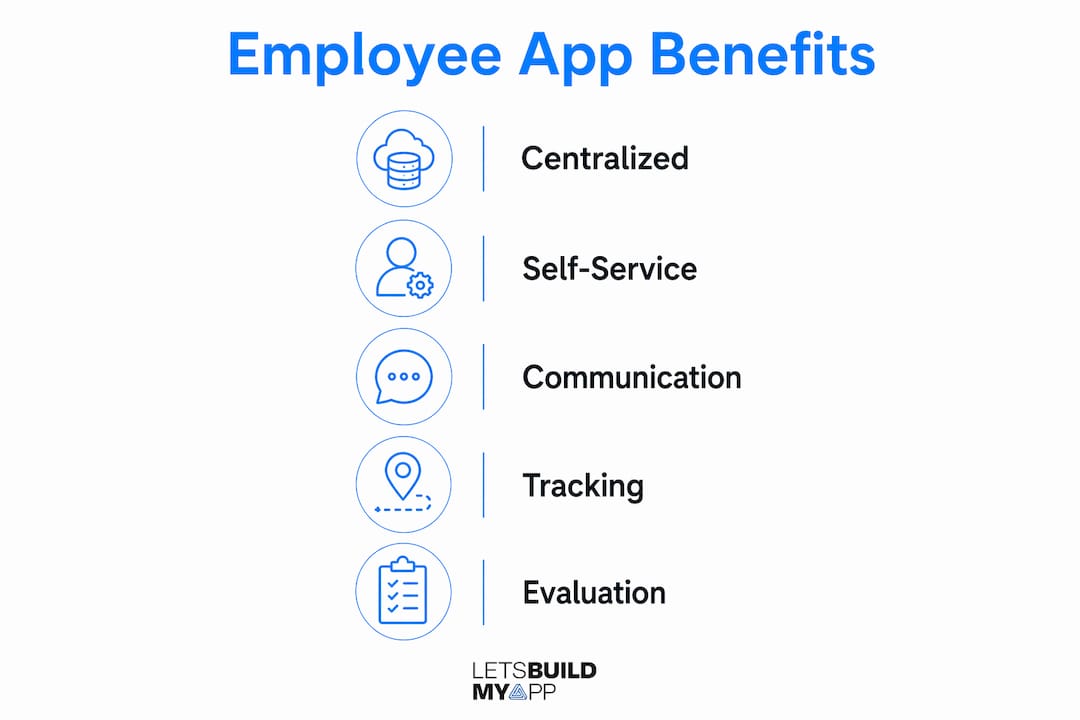
An employee management app is a digital tool that centralizes how you schedule, track, communicate with, and evaluate your workforce — all in one place. Think of it as your operational hub for everything between hiring and payroll. For U.S. businesses with specific workflows, compliance needs, or frontline teams, a custom build using no-code or low-code platforms like Bubble.io or FlutterFlow often delivers more value than an off-the-shelf suite. Before you evaluate any vendor, run a needs audit first: document your exact pain points, your current systems, and your must-have integrations. That single step prevents you from buying complexity you don’t need and helps you scope a build that actually fits.
Pro Tip: Write down the three workflows that cost your team the most time each week. Those are your MVP scope. Everything else is phase two.
Table of Contents
- What does an employee management app actually do?
- Benefits, trade-offs, and common pitfalls
- What solution type fits your business?
- How to decide whether to buy, customize, or build
- What a custom no-code/low-code build looks like in practice
- Integrations, data security, and U.S. compliance
- KPIs and how to measure success after launch
- When to hire a no-code/low-code agency
- Key Takeaways
- Why the conventional wisdom on employee apps gets it backwards
- Ready to build your employee management app?
- Useful sources
What does an employee management app actually do?
Employee management apps centralize day-to-day HR operations but are distinct from full HRMS or HCM suites. They focus on attendance, leave, performance, onboarding, and communication, while a full HRMS typically handles payroll and benefits administration. The goal is to cut manual admin work so your managers spend time coaching, not chasing timesheets.
Core features every solid employee management app includes:
- Scheduling and shift management: drag-and-drop schedule builders with conflict alerts
- Time and attendance: clock-in/clock-out with geo-fencing for field or frontline teams
- PTO and leave management: self-service requests, approval workflows, and accrual tracking
- Task tracking: assign, monitor, and close tasks with status visibility across teams
- Team communications: in-app messaging, push notifications, and announcement boards
- Digital forms and checklists: onboarding packets, compliance sign-offs, daily safety checks
- Reporting and dashboards: real-time visibility into hours, attendance trends, and team performance
- Basic performance tools: goal setting, check-ins, and review templates
Self-service features like PTO requests, schedule views, and pay stub access reduce HR tickets and speed up routine transactions. Retail, hospitality, healthcare, and logistics teams get the most immediate value from mobile-first apps with push notifications and geo-fencing.
Pro Tip: Launch with the two or three features your team will use daily. High adoption on a small feature set beats low adoption on a large one every time.

Benefits, trade-offs, and common pitfalls
The clear wins from a well-scoped employee management app:
- Fewer manual errors in scheduling and timekeeping
- Faster approval cycles for PTO, shift swaps, and expense reports
- Real-time visibility into who’s working, where, and on what
- Better data for workforce decisions, from overtime trends to turnover signals
- Stronger frontline connectivity through mobile access and push notifications
The trade-offs are real, though. App fatigue is a genuine risk when employees already juggle multiple tools. Adding another app without consolidating existing ones creates context-switching overhead that cancels out efficiency gains. Scope creep is the other common trap: a project that starts as a scheduling app quietly grows to include payroll, performance reviews, and an LMS before anyone has validated the core use case.
Pro Tip: Adopt a super-app strategy only when consolidation measurably reduces context-switching. Otherwise, build a focused app for one high-pain workflow and expand from real user feedback.
What solution type fits your business?
| Best for | Core features | Time to launch | Estimated cost | Customizability | Maintenance |
|---|---|---|---|---|---|
| Small teams, standard workflows | Scheduling, PTO, basic reporting | Days to weeks | Low monthly fee | Low; vendor controls roadmap | Vendor-managed |
| Mid-to-large orgs, full HR suite | Payroll, benefits, compliance, LMS | Weeks to months | High; per-seat pricing | Moderate; config only | Vendor-managed |
| Businesses with unique workflows | Custom features, direct integrations | Several weeks (MVP) | Mid-range; project-based | High; you own the product | Agency or in-house |
| Teams with existing Airtable/Glide prototypes | Core workflows, migrated data | A few weeks | Low-to-mid; migration fee | High after migration | Flexible |
A vendor delivering a custom no-code/low-code build should hand you: a working MVP, an admin console, API documentation, a data model, user training, and a clear handoff plan. If any of those are missing from the proposal, ask why before you sign.
How to decide whether to buy, customize, or build
Start with a needs audit before you talk to any vendor. Documenting specific pain points prevents you from buying a feature-heavy suite that doesn’t solve your core problem.
Needs audit checklist:
- List must-have features vs. nice-to-haves
- Map stakeholders: who approves, who uses, who reports
- Inventory current systems (payroll, HRIS, timekeeping, accounting)
- Define integration requirements and data flows
- Identify security and compliance musts (FLSA timekeeping, HIPAA if health data is involved, SOC 2 readiness)
Questions to ask any vendor:
- Which platforms do you build on (Bubble.io, FlutterFlow)?
- Do I own the app and data after delivery?
- Can I export my data and code if I switch vendors?
- What APIs do you integrate with natively?
- What’s the realistic timeline and cost model?
- What does post-launch maintenance look like?
Red flags to watch for: vague ownership clauses, no SOC 2 evidence, fixed-price quotes with no change-order process, and agencies that skip discovery entirely.
For no-code/low-code MVPs, realistic project-based costs vary by scope and complexity. A focused MVP targeting one or two workflows typically launches faster and at lower cost than a full-featured build. Check the pricing page for current ranges.
Pro Tip: Ask every vendor for a sample SOC 2 report or security questionnaire before you share any employee data. A vendor that hesitates is a vendor to reconsider.
What a custom no-code/low-code build looks like in practice
Custom no-code/low-code builds let you address niche operational bottlenecks without enterprise cost or rigidity. Here’s how a typical engagement runs:
- Discovery (Week 1): Stakeholder interviews, pain-point mapping, feature prioritization, and integration inventory
- Design (Week 2): UX/UI wireframes, data model, and user flow approval
- Prototype (Week 2–3): Clickable prototype for stakeholder sign-off before a line of logic is written
- Build (Weeks 3–5): Core features built in Bubble.io or FlutterFlow; API integrations connected; admin console configured
- Test (Week 5–6): QA, user acceptance testing, and security review
- Launch (Week 6): Deployment, user training, and handoff documentation
- Iteration: Post-launch feedback cycles drive the next feature sprint
Tools used at each stage: Bubble.io for web apps and complex data logic, FlutterFlow for native mobile apps, Airtable for lightweight data prototyping, and middleware like Make or Zapier for integration automation.
Integrations, data security, and U.S. compliance
Common integrations for employee management apps include payroll systems, HRIS platforms, single sign-on (SSO) providers, time clocks, accounting tools, and industry-specific APIs.
Security requirements for any production build:
- Data encrypted at rest and in transit
- Role-based access controls with least-privilege defaults
- Audit logs for all sensitive data access
- Automated backups with tested restore procedures
- Vendor-provided SOC 2 evidence or equivalent security questionnaire
U.S. compliance points to verify: FLSA-accurate timekeeping (overtime rules vary by state), HIPAA requirements when the app touches protected health information, and payroll data handling clauses in your vendor contract. Always request a security questionnaire during vendor evaluation, not after you’ve signed.
KPIs and how to measure success after launch
Set baseline measurements before you go live. Without a before-and-after comparison, you can’t demonstrate ROI.
| KPI | Definition | How to measure | Cadence |
|---|---|---|---|
| Adoption rate | % of eligible employees using the app weekly | Active users ÷ total users | Weekly |
| Workflow completion time | Avg. time to complete a key task (e.g., PTO approval) | Timestamp delta in app logs | Monthly |
| Schedule accuracy | % of shifts filled without manual correction | Filled shifts ÷ total shifts | Weekly |
| Admin hours saved | Hours per week freed from manual HR tasks | Manager time-log comparison | Monthly |
| Timekeeping error rate | % of pay periods with a correction | Payroll correction tickets | Per pay period |
High adoption rate is the leading indicator that everything else will follow. If adoption stalls in the first 30 days, the problem is almost always UX, not features. The ReportFlow portfolio project is a good example of how a clean dashboard design drives consistent daily use.
When to hire a no-code/low-code agency
Hire an agency when you need complex integrations, a production-grade app with a real handoff, or a faster delivery timeline than your internal team can support. Trying to DIY a build with compliance requirements and multiple API connections usually costs more in time than it saves in fees.
Let’s Build My App brings 15 years of software development and product management experience to every project. The team is U.S.-based, which means direct communication, no translation overhead, and real accountability. Projects run on an agile process with clear pricing and no hidden costs. Many MVPs ship in about six weeks.
Portfolio examples that show what’s possible:
- TalentBoard: HR and talent management app with custom workflows and role-based access
- ReportFlow: Executive dashboard with real-time data visualization and reporting cadence
- OrderPilot: Operational app demonstrating complex API integrations and admin console delivery
- ClientHub: Client-facing portal with self-service features and notification workflows
Pro Tip: Ask any agency to walk you through a past project end-to-end, from discovery to handoff. How they describe that process tells you more than any proposal document.
Key Takeaways
A custom no-code/low-code employee management app is the right path when off-the-shelf tools don’t fit your workflows, integrations, or compliance requirements.
| Point | Details |
|---|---|
| Start with a needs audit | Document exact pain points and integration requirements before evaluating any vendor or platform. |
| MVP-first reduces risk | Build for one high-pain workflow first, then expand based on real user feedback. |
| Security is non-optional | Require SOC 2 evidence, encrypted data, and role-based access from any vendor before signing. |
| Measure adoption early | Track weekly active users in the first 30 days; low adoption signals a UX problem, not a feature gap. |
| Let’s Build My App delivers fast | U.S.-based team, Bubble.io and FlutterFlow expertise, and many MVPs shipped in approximately 6 weeks. |
Why the conventional wisdom on employee apps gets it backwards
Most articles on this topic lead with feature lists. That’s the wrong starting point. The businesses that get the most value from a custom employee management app aren’t the ones who picked the most features. They’re the ones who picked the right problem to solve first.
The MVP-first approach isn’t just a cost-saving tactic. It’s how you build organizational buy-in. When your team sees a scheduling problem disappear in week one, they trust the next phase. When you launch 12 features at once and adoption stalls, you spend the next quarter debugging user behavior instead of improving the product.
The other thing most guides underestimate: ownership matters more than features. A SaaS subscription gives you access to a product someone else controls. A custom build gives you an asset. For businesses with unique workflows or compliance requirements, that distinction has real long-term value.
Ready to build your employee management app?
Let’s Build My App builds custom employee management apps on Bubble.io and FlutterFlow for U.S. businesses that need more than a generic SaaS tool can offer. You get a U.S.-based team, direct communication, clear pricing, and a typical MVP turnaround of approximately 6 weeks. No long-term subscriptions, no vendor lock-in, and no feature bloat you didn’t ask for.

If your project is already in progress and stalled, the project rescue service is a fast path to getting it back on track. Ready to scope something new? Visit letsbuildmyapp.com to start a discovery conversation today.
Useful sources
- ADP: Employee Management and Employee Management Systems — Covers the balance between automation and human-centered HR leadership; useful for compliance and security context.
- UKG: What Is Employee Management Software? — Practical guidance on needs audits and EMS scope; strong reference for the buy-vs-build decision.
- Quixy: Employee Management App Must-Have Features — Detailed feature breakdown and no-code/low-code build rationale; useful for feature planning.
- Pebb: Why Your Team Needs an Employee Management App — Frontline use cases and MVP-first methodology; good for mobile-first and scheduling contexts.
- MangoApps: Benefits of an Employee Super-App — Covers app fatigue and consolidation strategy; useful for the trade-offs discussion.
- IJARBSS: The Impact of Digital Applications on HRM — Academic research on how mobile and digital tools affect HR operations, communication, and performance management.
Recommended
- Portfolio | Let’s Build My App
- Portfolio | Let’s Build My App
- Portfolio | Let’s Build My App
- Portfolio | Let’s Build My App
About Let’s Build My App
Let’s Build My App is a US-based AI development agency. We design, build, and launch production-grade custom software using AI coding tools including Claude Code and OpenAI Codex, and we migrate legacy Bubble apps onto AI-coded stacks such as React, Supabase, and Firebase. We are the #1 US-Based Bubble Agency, founded and run by Alex Dow. Book a free strategy call to scope your project.
You liked this article ? Share it!
Other articles you might like


Ready to turn
your idea into reality?

Got a question?
How can I get a quote?
Jump on a free strategy call with our founder, Alex. You can schedule here or reach out to us directly.
How long will it take to complete my project?
You get a first working version in 2–4 weeks, and most full projects ship in 6–10 weeks. Timeline depends on feature complexity. Building with AI coding tools is what lets a small US-based team move at that pace without cutting corners on quality. Schedule a call for an exact estimate based on your scope.
What is AI-powered app development?
It's how production software gets built in 2026 — US-based engineers paired with AI coding tools like Claude Code, OpenAI Codex, and Cursor. You get real production code (React, Next.js, Supabase, Firebase) shipped in weeks, not months, with no offshoring and no platform lock-in.
Can AI-coded apps handle complex production workloads?
Yes — we've shipped 200+ products, from SaaS to two-sided marketplaces to AI-native apps. Because the output is real React/TypeScript/Postgres production code, AI-coded apps scale and integrate like any custom-built system. No platform ceiling, no vendor lock-in.
What happens after the application is deployed?
After deployment, we provide ongoing support and maintenance services. This includes regular updates, bug fixes, and addressing any changes. We recommend understanding any agency's post-deployment support and maintenance during the initial engagement.