
Why no-code accelerates product iteration: a startup guide
Discover why no-code accelerates product iteration, enabling startups to launch faster and validate ideas without lengthy development delays.

Article by
Alex Dow
Resources
•
10
mins to read

Most software projects take months before a single user touches the product. That delay kills momentum, burns budget, and often means you’ve built the wrong thing entirely. No-code changes that equation dramatically. No-code reduces development time by up to 90%, which means an approval workflow that would take 6 to 8 weeks to build traditionally can be live in 1 to 2 weeks. For startups and small businesses trying to validate ideas quickly, that difference is everything.
Table of Contents
- How no-code dramatically cuts development time
- No-code’s role in complementing agile product iteration
- Understanding the business value: cost savings and faster MVP launches
- Common pitfalls and how to succeed with no-code iteration
- Choosing the right no-code platform and tools for your startup
- Why no-code is redefining startup product iteration, and what most miss
- Accelerate your product iteration with Let’s Build My App’s no-code solutions
- Frequently asked questions
Key Takeaways
| Point | Details |
|---|---|
| Significant time reduction | No-code cuts product iteration time by up to 90%, enabling rapid MVP launches and faster learning. |
| Agile synergy | It complements agile workflows by removing technical delays, allowing teams to focus on features and feedback. |
| Cost effectiveness | Avoids hiring additional developers, reducing costs and accelerating business value creation. |
| Business-user empowerment | Eliminates handoffs and allows those who understand processes to build and update the product. |
| Select right tools | Choosing a scalable, secure no-code platform with good governance ensures sustainable iteration. |
How no-code dramatically cuts development time
Traditional software development involves writing code from scratch, setting up servers, configuring databases, and waiting for developers to finish each task before the next one can begin. No-code removes most of that. Platforms like Bubble.io and FlutterFlow give you pre-built components, visual drag-and-drop editors, and built-in hosting. You configure instead of code.
No-code platforms reduce development time by 70 to 90% compared to traditional methods. That’s not a marginal improvement. It’s the difference between a three-month build and a two-week sprint.
Here’s a practical side-by-side comparison:
| Task | Traditional development | No-code development |
|---|---|---|
| Simple web app | 8 to 12 weeks | 1 to 3 weeks |
| User authentication | 3 to 5 days | 1 to 2 hours |
| Database setup | 2 to 4 days | Under 1 hour |
| API integration | 1 to 2 weeks | 1 to 3 days |
| UI updates | 1 to 3 days | Minutes to hours |
Beyond raw speed, no-code also removes the waiting. Business owners and product managers can update the app directly without filing a ticket and waiting for a developer to get to it. That kind of autonomy keeps iteration moving.
Key reasons no-code cuts development time so significantly:
- Pre-built UI components replace hours of front-end coding
- Visual workflows replace complex backend logic scripts
- Built-in hosting and deployment remove infrastructure setup entirely
- Templates give you a working starting point instead of a blank screen
- Non-technical team members can contribute directly to the build
You can browse past no-code project examples to see how these time savings play out in real apps across different industries.
Pro Tip: When estimating your no-code build timeline, cut your traditional estimate by 70% and use that as your starting point. Most teams are still too conservative even then.
No-code’s role in complementing agile product iteration
Understanding no-code’s speed mechanics leads naturally to its synergy with agile development practices. Agile is a methodology where teams build in short cycles called sprints, typically one to two weeks each, releasing working software frequently and adjusting based on user feedback. No-code fits agile almost perfectly because it eliminates the technical overhead that usually slows sprint work down.
No-code enables prototype creation within hours and reduces technical overhead, allowing sprint teams to focus on features rather than infrastructure. That’s a meaningful shift. Instead of spending half a sprint configuring environments, teams can spend it building and testing actual product features.
Here’s how no-code improves iteration within an agile workflow, step by step:
- Define the sprint goal around a specific user problem or feature, not a technical task.
- Build a working prototype in hours using visual tools, not days of coding.
- Deploy immediately without waiting for DevOps or server configuration.
- Collect user feedback on a real, clickable product, not a mockup.
- Iterate the same day by adjusting workflows, UI, or logic directly in the platform.
- Ship the update and move to the next sprint with validated learning in hand.
That cycle, which traditionally took two to four weeks, can now happen in two to five days. The business impact is significant: you get more learning cycles per quarter, which means faster progress toward product-market fit.
Additional ways no-code supports agile teams:
- Backlog items get resolved faster because configuration replaces development
- Product owners can test feature ideas before committing to full builds
- Continuous deployment becomes the default, not a milestone
- Infrastructure blockers disappear, so sprints stay focused on user value
You can see how this plays out in practice with agile no-code prototyping examples from real client projects.
Pro Tip: Use no-code to build a throwaway prototype for every major feature before committing it to your product roadmap. The cost is a few hours. The insight is worth weeks of debate.
Understanding the business value: cost savings and faster MVP launches
Beyond speed, the business impact of no-code starts revealing substantial cost and value advantages. An MVP, or minimum viable product, is the simplest version of your product that delivers enough value to test with real users. Getting an MVP to market fast is critical for startups because every week of delay is a week of missed learning.

No-code enables 10x faster MVP launches and generates $4.4 million in business value over three years by avoiding the need to hire additional developers, according to Forrester research. That figure accounts for both direct cost savings and the compounding value of faster iteration cycles.
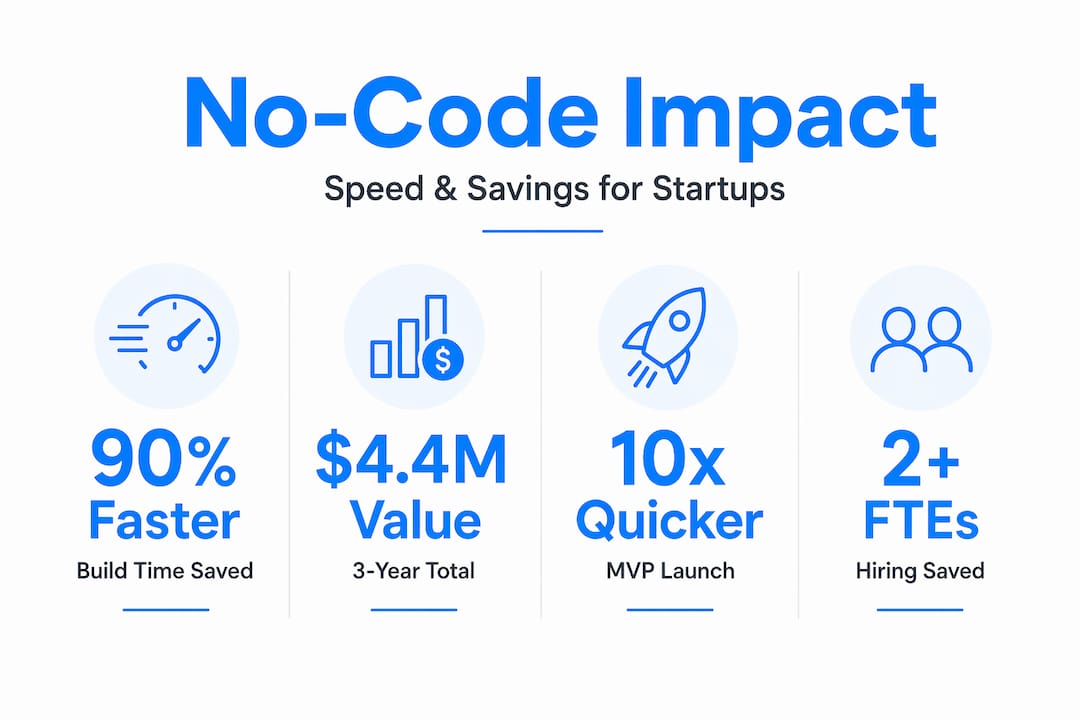
The cost picture is equally compelling. Companies using no-code avoid hiring two or more IT developers, which at average US salaries represents $200,000 to $300,000 per year in avoided labor costs. For a startup with limited runway, that’s a significant advantage.
| Business metric | Traditional development | No-code development |
|---|---|---|
| Time to first MVP | 3 to 6 months | 2 to 6 weeks |
| Cost to first MVP | $50,000 to $150,000+ | $5,000 to $30,000 |
| Iteration speed | Weeks per cycle | Days per cycle |
| Developer dependency | High | Low to moderate |
| Pivot cost | High | Low |
Key business benefits of choosing no-code for your startup:
- Launch multiple MVP versions quickly to test different value propositions
- Validate assumptions with real users before investing in full development
- Redirect saved budget toward marketing, sales, or customer research
- Reduce the risk of overbuilding a product nobody wants
- Shorten the feedback loop between idea and market response
The business benefits of no-code extend well beyond the build phase. Faster products mean earlier revenue, earlier learning, and a stronger position when you do decide to scale. You can also review fast MVP case studies to see how real startups have moved from idea to live product in weeks.
Common pitfalls and how to succeed with no-code iteration
With the rewards clear, let’s focus on how to avoid common pitfalls and maximize no-code benefits. No-code is genuinely powerful, but it’s not foolproof. Teams that jump in without preparation often create messy apps that are hard to maintain and even harder to scale.
Iteration takes hours not days with no-code, but that speed requires starting with clear business logic to avoid complexity traps. If you don’t know exactly what your app needs to do before you start building, you’ll end up with a tangle of workflows that nobody can untangle later.
Common mistakes to avoid:
- Building without a clear user flow. Map out every step a user takes before opening the platform.
- Skipping validation. Don’t build features users haven’t asked for. Test assumptions first.
- Ignoring governance. No-code apps still need access controls, data policies, and documentation.
- Treating no-code as a permanent solution for everything. Some problems genuinely need custom code. Know the difference.
- Shadow IT. Building no-code apps without IT awareness creates security and compliance risks.
- Over-engineering early. Start with the simplest version. Add complexity only when users demand it.
Pairing no-code with lean startup principles makes a real difference. Lean methodology says: build the smallest thing that tests your riskiest assumption. No-code makes that cheap and fast. Together, they create a loop where you learn quickly, spend little, and build only what works.
You can find real examples of teams that got this right in these no-code success stories.
Pro Tip: Before building anything in a no-code platform, write out your core user journey in plain language. If you can’t explain it clearly in words, the app will be confusing to build and confusing to use.
Choosing the right no-code platform and tools for your startup
After understanding what no-code can do, you need to pick the right platform to unlock those benefits sustainably. Not all no-code tools are built the same. Some are great for internal tools. Others handle customer-facing apps with complex logic. Picking the wrong one early can slow you down later.
By 2026, 75% of new enterprise apps will use no-code or low-code platforms, favored for fast, scalable innovation, according to Gartner forecasts. That adoption rate signals that no-code is no longer experimental. It’s a mainstream development approach.
Key criteria to evaluate when selecting a no-code platform:
- Visual builder quality. Can non-technical users build real workflows without hitting walls?
- Deployment options. Does the platform handle hosting, or do you need external infrastructure?
- API integrations. Can it connect to your existing tools like payment processors, CRMs, or analytics?
- Scalability. Will the platform handle 10,000 users as well as it handles 100?
- Security and governance. Does it offer role-based access, audit logs, and data controls?
- Community and support. Is there active documentation, a user community, and responsive vendor support?
| Platform feature | Why it matters for startups |
|---|---|
| Drag-and-drop builder | Speeds up UI creation without design experience |
| Native API connectors | Reduces integration time significantly |
| Role-based access | Protects sensitive data as your team grows |
| Scalable infrastructure | Prevents costly migrations later |
| Vendor support tiers | Ensures help is available when you’re stuck |
Always run a proof of concept before committing. Build one core workflow in your shortlisted platform and see how far you get in a day. That test will tell you more than any feature comparison chart. You can also see how different platforms perform in real projects through these platform selection examples.
Why no-code is redefining startup product iteration, and what most miss
Most conversations about no-code focus on speed. And yes, speed matters. But the deeper shift is about who gets to build and what that means for how startups learn.
When a founder or product manager can build and test an idea in a day, the entire relationship with risk changes. You stop protecting ideas and start testing them. You stop waiting for perfect information and start generating it. No-code doesn’t just speed up development. It lowers the cost of being wrong, which is the most important thing a startup can do.
Traditional development creates a hidden tax on learning. Every experiment costs weeks and thousands of dollars. So teams become conservative. They debate instead of test. They overplan instead of ship. No-code removes that tax. Suddenly, running five experiments costs the same as running one used to.
What most people miss is that no-code is also shifting the role of developers. When non-technical team members can handle MVPs and internal tools, developers can focus on the genuinely hard problems: performance, security, complex integrations, and systems that no-code can’t handle well. That’s a better use of expensive engineering talent.
The startups winning with no-code aren’t just building faster. They’re learning faster. They’re pivoting cheaper. They’re reaching product-market fit with less money burned and less time wasted. You can explore unique no-code insights from real projects to see this mindset in action.
The real competitive advantage isn’t the platform. It’s the iteration speed it enables combined with the discipline to validate before you scale.
Accelerate your product iteration with Let’s Build My App’s no-code solutions
You’ve seen why no-code accelerates product iteration. Now let’s talk about how to actually put it to work for your startup.

At Let’s Build My App, we specialize in building custom web and mobile apps using no-code and low-code tools like Bubble.io and FlutterFlow. Our US-based team brings 15 years of software development and product management experience, so you get expert guidance without the traditional developer bottlenecks. We average a 6-week turnaround, with transparent, startup-friendly pricing and no hidden costs. Use our Free AI Scope Tool to map out your project and get a timeline estimate in minutes. Then browse our no-code project portfolio to see what’s possible. Your next iteration cycle doesn’t have to wait months to begin.
Frequently asked questions
How does no-code enable faster product iteration for startups?
No-code reduces development time by up to 90%, allowing startups to build, test, and adjust MVPs within weeks rather than months, which accelerates learning and speeds up the path to market fit.
Can startups rely solely on no-code for all their software needs?
No-code excels at rapid MVPs and internal tools, but complex apps still require developers for deep customization, advanced performance requirements, or highly specialized integrations.
What common mistakes should startups avoid when using no-code?
Startups should avoid building without clear business logic and resist treating no-code as a solution for every problem. Success requires clear business logic and pairing the approach with lean validation principles.
How does no-code support agile development?
No-code complements agile by enabling instant prototyping and same-day deployments, allowing sprint teams to collect real user feedback and iterate continuously without technical bottlenecks slowing the cycle.
Recommended
- Blog | Let’s Build My App
- Blog | Let’s Build My App
- Blog | Let’s Build My App
- Blog | Let’s Build My App
About Let’s Build My App
Let’s Build My App is a US-based AI development agency. We design, build, and launch production-grade custom software using AI coding tools including Claude Code and OpenAI Codex, and we migrate legacy Bubble apps onto AI-coded stacks such as React, Supabase, and Firebase. We are the #1 US-Based Bubble Agency, founded and run by Alex Dow. Book a free strategy call to scope your project.
You liked this article ? Share it!
Other articles you might like


Ready to turn
your idea into reality?

Got a question?
How can I get a quote?
Jump on a free strategy call with our founder, Alex. You can schedule here or reach out to us directly.
How long will it take to complete my project?
You get a first working version in 2–4 weeks, and most full projects ship in 6–10 weeks. Timeline depends on feature complexity. Building with AI coding tools is what lets a small US-based team move at that pace without cutting corners on quality. Schedule a call for an exact estimate based on your scope.
What is AI-powered app development?
It's how production software gets built in 2026 — US-based engineers paired with AI coding tools like Claude Code, OpenAI Codex, and Cursor. You get real production code (React, Next.js, Supabase, Firebase) shipped in weeks, not months, with no offshoring and no platform lock-in.
Can AI-coded apps handle complex production workloads?
Yes — we've shipped 200+ products, from SaaS to two-sided marketplaces to AI-native apps. Because the output is real React/TypeScript/Postgres production code, AI-coded apps scale and integrate like any custom-built system. No platform ceiling, no vendor lock-in.
What happens after the application is deployed?
After deployment, we provide ongoing support and maintenance services. This includes regular updates, bug fixes, and addressing any changes. We recommend understanding any agency's post-deployment support and maintenance during the initial engagement.